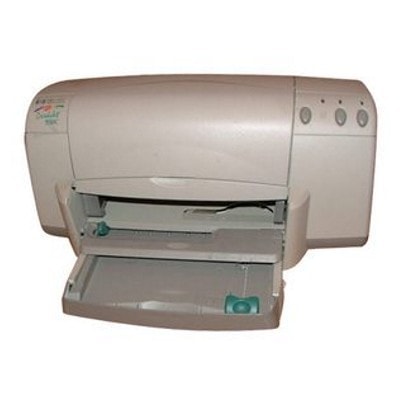
Reliable printing with the HP DeskJet 933c HP DeskJet 933c (also searched as HP 933c, 933C, or HP Deskjet 900 Series) is a classic inkjet printer valued for straightforward operation and solid everyday performance. It’s a great choice for home and small-office tasks such as letters, school assignments, invoices, and occasional color graphics. To keep this model working at its best, you simply need the right ink cartridges for HP DeskJet 933c—and we offer both Compatible and Original OEM options in one place. Ink for HP DeskJet 933c: what it’s used for and why it matters The printer uses two main cartridge types: a black cartridge for crisp text and a tri-color cartridge for color documents and images. Choosing high-quality ink for HP DeskJet 933c helps maintain sharp printouts, consistent colors, and smooth, trouble-free printing—whether you print occasionally or every day. Our selection of ink cartridges supports typical HP DeskJet 933c applications: - Everyday text printing (emails, forms, homework) with dense, readable black.
- Color documents (charts, handouts) with balanced cyan/magenta/yellow output.
- Mixed printing for families and home offices that need both black and color on demand.
If you search by cartridge codes such as C6427P, 51645AE, or C6578AE/C6578DE, you’re in the right category—these are the proven matches for this printer family. Compatible and Original OEM cartridges—one category, full freedom of choice We know that different customers have different priorities, so we keep the choice simple and transparent. In this category you’ll find: - Original OEM cartridges—made by HP, ideal for customers who want the manufacturer’s solution.
- Compatible cartridges—our carefully selected alternatives that provide excellent print quality and reliable performance. In practice, our compatible cartridges from DrTusz.pl are as good as the originals for everyday printing needs, while often offering a more budget-friendly cost per page.
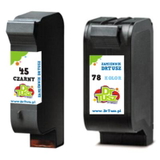
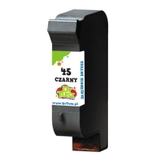
Whichever route you choose, we focus on safe, dependable printing and clear product labeling—so you can quickly pick the right ink for printer HP DeskJet 933c. Popular ink cartridges for HP DeskJet 933c in our offer To make shopping easier, here are some of the most frequently chosen products in this category (both single cartridges and multipacks): - Compatible Ink Cartridge 45 for HP (51645AE) (Black) – a go-to option for sharp black text.
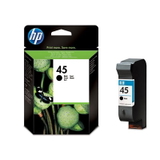
- Original OEM Ink Cartridge HP 45 (51645AE) (Black) – OEM black cartridge for customers who prefer HP-branded supplies.
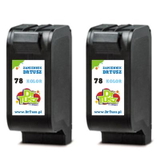
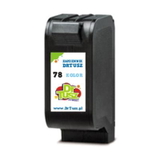
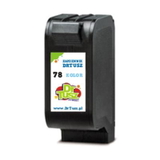
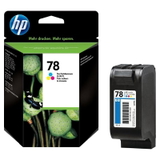
- Compatible Ink Cartridge 78 for HP (C6578DE) (Color) and Compatible Ink Cartridge 78 for HP (C6578AE) (Color) – dependable tri-color printing for everyday color pages.
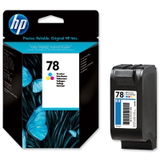
- Original OEM Ink Cartridge HP 78 (C6578DE) (Color) and Original OEM Ink Cartridge HP 78 (C6578AE) (Color) – OEM color cartridges for consistent results.
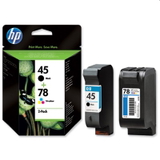
- Compatible Ink Cartridges 45 + 78 for HP (SA308AE) (multi pack) and Original OEM Ink Cartridges HP 45 + 78 (SA308AE) (multi pack) – practical sets when you want both black and color ready at the same time.
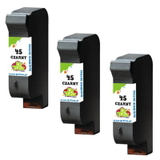
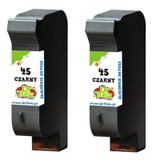
- Compatible Ink Cartridges 45 for HP (SA294AE) (Black) (2-pack) and Compatible Ink Cartridges 45 for HP (51645AE-3) (Black) (3-pack) – smart choices for higher-volume black printing and better value.
- Compatible Ink Cartridges 78 for HP (C6578AE-2) (Color) (2-pack) – convenient if you print color more often or want a spare.
Thanks to singles, twin packs, and multi packs, you can plan purchases around how you actually print—without overpaying or running out at the wrong time. How to choose the right cartridge (and solve common printing problems) When selecting ink cartridges for HP DeskJet 933c, start with a simple question: do you print mostly black text, mostly color, or a mix? If you mainly print documents, a black multipack can be the most economical. If you print school projects or color graphics, keeping a spare tri-color cartridge is a good idea. Typical user issues with HP DeskJet 933c and how the right ink helps: - Faded text or streaks – often caused by low ink or a clogged nozzle; replacing the cartridge and running a cleaning cycle usually restores quality.
- Colors look off – a tri-color cartridge may be partially depleted (one color runs out before others); a fresh ink for HP 933c restores balance.
- Cartridge not recognized after replacement – reseat the cartridge, clean the contacts gently, and confirm you selected the correct code (51645AE for black, C6578AE/C6578DE for color).
- Infrequent printing – ink can dry out over time; printing a small test page regularly helps maintain nozzle health.
Still unsure whether HP DeskJet 933c ink should be Compatible or Original OEM? If you want the manufacturer’s branded solution, choose OEM. If you want excellent everyday quality and strong value, choose our compatible cartridges—trusted by customers who print a lot and expect reliable results. Order ink for HP DeskJet 933c today We encourage you to browse the full selection of ink for printer HP DeskJet 933c in this category and choose the option that matches your printing style—single cartridges for quick replacement, or multipacks for better planning and savings. If you need help identifying the right cartridge (for example, when searching “933 c”, “933 C”, or “HP Deskjet 900 Series”), contact us—we’ll guide you to the perfect match. Add your cartridge to the cart and enjoy fast, convenient delivery and support from a store that truly knows printers and consumables. |