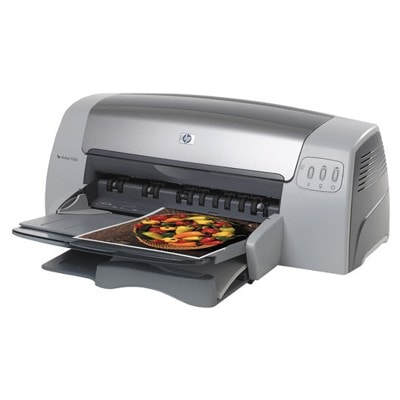
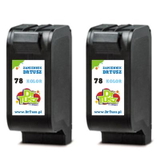
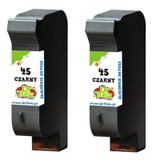
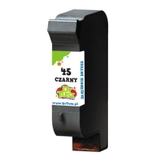
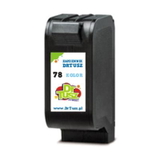
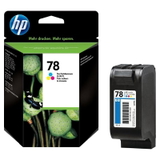
Reliable printing with the HP DeskJet 9300 Series The HP DeskJet 9300 (also known as HP Deskjet 9300 Series or simply HP 9300) is a proven inkjet printer designed for everyday documents as well as color materials. It’s appreciated for its practicality and versatility—especially when you need clear text, readable tables, and eye-catching graphics at home or in a small office. To keep this model performing at its best, choosing the right ink for HP DeskJet 9300 is essential. Ink cartridges for HP DeskJet 9300 – what matters most This category includes ink cartridges in two key options: Original OEM and Compatible. Both are designed for the cartridges used by this printer family, including the popular codes 51645AE (HP 45), C6578AE and C6578DE (HP 78), as well as the multipack marked SA308AE and references like C8136A. When you pick the right ink for HP 9300, you get: - Sharp black text for contracts, invoices, and school prints (HP 45 / 51645AE).
- Vivid color output for charts, photos, and presentations (HP 78 / C6578AE, C6578DE).
- Stable performance in everyday printing—no guesswork, no wasted pages.
- Convenient multipacks when you want to stock up and print without interruptions.
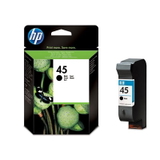
Whether you print occasionally or regularly, selecting the correct ink for printer HP DeskJet 9300 helps avoid common problems such as faded color, uneven black, or frequent cartridge replacements. Compatible and Original OEM: a wide choice in one place We keep the offer clear and complete, so you can quickly find the best ink for HP DeskJet 9300 for your needs and budget. In this category you’ll find, among others: - Original OEM Ink Cartridge HP 45 (51645AE) (Black) – a great choice if you prefer manufacturer cartridges for consistent office documents.
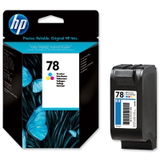
- Original OEM Ink Cartridge HP 78 (C6578AE) (Color) and Original OEM Ink Cartridge HP 78 (C6578DE) (Color) – for strong, clean color reproduction.
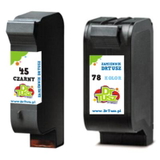
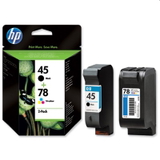
- Original OEM Ink Cartridges HP 45 + 78 (SA308AE) (multi pack) – a convenient set for balanced black-and-color printing.
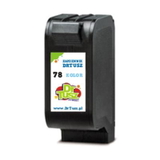
- Compatible Ink Cartridge 45 for HP (51645AE) (Black) and Compatible Ink Cartridge 78 for HP (C6578AE / C6578DE) (Color) – cost-effective daily printing without sacrificing quality.
- Compatible Ink Cartridges 45 + 78 for HP (SA308AE) (multi pack) – a practical option for home and small office use.
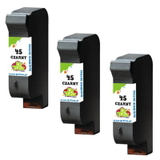
- Compatible multi-packs, such as Compatible Ink Cartridges 78 for HP (C6578AE-2) (Color) (2-pack), Compatible Ink Cartridges 45 for HP (51645AE-3) (Black) (3-pack), and Compatible Ink Cartridges 45 for HP (SA294AE) (Black) (2-pack) – ideal when you print a lot and want a better price per page.
Thanks to this range, you can easily match your purchase to how you use your printer—single cartridge, color-only, black-only, or a full set. How to choose the right ink for HP DeskJet 9300 Dear Customer, the quickest way to choose the correct ink for HP DeskJet 9300 is to match the cartridge symbol used by your printer. For the HP 9300 Series, the most common are HP 45 (51645AE) for black and HP 78 (C6578AE / C6578DE) for color. If you print both text and graphics, a multipack like SA308AE is often the most convenient. When deciding between Original OEM and Compatible, consider: - Original OEM ink cartridges – made by the printer manufacturer, a classic choice for users who want to stick to the original specification.
- Compatible ink cartridges – a smart alternative for everyday printing. Our compatible cartridges from DrTusz.pl are designed to deliver results as good as the originals, while helping you reduce running costs.
Common user issues with HP 9300 ink cartridges – and how to avoid them The HP DeskJet 9300 is dependable, but like any inkjet device, it may occasionally show typical ink-related issues. Here’s what customers most often ask about when buying ink for printer HP DeskJet 9300: - Cartridge not recognized – make sure you selected the correct code (e.g., 51645AE, C6578AE, C6578DE) and that protective elements were removed before installation.
- Streaks or faded prints – this can happen after long breaks in printing. Running the printer’s cleaning cycle and using fresh ink usually solves it.
- Color prints look dull – choose a new HP 78 color cartridge and print a test page to confirm proper color alignment.
- Running out of black too fast – if you print lots of text, consider a black multipack (2-pack or 3-pack) to keep costs under control and avoid downtime.
If you’re unsure which cartridge is best for your workload, we’re here to help you pick the most suitable ink for HP DeskJet 9300—black, color, or a complete set. Choose your ink today and keep your HP DeskJet 9300 ready to print We encourage you to explore our selection of compatible and Original OEM ink cartridges for HP DeskJet 9300. Whether you want the classic OEM solution or a high-quality compatible alternative from DrTusz.pl, you’ll find the right cartridge quickly—single units and value multipacks included. View the available cartridges, choose the best option for your printing needs, and place your order today. If you have any questions about compatibility (HP DeskJet 9300 / HP 9300 / 9300 Series, C8136A, SA308AE, 51645AE, C6578AE, C6578DE), contact us—we’ll gladly guide you. We also provide convenient delivery options so you can get your ink fast and get back to printing without delays. |