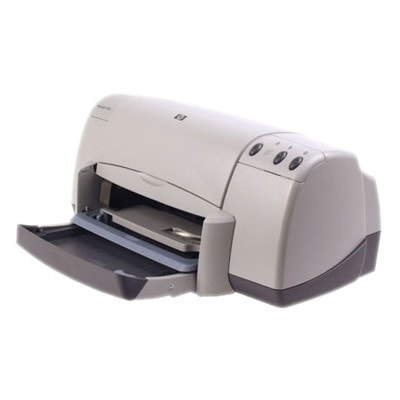
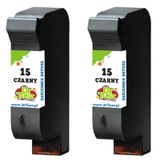
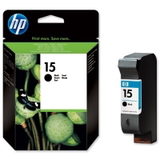
Reliable printing with the HP DeskJet 922c The HP DeskJet 922c (also searched as HP 922c, 922C, 922 c or the HP Deskjet 900 Series) is a classic home-and-office inkjet printer valued for its simplicity and dependable everyday performance. To keep this model working smoothly, the right ink for HP DeskJet 922c is essential—both for crisp black text and for clean, vibrant colour documents and photos. Ink cartridges for HP 922c: what matters most In this category you will find ink cartridges designed specifically for the HP DeskJet 922c, including both Original OEM and carefully selected compatible ink for HP DeskJet 922c. This printer uses two main cartridge families: HP 15 black and HP 78 colour (also recognised by codes such as C6615DE and C6578DE/C6578AE). The right match means stable performance, consistent print quality and fewer interruptions. - HP 15 (C6615DE) – black ink for sharp text, invoices, forms and everyday printing.
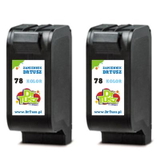
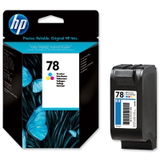
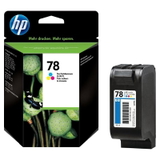
- HP 78 (C6578DE / C6578AE) – colour ink for graphics, school projects, charts and photos.
Whether you print occasionally or regularly, choosing an appropriate ink cartridge for HP DeskJet 922c helps avoid fading, streaks and unnecessary cartridge replacements. Compatible vs Original OEM: choose what fits your needs We offer two proven options: Original OEM ink cartridges and compatible ink cartridges. Original OEM products are made by the printer manufacturer and are a great choice if you want to stay with the brand’s standard, predictable results. At the same time, our compatible ink for HP 922c is designed to deliver print quality and reliability that are as good as the originals, while often being a more budget-friendly way to print. - Original OEM – ideal for customers who prefer manufacturer cartridges and consistent, factory-standard output.
- Compatible – a smart option for frequent printing and cost control, without compromising on everyday quality.
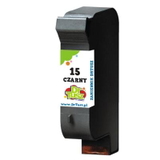
Whichever route you choose, the key is selecting the correct cartridge code for your device: HP 15 for black and HP 78 for colour. Popular cartridges in our offer (HP 15 / HP 78) To make your purchase easy, we stock the most commonly chosen items for this model—both single cartridges and convenient multipacks: - Compatible Ink Cartridge 15 for HP (C6615DE) (Black)
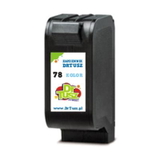
- Compatible Ink Cartridge 78 for HP (C6578DE) (Color)
- Compatible Ink Cartridge 78 for HP (C6578AE) (Color)
- Compatible Ink Cartridges 78 for HP (C6578AE-2) (Color) (2-pack)
- Original OEM Ink Cartridge HP 15 (C6615DE) (Black)
- Original OEM Ink Cartridge HP 78 (C6578DE) (Color)
- Original OEM Ink Cartridge HP 78 (C6578AE) (Color)
- Compatible Ink Cartridges 15 for HP (C6615DE-2) (Black) (2-pack)
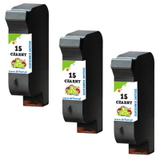
- Compatible Ink Cartridges 15 for HP (C6615DE-3) (Black) (3-pack)
If you print a lot of black text, multipacks such as the C6615DE-2 or C6615DE-3 are a practical way to reduce downtime and keep a spare cartridge ready. How to pick the right ink cartridge for HP DeskJet 922c When selecting ink for HP DeskJet 922c, we recommend focusing on a few simple points: - Match the code: black is typically C6615DE (HP 15), colour is C6578DE or C6578AE (HP 78).
- Choose by your printing style: documents = prioritise black; photos and graphics = keep a fresh colour cartridge available.
- Consider a multipack: great for home offices and anyone printing regularly.
Common issues reported with the HP DeskJet 922c and similar models in the HP Deskjet 900 Series include faint prints, missing colours, or streaks—often caused by a depleted cartridge, dried ink from long breaks between prints, or a clogged nozzle. Replacing the cartridge with a fresh ink cartridge for HP 922c usually solves the problem quickly. If your printer sits unused, printing a small test page from time to time can help keep the ink flowing. Order ink for HP 922c with confidence We make it easy to choose the right ink for HP DeskJet 922c—whether you want Original OEM cartridges or dependable compatible ink cartridges that perform like originals. Browse the products listed above, pick the right black and colour set, and keep your printer ready for every task. CTA: We encourage you to explore our full selection of ink cartridges for HP DeskJet 922c and choose the option that best matches your printing needs. If you’re unsure whether you need C6430B, C6615DE, C6578DE or C6578AE, contact us—together we’ll confirm the correct cartridge and help you place your order. We ship quickly and securely, so you can get back to printing without delay. |