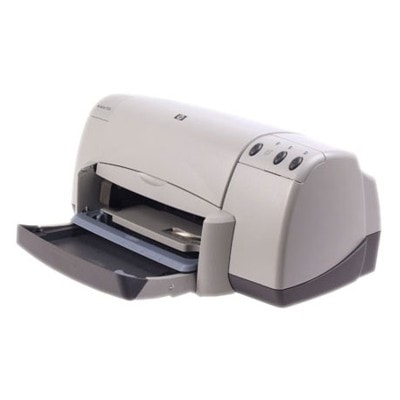
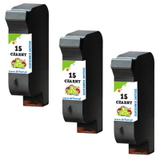
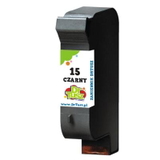
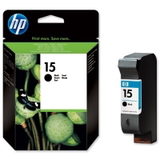
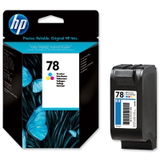
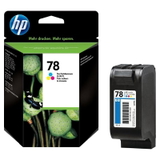
Reliable printing with the HP DeskJet 920cxi The HP DeskJet 920cxi (also searched as HP 920cxi, 920 cxi, 920CXI or HP Deskjet 900 Series) is a classic home-and-office inkjet printer valued for simple operation and dependable everyday printing. To keep this model working smoothly, it’s crucial to choose the right ink cartridges for HP DeskJet 920cxi—especially when you want sharp black text, clean color graphics, and trouble-free installation. What to expect from ink for HP DeskJet 920cxi In this category you’ll find ink for printer HP DeskJet 920cxi designed for consistent output in daily use: documents, school materials, forms, and occasional color prints. The printer uses two main cartridge families: black and color. Popular reference codes include C6615DE (often called “HP 15”) for black and C6578DE / C6578AE (often called “HP 78”) for color. - Black cartridge (HP 15 / C6615DE) – ideal for crisp text, invoices, notes, and monochrome documents.
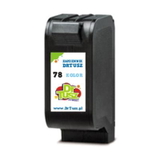
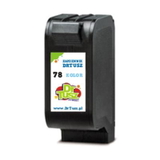
- Color cartridge (HP 78 / C6578DE or C6578AE) – designed for color charts, simple photos, and vibrant graphics.
Whether you print occasionally or regularly, the right ink for HP 920cxi helps reduce streaking, fading, and repeated cleaning cycles—so you spend less time troubleshooting and more time printing. Compatible and Original OEM cartridges – one category, more choice We offer both Original OEM cartridges and carefully selected Compatible cartridges. If you prefer the manufacturer’s solution, choose OEM. If you want excellent value without compromising quality, our compatible options are a smart pick—our compatible cartridges from DrTusz.pl are designed to be as good as the originals in everyday printing, while helping you control costs. - Original OEM ink cartridge for HP DeskJet 920cxi – factory-standard solution for users who want the official brand option.
- Compatible ink cartridge for HP DeskJet 920cxi – high-quality alternative for economical printing and frequent use.
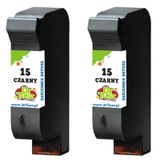
Popular products for HP 920cxi available in this category To make your choice easier, here are some of the most frequently chosen items in our offer—covering both black and color, OEM and compatible, as well as convenient multipacks: - Compatible Ink Cartridge 15 for HP (C6615DE) (Black)
- Original OEM Ink Cartridge HP 15 (C6615DE) (Black)
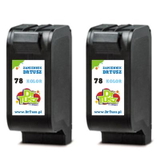
- Compatible Ink Cartridge 78 for HP (C6578DE) (Color)
- Compatible Ink Cartridge 78 for HP (C6578AE) (Color)
- Original OEM Ink Cartridge HP 78 (C6578DE) (Color)
- Original OEM Ink Cartridge HP 78 (C6578AE) (Color)
- Compatible Ink Cartridges 78 for HP (C6578AE-2) (Color) (2-pack)
- Compatible Ink Cartridges 15 for HP (C6615DE-2) (Black) (2-pack)
- Compatible Ink Cartridges 15 for HP (C6615DE-3) (Black) (3-pack)
Thanks to multipacks, you can reduce the cost per page and avoid last-minute “out of ink” surprises—especially useful if your HP DeskJet 920cxi is used for regular printing. How to choose the right ink cartridge for your HP DeskJet 920cxi When selecting ink cartridges for HP DeskJet 920cxi, we recommend checking two things: the cartridge symbol and your printing style. Match the code on the old cartridge (or in the printer manual) to ensure full compatibility—most commonly C6615DE for black and C6578DE/C6578AE for color. - If you print mostly documents: choose a reliable black ink for HP 920cxi (HP 15 / C6615DE), and consider a 2-pack or 3-pack.
- If you print color charts or graphics: keep a spare color ink for HP DeskJet 920cxi (HP 78 / C6578DE or C6578AE).
- If you want predictable brand-standard purchasing: go with Original OEM.
- If you want excellent results and better economy: choose our Compatible cartridges—quality comparable to originals for everyday use.
Common user issues with the HP DeskJet 920cxi and practical tips This printer model is known for longevity, but like many inkjets, it can sometimes require simple maintenance. Here are issues customers often report—and what helps: - Faded prints or missing lines – usually caused by dried nozzles or infrequent printing. Running a cleaning cycle and printing a test page regularly can help.
- Streaks in black or color – can appear when ink is low or after long downtime. Replacing the cartridge and doing alignment often solves it.
- Cartridge not recognized – remove and reseat the cartridge, check for protective tape, and ensure the contacts are clean and dry.
- Color looks off – print an alignment page and verify you’re using the correct HP 78 version (C6578DE or C6578AE), as listed in the offer.
If you’re unsure which ink for HP DeskJet 920cxi will be best for your needs, we’re here to help—just contact us and we’ll guide you to the right option. Choose your cartridge and get back to effortless printing We encourage you to explore our full selection of ink cartridges for HP DeskJet 920cxi—including Compatible and Original OEM options, single cartridges and cost-saving multipacks. Add the right ink for HP 920cxi to your cart today and enjoy clear, reliable prints again. Need assistance with choosing between C6430A, C6615DE or C6578DE/C6578AE references or with matching your HP Deskjet 900 Series device? Contact us—we’ll be happy to help you order quickly and confidently. |