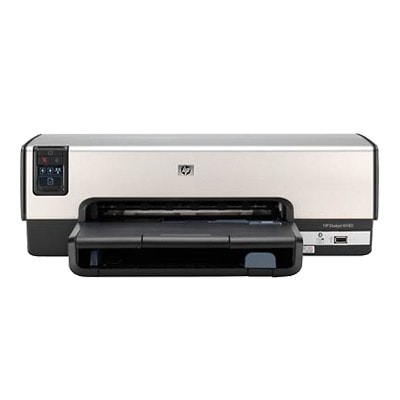
HP DeskJet 6943 – a proven home-and-office workhorse If you use the HP DeskJet 6943 (also searched as HP 6943, HP Deskjet 6900 Series, C8970C or simply 6943), you already know why this model is still popular: it’s easy to operate, dependable for everyday printing, and perfect for documents, schoolwork and occasional color projects. To keep it printing smoothly, choosing the right ink for HP DeskJet 6943 is the key—especially when you want consistent text quality and clean colors without streaks. What matters in ink for HP DeskJet 6943 printers? In this category you’ll find ink cartridges for HP DeskJet 6943 in two versions: Original OEM and Compatible. Both options are designed for the cartridge system used in the HP DeskJet 6900 Series, ensuring proper fit and reliable operation when installed correctly. Good ink for printer HP DeskJet 6943 should deliver: - Sharp black text for invoices, forms, homework and everyday documents
- Readable color prints for charts, simple graphics and photos on suitable paper
- Stable performance during longer pauses between prints (common in home use)
- Clean cartridge recognition and smooth ink flow, helping reduce streaking and fading
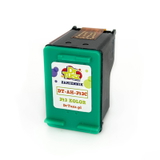
Whether you print occasionally or regularly, selecting the right cartridge (black or color, single or twin pack) helps you control costs and minimize downtime. Compatible and Original OEM cartridges – one printer, two smart choices We offer both Original OEM ink cartridges and carefully selected compatible ink cartridges for the HP DeskJet 6943. Original OEM cartridges are produced by the printer manufacturer and are a great choice if you prefer factory-standard solutions. At the same time, our compatible cartridges from the DrTusz.pl offer are built to match the printer’s needs just as well—so you can count on strong results at a more budget-friendly price. If you’re looking for affordable ink for HP 6943 without sacrificing print quality, compatible cartridges are an excellent option. Popular ink cartridges in this category (black and color) To make shopping easier, we stock the most frequently chosen cartridge models for this printer family—both in single units and convenient multipacks: - Compatible Ink Cartridge 337 for HP (C9364EE) (Black) and Original OEM Ink Cartridge HP 337 (C9364EE) (Black) – dependable black for everyday documents
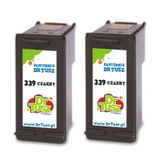
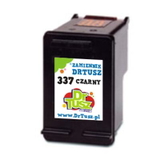
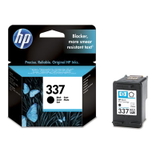
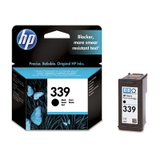
- Compatible Ink Cartridge 339 for HP (C8767EE) (Black) and Original OEM Ink Cartridge HP 339 (C8767EE) (Black) – popular choice for deeper black and solid coverage
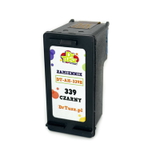
- Compatible Ink Cartridges 339 for HP (C9504EE) (Black) (2-pack) – a practical option if you print often and want a spare ready
- Compatible Ink Cartridge 343 for HP (C8766EE) (Color) and Original OEM Ink Cartridge HP 343 (C8766EE) (Color) – everyday color for graphics and mixed documents
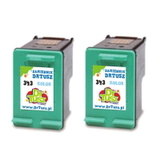
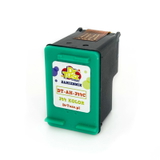
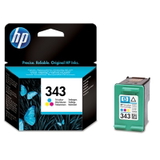
- Compatible Ink Cartridges 343 for HP (CB332EE) (Color) (2-pack) – great for frequent color use at a lower cost per page
- Compatible Ink Cartridge 344 for HP (C9363EE) (Color) and Original OEM Ink Cartridge HP 344 (C9363EE) (Color) – a widely used color cartridge for the 6900 Series
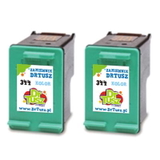
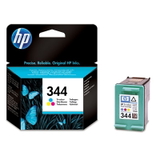
- Compatible Ink Cartridges 344 for HP (C9505EE) (Color) (2-pack) – convenient multipack for uninterrupted printing
Thanks to this variety, you can easily match your purchase to your printing style—whether you need a single black cartridge for documents or a two-pack color set for more frequent projects. How to choose the right ink: quick, practical tips When selecting ink for HP DeskJet 6943, start with two questions: what do you print most (text or color), and how often do you print? Here’s what we recommend: - Mostly text printing: choose a black cartridge such as HP 337 or HP 339 (compatible or Original OEM).
- Text + color charts and graphics: add a color cartridge like HP 343 or HP 344.
- Regular printing: consider a 2-pack to avoid running out at the worst moment.
- Occasional printing: print a test page from time to time—this helps prevent dried nozzles and keeps colors fresh.
Common issues reported by users of the HP DeskJet 6943 and HP Deskjet 6900 Series include faint prints, streaks, or the printer not printing after a longer break. In many cases, the solution is simple: replace the cartridge with fresh ink for printer HP DeskJet 6943, run the printer’s cleaning cycle, and make sure the cartridge is seated correctly. If you need help choosing between HP 343 vs HP 344 or 337 vs 339, we’re here to advise you. Order ink for HP DeskJet 6943 with confidence We make it easy to find the right ink cartridge for HP DeskJet 6943—compatible or Original OEM—and get back to printing fast. Browse our selection, compare single cartridges and multipacks, and choose the option that best matches your budget and expectations. Call to action: We encourage you to explore the products in this category and place your order today. If you’re unsure which cartridge fits your printer (HP DeskJet 6943 / C8970C / HP Deskjet 6900 Series), contact us—we’ll help you pick the perfect ink and get it delivered quickly and safely. |