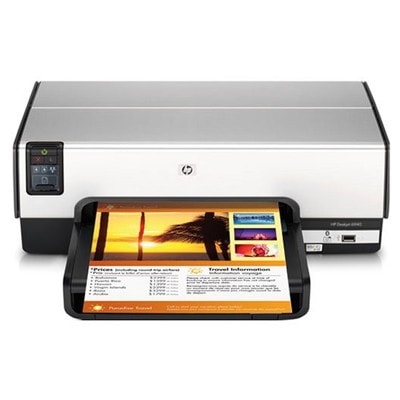
HP DeskJet 6940 – a reliable home-and-office printer The HP DeskJet 6940 (also found as HP 6940 or HP Deskjet 6900 Series, incl. C8970A) is a compact inkjet printer designed for everyday printing: school materials, invoices, documents, simple marketing handouts, and occasional color graphics. To keep it running smoothly and to maintain clear text and vivid colors, choosing the right ink for HP DeskJet 6940 is essential. In this category, we offer both Original OEM and high-quality compatible ink cartridges for HP DeskJet 6940, so you can match your purchase to your budget and printing habits. What ink cartridges does the HP DeskJet 6940 use? For this model, the most popular choices are the well-known HP families: HP 339 and HP 337 for black, and HP 343 and HP 344 for color. These cartridges are a proven solution for the HP Deskjet 6900 Series, offering good readability for documents and pleasing color reproduction for everyday use. When you select ink for printer HP DeskJet 6940, pay attention to the cartridge code printed on your current cartridge or shown in the printer software. This prevents mix-ups and ensures easy installation. Original OEM vs compatible ink for HP DeskJet 6940 We know customers often ask whether it’s better to choose Original OEM ink cartridges or compatible ink for HP DeskJet 6940. Both options have their place: - Original OEM – made by the printer brand, ideal for customers who want to keep everything strictly “as the manufacturer intended” and prefer OEM consistency.
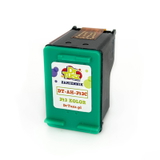
- Compatible – a cost-effective alternative for frequent printing. Our compatible cartridges from the DrTusz.pl offer are designed to deliver results as good as the originals, with strong blacks, clean lines, and well-balanced colors.
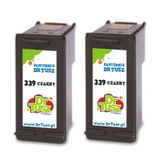
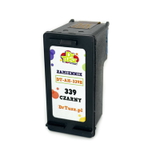
If you print a lot (homework, shipping labels, office documents), compatible cartridges are often the smartest way to lower cost per page without sacrificing quality. Popular ink cartridges in this category To make your choice easier, here are some best-selling items for ink for HP DeskJet 6940 that you’ll find on this page: - Compatible Ink Cartridge 339 for HP (C8767EE) (Black) – a dependable black cartridge for everyday text printing.
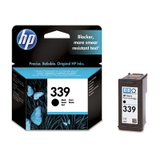
- Original OEM Ink Cartridge HP 339 (C8767EE) (Black) – OEM black for customers who prefer the original manufacturer solution.
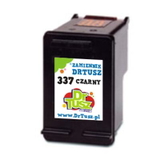
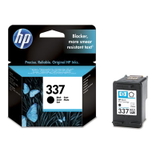
- Compatible Ink Cartridge 337 for HP (C9364EE) (Black) and Original OEM Ink Cartridge HP 337 (C9364EE) (Black) – great alternatives for black printing depending on your budget.
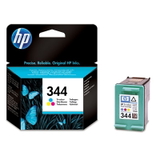
- Original OEM Ink Cartridge HP 344 (C9363EE) (Color) and Compatible Ink Cartridge 344 for HP (C9363EE) (Color) – for color documents, charts, and everyday graphics.
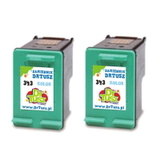
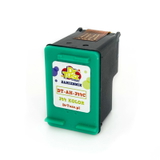
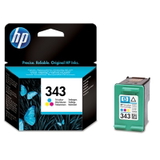
- Original OEM Ink Cartridge HP 343 (C8766EE) (Color) and Compatible Ink Cartridge 343 for HP (C8766EE) (Color) – another popular choice for color printing in the HP Deskjet 6900 Series.
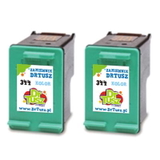
- 2-pack options for more convenience and better value: Compatible Ink Cartridges 339 for HP (C9504EE) (Black) (2-pack), Compatible Ink Cartridges 344 for HP (C9505EE) (Color) (2-pack), and Compatible Ink Cartridges 343 for HP (CB332EE) (Color) (2-pack).
Thanks to this range, you can easily build a practical set: black for documents plus color for graphics—exactly how most HP DeskJet 6940 printers are used. How to choose the right cartridge (and avoid common problems) To pick the best ink for HP 6940, we recommend: - Match the code – choose the cartridge number used by your printer: 339/337 (black) and 343/344 (color). If you search by model phrases like HP DeskJet 6940, HP Deskjet 6900 Series, or C8970A, you’ll land in the right place.
- Decide how you print – for frequent printing, compatible cartridges are typically the most economical; for occasional printing, consider keeping a spare sealed cartridge ready.
- Consider multipacks – a 2-pack reduces the risk of running out at the worst time and is often a better value.
Common user issues with the HP DeskJet 6940 are usually ink-related and easy to solve: faded prints, missing lines, or color imbalance. In many cases, the cause is simply a low cartridge, a cartridge that has been stored too long after opening, or infrequent printing leading to dried nozzles. A fresh cartridge and a quick printer cleaning cycle typically brings print quality back. If you’re unsure which cartridge to pick, we’re here to help you choose the correct ink cartridge for HP DeskJet 6940 for your exact needs. Order your ink for HP DeskJet 6940 with confidence We encourage you to explore our full selection of ink cartridges for HP DeskJet 6940—both Compatible and Original OEM. Choose a single cartridge or a convenient 2-pack, add it to your cart, and keep your HP Deskjet 6900 Series ready for work whenever you need it. CTA: Browse the products in this category now and order the best ink for printer HP DeskJet 6940. If you have any questions about cartridge selection or print quality issues, contact us—together we’ll find the right solution quickly. We also offer fast, reliable delivery so you can get back to printing without delay. |