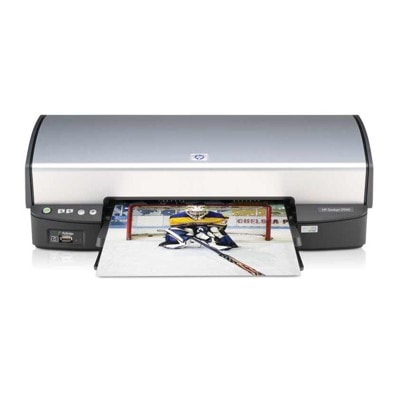
Reliable printing with the HP DeskJet 5940 The HP DeskJet 5940 (also searched as HP 5940 or HP Deskjet 5900 Series) is a proven home-and-office inkjet printer designed for everyday documents and occasional color prints. It’s valued for straightforward operation, solid print quality, and easy cartridge replacement. To keep your device working at its best, it’s worth choosing the right ink for HP DeskJet 5940—matched to your print style and expected page yield. Ink for HP DeskJet 5940: what matters most When you choose ink cartridges for HP DeskJet 5940, you’re investing in clear text, consistent black density, and vivid colors. This model typically uses separate black and color cartridges, which is practical: you replace only the cartridge you actually use up. Our cartridges are perfect for: - everyday office printing (invoices, notes, forms, shipping labels),
- school and home use (handouts, homework, projects),
- color graphics and photos on suitable paper (presentations, charts).
Whether you’re looking for C9017A related items or searching directly by codes like C9364EE, C9363EE, C8767EE, or C8766EE, we make it easy to find the correct ink for printer HP DeskJet 5940—in both Original OEM and Compatible versions. Compatible and Original OEM cartridges—one printer, many smart options In this category, we offer two equally practical paths: - Original OEM ink cartridges—manufacturer cartridges designed to deliver predictable results and maximum compatibility.
- Compatible ink cartridges—a cost-effective alternative. Our DrTusz.pl compatible cartridges are designed to print just as well as the originals, giving you excellent quality at a better price.
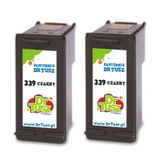
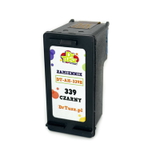
The key is choosing the right cartridge code and the right color set for your needs: black for crisp text, color for graphics and mixed documents. Popular ink cartridges in our offer (examples) We keep the selection broad, so you can choose exactly what you need—single cartridges for occasional printing, or multipacks for higher volume. - Compatible Ink Cartridge 339 for HP (C8767EE) (Black) – a great everyday black cartridge for frequent text printing.
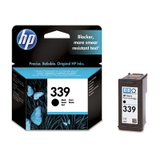
- Original OEM Ink Cartridge HP 339 (C8767EE) (Black) – for customers who prefer OEM solutions and consistent results.
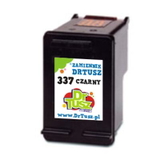
- Compatible Ink Cartridge 337 for HP (C9364EE) (Black) and Original OEM Ink Cartridge HP 337 (C9364EE) (Black) – dependable choices for sharp black output.
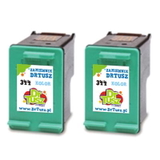
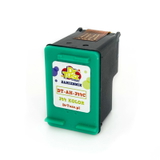
- Compatible Ink Cartridge 344 for HP (C9363EE) (Color) and Original OEM Ink Cartridge HP 344 (C9363EE) (Color) – ideal for color documents and everyday graphics.
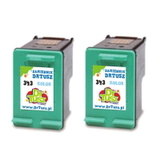
- Compatible Ink Cartridge 343 for HP (C8766EE) (Color) and Original OEM Ink Cartridge HP 343 (C8766EE) (Color) – for vibrant color printing with strong, balanced tones.
- Compatible Ink Cartridges 339 for HP (C9504EE) (Black) (2-pack) – a convenient option if you print a lot and want fewer interruptions.
- Compatible Ink Cartridges 344 for HP (C9505EE) (Color) (2-pack) and Compatible Ink Cartridges 343 for HP (CB332EE) (Color) (2-pack) – multipacks that keep you stocked and ready.
Thanks to this range, you can easily match the cartridge to your printing intensity, budget, and expectations—without compromising on quality. How to choose the right ink for HP 5940 If you’re not sure which ink for HP DeskJet 5940 to pick, use these simple rules: - Check the cartridge code on your current cartridge or in the printer documentation (e.g., C9364EE, C9363EE, C8767EE, C8766EE).
- Decide between Original OEM and Compatible: choose OEM if you want the manufacturer’s solution; choose compatible if you want excellent quality and better cost per page—our compatibles print as well as the originals.
- Choose single or 2-pack: if you print often, multipacks reduce downtime and usually offer better value.
- Match the cartridge to your printing style: black for documents, color for charts, photos, and mixed content.
Common HP DeskJet 5940 printing issues—and practical tips Users of the HP Deskjet 5900 Series sometimes report typical inkjet challenges. The good news: most are easy to solve with the right approach and a fresh ink cartridge for HP DeskJet 5940. - Faded prints or missing lines – often caused by a partially clogged printhead or low ink. Replacing the cartridge and running a cleaning cycle usually helps.
- Color looks “off” – check if the color cartridge is running low and consider printing a test page. A new color cartridge (e.g., HP 343 / HP 344 equivalents) restores balance.
- Ink dries out after long breaks – if you print rarely, we recommend printing a short test page every 1–2 weeks to keep the nozzles in good condition.
- Cartridge recognition messages – make sure protective tape is removed, the cartridge clicks into place, and contacts are clean. If you need help, we’re here to advise.
Choosing a reliable cartridge—compatible or Original OEM—combined with basic maintenance is the simplest way to keep your ink for printer HP DeskJet 5940 working smoothly. Order your ink cartridges today—printing comfort starts here We make it easy to find the right ink cartridges for HP DeskJet 5940, whether you’re looking for Original OEM cartridges or our proven Compatible options that perform just as well as originals. Browse the products listed in this category, choose black, color, or a practical 2-pack, and get back to trouble-free printing. Call to action: We encourage you to explore our full selection of ink for HP DeskJet 5940 and place your order today. If you have any doubts about compatibility with your HP 5940 or the HP Deskjet 5900 Series, contact us—we’ll help you choose the best cartridge quickly and confidently. We also offer fast delivery options, so you can refill your printer without unnecessary waiting. |