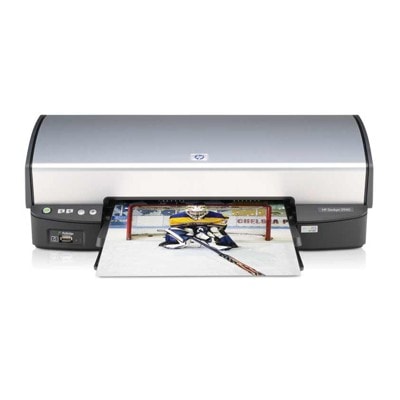
Reliable printing with the HP DeskJet 5900 Series HP DeskJet 5900 (also searched as HP 5900 or HP Deskjet 5900 Series) is a popular home-and-small-office inkjet printer valued for everyday convenience: fast documents, clear black text, and vivid colour prints for school, photos, and simple marketing materials. To keep this printer working at its best, you need the right ink cartridge for HP DeskJet 5900—and in our store you can choose between Original OEM cartridges and carefully selected compatible alternatives. What you gain with the right ink for HP DeskJet 5900 A well-matched ink for HP DeskJet 5900 means predictable results: crisp text, stable greys, and colours that look natural on common paper. In this category we offer ink cartridges designed for the 5900 series, including black and tri-colour options, so you can print exactly what you need—without compromises. These ink cartridges for HP DeskJet 5900 are a great choice for: - daily office documents, invoices, forms, and homework;
- colour graphics, charts, and presentations;
- occasional photo printing and family projects;
- users who want a straightforward replacement process and consistent performance.
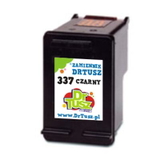
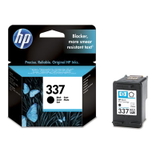
Compatible and Original OEM cartridges—one place, full choice We know that different customers expect different things from their printing. That’s why we keep a wide range of both Original OEM ink cartridges for HP DeskJet 5900 and high-quality compatible solutions. If you want maximum brand consistency, choose OEM. If you want excellent value while maintaining very good print quality, our compatible cartridges from DrTusz.pl are a strong, proven alternative—made to perform just as well as originals in everyday use. Popular ink cartridges available in this category To help you choose faster, here are some of the most frequently selected items for the HP DeskJet 5900 Series: - Compatible Ink Cartridge 337 for HP (C9364EE) (Black) and Original OEM Ink Cartridge HP 337 (C9364EE) (Black) – dependable black printing for documents and sharp text.
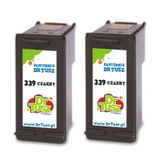
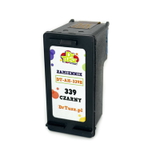
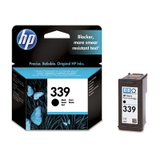
- Compatible Ink Cartridge 339 for HP (C8767EE) (Black) and Original OEM Ink Cartridge HP 339 (C8767EE) (Black) – a great option for users who print a lot of black pages.
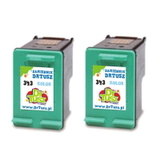
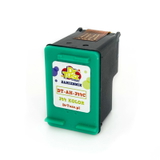
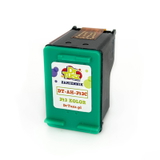
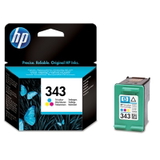
- Compatible Ink Cartridge 343 for HP (C8766EE) (Color) and Original OEM Ink Cartridge HP 343 (C8766EE) (Color) – tri-colour cartridge for photos, charts, and colourful projects.
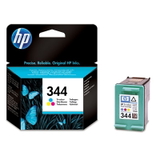
- Compatible Ink Cartridge 344 for HP (C9363EE) (Color) and Original OEM Ink Cartridge HP 344 (C9363EE) (Color) – vivid colour printing, ideal for mixed home use.
- Compatible Ink Cartridges 339 for HP (C9504EE) (Black) (2-pack) – more printing, fewer replacements.
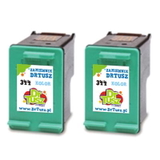
- Compatible Ink Cartridges 343 for HP (CB332EE) (Color) (2-pack) and Compatible Ink Cartridges 344 for HP (C9505EE) (Color) (2-pack) – convenient multipacks for busy households and offices.
How to choose the best ink cartridge for HP 5900 When picking an ink cartridge for HP DeskJet 5900, start with two questions: what do you print most, and how often do you print? - Mostly text? Choose a black cartridge such as HP 337 or HP 339.
- Colour documents and photos? Add a tri-colour cartridge such as HP 343 or HP 344.
- Printing regularly? Consider a 2-pack to reduce downtime and cost per page.
- Printing occasionally? It’s worth printing a test page from time to time to keep ink flowing smoothly.
Original OEM vs compatible ink for HP Deskjet 5900 Series Original OEM cartridges are produced by the printer manufacturer and are often chosen for full brand consistency. Compatible cartridges are a budget-friendly option designed to work with the same printer models. In our offer, compatible cartridges from DrTusz.pl are selected with performance and reliability in mind—so you can expect very good results in everyday printing, at a more attractive price. If you’re unsure which option suits you best, we encourage you to compare based on your priorities: - Maximum brand consistency: choose Original OEM.
- Best value and excellent everyday quality: choose Compatible (DrTusz.pl).
- Frequent printing: choose multipacks to stay prepared.
Common user issues with HP DeskJet 5900—and simple tips Users of the HP DeskJet 5900 Series sometimes report issues such as faint prints, missing colours, or messages about a cartridge not being recognised. In many cases, the solution is quick: - Faded or streaky printing: run the printer’s cleaning cycle and check print settings (draft mode can look lighter).
- Missing colour: make sure the colour cartridge is installed correctly and print a nozzle/check page.
- Cartridge not detected: re-seat the cartridge and gently clean the electrical contacts if needed.
- Ink dries out with rare use: print a small colour page periodically to keep the system in good condition.
And if you want help choosing the right ink for HP DeskJet 5900, we’re here—tell us what you print and how often, and we’ll recommend the best match. Choose your HP DeskJet 5900 ink today We encourage you to explore our full selection of ink cartridges for HP DeskJet 5900—compatible and Original OEM—so you can print without interruptions. Order conveniently in a few clicks, enjoy fast delivery options, and if you have any questions, contact us—we’ll help you select the right cartridge and get your HP 5900 printing perfectly again. CTA: Choose your ink cartridge for HP DeskJet 5900 now and place your order today—if you need guidance, message us and we’ll assist immediately. |