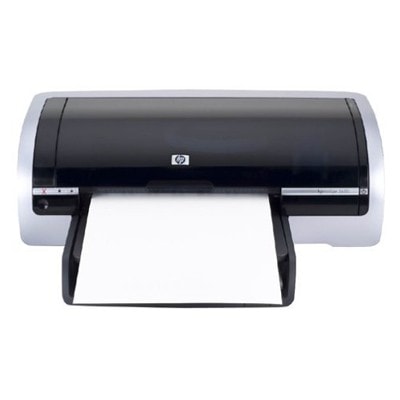
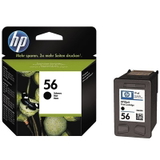
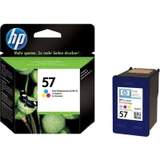
Ink cartridges that keep the HP DeskJet 5650 working at its best The HP DeskJet 5650 (also found as HP 5650 or HP Deskjet 5600 Series) is a proven home-and-office inkjet printer valued for simple operation and reliable everyday printing. To maintain consistent quality—whether you print school assignments, invoices, photos, or occasional color graphics—you need the right ink for HP DeskJet 5650 that matches your needs and your budget. In this category you will find both Original OEM and carefully selected compatible ink cartridges for HP DeskJet 5650, including black and color options as well as convenient multipacks. What ink for HP DeskJet 5650 uses: HP 56 and HP 57 cartridges Your printer works with two key cartridge models: HP 56 (black) and HP 57 (tri-color). You may also see them by their codes: C6656AE for black and C6657AE for color. For customers searching by older references, this category is also associated with C6490A and the common “5650” / “5600 Series” naming. Choosing the correct ink for HP 5650 helps you get: - Clear black text for documents, forms, and everyday printing
- Natural color for presentations, charts, and family photos
- Stable performance and fewer interruptions thanks to the right fit and reliable ink flow
Compatible vs Original OEM: how to choose with confidence Many customers ask us whether it’s better to choose Original OEM ink for HP DeskJet 5650 or a compatible ink cartridge. The answer depends on how you print, but the good news is: the compatible cartridges we offer at DrTusz.pl are designed to deliver results that are as good as originals—while helping you reduce printing costs. - Original OEM: a great choice if you want to stay with manufacturer-branded consumables and prioritize familiar, predictable performance.
- Compatible: ideal if you print a lot and want excellent value. Our compatibles are tested for quality and reliability, so you can print confidently without paying extra just for the brand name.
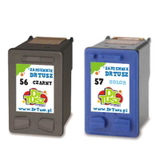
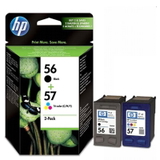
If you print both text and color regularly, a multipack (black + color) is often the most convenient way to keep a spare set ready. Popular cartridges in our offer for HP DeskJet 5650 We keep this category focused and practical—so you can quickly find the right ink cartridge for HP DeskJet 5650 without guessing. Among the most popular choices are: - Compatible Ink Cartridges 56 + 57 for HP (SA342AE) (multi pack) – a balanced set for everyday home and office printing.
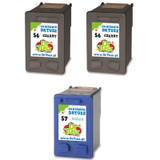
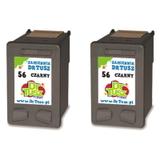
- Compatible Ink Cartridges 2x 56 + 57 for HP (SD399AE) (multi pack) – a smart option if you print frequently and want a spare set on hand.
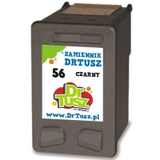
- Compatible Ink Cartridge 56 for HP (C6656AE) (Black) – crisp black output for documents and text-heavy printing.
- Compatible Ink Cartridges 56 for HP (C9502AE) (Black) (2-pack) – great for higher black-volume users (reports, invoices, schoolwork).
- Original OEM Ink Cartridge HP 56 (C6656AE) (Black) – original black cartridge for those who prefer OEM solutions.
- Compatible Ink Cartridge 57 for HP (C6657AE) (Color) – vivid colors for graphics, photos, and mixed documents.
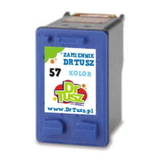
- Original OEM Ink Cartridge HP 57 (C6657AE) (Color) – original tri-color cartridge for consistent color printing.
- Original OEM Ink Cartridges HP 56 + 57 (SA342AE) (multi pack) – OEM set for convenient replenishment of both colors.
Practical tips and common issues with the HP DeskJet 5650 To pick the best ink for printer HP DeskJet 5650, we recommend a quick checklist: - Check what you print most: documents = prioritize HP 56 black; graphics/photos = keep HP 57 color ready.
- Consider multipacks: if both cartridges run out at similar times, a set (56 + 57) is usually the simplest option.
- Match the code: for this printer, the key codes are C6656AE (black) and C6657AE (color).
Typical user issues with the HP DeskJet 5650 are often related to normal inkjet use rather than the printer itself. If you see faded prints, streaks, or missing colors, it may help to: - Run the printer’s cleaning/alignment utility (especially after longer breaks in printing)
- Replace a cartridge that is nearing empty—low ink can cause uneven output
- Print a small test page once in a while to keep ink flowing smoothly
And if you’re unsure whether you need a black cartridge, a color cartridge, or a multipack—tell us what you print and how often. We’ll help you choose the best ink for HP 5650 for your routine. Choose your ink today and print without interruptions We encourage you to explore our selection of compatible and Original OEM ink cartridges for HP DeskJet 5650 and choose the option that fits your printing style. With clear product naming, correct cartridge codes, and multipack choices, it’s easy to stock up and avoid last-minute downtime. CTA: Add the right HP 56 / HP 57 cartridges to your cart now, or contact us if you want quick help selecting the best ink for your HP DeskJet 5650. We’re here to make your printing simple—fast ordering, reliable delivery options, and friendly support whenever you need it. |