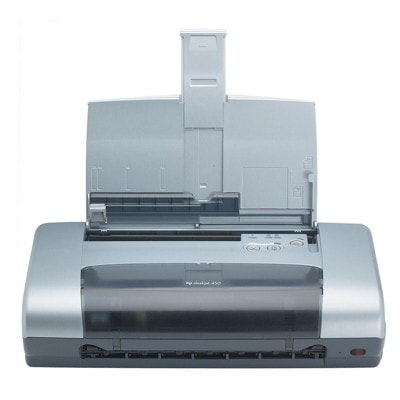
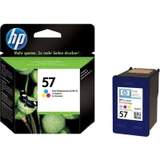
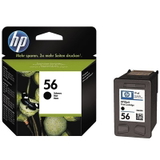
Reliable printing with the HP DeskJet 450cbi The HP DeskJet 450cbi (also searched as HP 450cbi, 450 CBI or 450CBI) is a classic, compact inkjet printer valued for simple, everyday printing—documents, basic graphics, and occasional color pages. As part of the HP Deskjet 400 Series, it’s a model that proves one thing: when you choose the right ink for HP DeskJet 450cbi, you can keep printing efficiently for a long time, without unnecessary hassle. What to expect from ink cartridges for HP DeskJet 450cbi In this category you’ll find ink cartridges for HP DeskJet 450cbi in two versions: Original OEM and our carefully selected compatible alternatives. Both options are designed for the cartridge system used by this printer, including the popular references C6656AE (black) and C6657AE (color), as well as multipacks (often recognized by codes like SA342AE and SD399AE). Good ink for printer HP DeskJet 450cbi means: - crisp black text for invoices, homework, and office documents,
- consistent color for charts, simple photos, and school materials,
- reliable page-to-page performance with minimal streaking and fading,
- smooth cartridge installation and correct recognition by the printer.
Compatible and Original OEM — one printer, two smart ways to buy We know customers shopping for ink for HP 450cbi usually have one key question: should we choose Original OEM or compatible cartridges? With us, you can decide based on your printing style and budget. - Original OEM ink cartridges are made by HP and offer the manufacturer’s standard of performance—ideal if you prefer to stay strictly with OEM supplies.
- Compatible ink cartridges from our offer are a cost-effective choice, created to match the printer’s requirements. Just as importantly, our compatible cartridges are as good as the originals in everyday use—clear text, stable colors, and dependable operation—while helping you reduce printing costs.
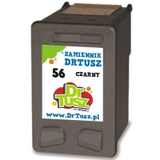
Popular cartridges in this category (black, color and multipacks) To make choosing easier, we keep the range clear and practical—single cartridges for targeted replacement, plus multipacks for convenience. Here are some of the most frequently chosen products for ink for HP DeskJet 450cbi: - Compatible Ink Cartridge 56 for HP (C6656AE) (Black) – a solid everyday option for sharp black text.
- Original OEM Ink Cartridge HP 56 (C6656AE) (Black) – OEM black cartridge for users who prefer manufacturer supplies.
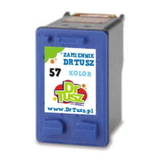
- Compatible Ink Cartridge 57 for HP (C6657AE) (Color) – great for color prints, charts and mixed documents.
- Original OEM Ink Cartridge HP 57 (C6657AE) (Color) – OEM color cartridge for consistent color output.
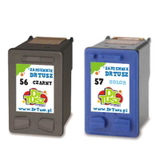
- Compatible Ink Cartridges 56 + 57 for HP (SA342AE) (multi pack) – a convenient black + color set.
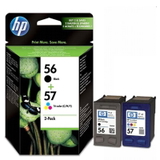
- Original OEM Ink Cartridges HP 56 + 57 (SA342AE) (multi pack) – the OEM combo pack for regular black-and-color printing.
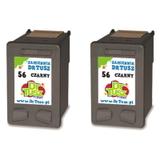
- Compatible Ink Cartridges 56 for HP (C9502AE) (Black) (2-pack) – two black cartridges, perfect if you print lots of text.
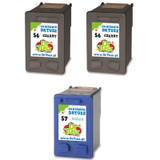
- Compatible Ink Cartridges 2x 56 + 57 for HP (SD399AE) (multi pack) – a larger set for high convenience and fewer reorders.
How to choose the right ink for HP DeskJet 450cbi When selecting ink for HP DeskJet 450cbi, we recommend matching your choice to your real printing habits: - Mostly text documents? Choose a black cartridge (C6656AE / HP 56) or a 2-pack for better continuity and fewer interruptions.
- Color + black printing? Go for a multipack (HP 56 + 57)—it’s convenient and typically the most practical for everyday mixed use.
- Need predictable results with a manufacturer-branded product? Choose Original OEM.
- Want excellent value without sacrificing quality? Pick our compatible ink cartridges—they’re made to meet the needs of this printer and deliver results comparable to OEM.
Tip: this model is also often searched by cartridge code or series name (for example HP Deskjet 400 Series, 450 cbi, or C8145B). If you’re shopping using those phrases, you’re in the right place—this category is dedicated to the cartridges used with the HP DeskJet 450cbi family. Common user issues and practical fixes With older printers like the HP DeskJet 450cbi, most printing problems are simple and cartridge-related. Here’s what customers most often experience when replacing ink for printer HP DeskJet 450cbi: - Faded prints or missing lines – usually caused by clogged nozzles after longer breaks in printing. A cleaning cycle from the printer utility and a test page often solve it.
- Cartridge not recognized – make sure protective tape is fully removed and the contacts are clean and dry.
- Colors look off – a basic alignment and nozzle check can restore proper color mixing.
- Ink dries out quickly – if you print occasionally, consider printing a small test page every 1–2 weeks to keep ink flowing.
If you ever hesitate between Original OEM and compatible ink, or you’re unsure whether HP 56 / HP 57 is the correct choice for your exact setup, we’re here to help—just contact us and we’ll guide you to the best match. Choose your cartridges and keep your HP 450cbi ready to print We encourage you to explore our full selection of ink cartridges for HP DeskJet 450cbi—from single black or color cartridges to cost-saving multipacks in Compatible and Original OEM versions. Order today to keep your printer running smoothly, and if you need assistance choosing the right ink for HP DeskJet 450cbi, contact us—we’ll recommend the best option for your needs. We also focus on fast, secure delivery and careful packing, so your cartridges arrive ready for installation. CTA: Check the available HP DeskJet 450cbi ink cartridges now, choose Compatible or Original OEM, and let’s get your printing back to sharp, reliable results. |