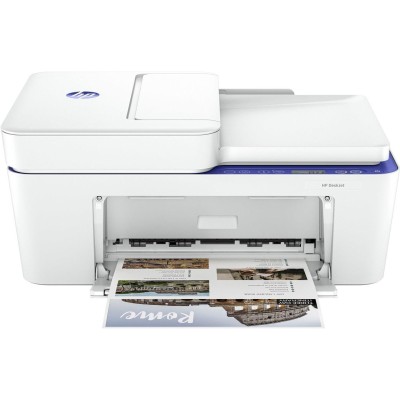
Ink cartridges for HP DeskJet 4230e – reliable printing for home and everyday office tasks The HP DeskJet 4230e (also searched as HP 4230e, HP Deskjet 4000 Series, 60K30B, 4230 e or 4230E) is a popular all-in-one inkjet printer designed for daily, practical use. It handles documents, homework, forms, and occasional color prints while keeping operation simple. To get consistently sharp text and clean colors from this model, choosing the right ink for HP DeskJet 4230e matters—both in terms of print quality and cost per page. What ink for HP DeskJet 4230e? Key features and typical applications This printer works with the HP 305 family of cartridges—available in standard and high-yield (XL) versions. Properly matched ink cartridges for HP DeskJet 4230e help you avoid common issues like streaks, faded prints, or frequent cartridge changes. Whether you print mainly black text or need color for charts and photos, the right cartridge choice makes your printer more predictable and economical. Customers most often use ink for HP 4230e for: - clear black text for invoices, school materials, contracts and letters,
- color graphics for presentations, learning worksheets and simple marketing materials,
- everyday scanning/copying where readable output matters.
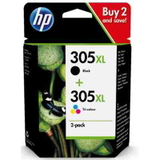
In our store we focus on cartridges that provide stable results: accurate color reproduction, good edge sharpness, and reliable performance from the first page to the last. Original OEM cartridges in our offer – HP 305 and HP 305 XL In this category you’ll find a carefully selected range of Original OEM ink cartridges for HP DeskJet 4230e. OEM (original) cartridges are produced by HP and designed specifically for your printer’s firmware and printhead system—making them a safe, straightforward choice for users who want maximum predictability. Popular products in this category include: - Original OEM Ink Cartridges HP 305 BK + 305 C (6ZD17AE) (multi pack) – a practical set for balanced printing in black and color.
- Original OEM Ink Cartridges HP 305 XL BK + 305 XL C (6ZA94AE) (multi pack) – high-yield multipack for people who print often and want fewer replacements.
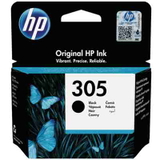
- Original OEM Ink Cartridge HP 305 (3YM61AE) (Black) – standard black cartridge for everyday documents.
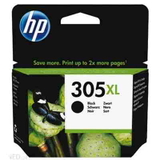
- Original OEM Ink Cartridge HP 305 XL (3YM62AE) (Black) – XL black for frequent text printing and lower cost per page.
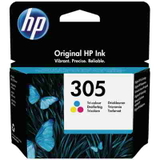
- Original OEM Ink Cartridge HP 305 (3YM60AE) (Color) – standard color cartridge for occasional color work.
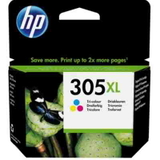
- Original OEM Ink Cartridge HP 305 XL (3YM63AE) (Color) – XL color for more graphics, school projects and regular color printing.
Thanks to this range, you can choose exactly what you need—single cartridges or convenient multipacks, standard capacity or XL. How to choose: standard vs XL, black vs color, multipack vs single When selecting ink for printer HP DeskJet 4230e, it helps to match the cartridge to your real printing habits: - If you print mostly text, choose the HP 305 Black or—better for heavy use—the HP 305 XL Black.
- If you print school materials or mixed color documents, add the HP 305 Color or the higher-yield HP 305 XL Color.
- If you want convenience and continuity, multipacks like 6ZD17AE or 6ZA94AE are an efficient solution and reduce the risk of running out of ink at the wrong moment.
Our tip: if you print regularly (even a few pages a day), the XL versions often provide a better cost-per-page and fewer interruptions. Original vs compatible ink cartridges – what’s the difference? Many customers ask us whether they should choose an original cartridge or a compatible one. Original OEM ink for HP DeskJet 4230e is HP-branded and offers a “manufacturer default” experience. Compatible ink for HP DeskJet 4230e, on the other hand, is an alternative designed to work just as well while giving you more flexibility on price and yield. Importantly, the compatible cartridges available at DrTusz.pl are as good as originals in everyday printing: they are engineered to fit properly, deliver clean prints, and remain stable in normal home and office conditions. If you’re looking for a smart balance of quality and savings, compatible ink can be an excellent choice—especially for high-volume printing. Common user issues with HP DeskJet 4230e and how the right ink helps With the HP DeskJet 4230e / Deskjet 4000 Series, users most often report issues that are easy to prevent with good cartridge habits: - Streaks or faded output – often caused by low ink, drying from long inactivity, or poor-quality cartridges. Using proven ink cartridges for HP 4230e and printing a small test page regularly can help.
- Cartridge not recognized – make sure you install the correct model (HP 305 / HP 305 XL), remove protective seals, and click the cartridge firmly into place.
- Ink drying out – if you print rarely, run a short print every 1–2 weeks to keep the system in good condition.
If you’re unsure which cartridge fits your printer (for example, you searched for 4230 e or 60K30B and want to confirm compatibility), we’re here to help you choose the right ink for HP DeskJet 4230e quickly and confidently. Order ink for HP DeskJet 4230e with confidence We encourage you to explore our selection of ink cartridges for HP DeskJet 4230e—including both Original OEM options and high-quality compatible alternatives available at DrTusz.pl. Choose a single cartridge, an XL version for better efficiency, or a multipack to stay prepared. CTA: Add the right HP 305 / HP 305 XL cartridges to your cart and enjoy clear, reliable printing. If you have any questions about choosing between standard and XL, original vs compatible, or matching the cartridge to the HP Deskjet 4000 Series, contact us—we’ll help you find the best option and arrange fast delivery. |