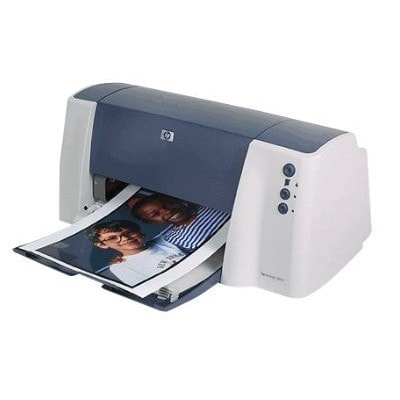
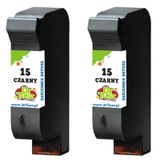
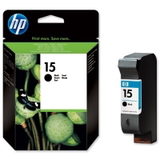
HP DeskJet 3822 – a compact printer for everyday printing The HP DeskJet 3822 (also searched as HP 3822 or HP Deskjet 3800 Series) is a popular home printer designed for simple, reliable printing of documents, homework, forms and occasional colour graphics. It’s compact, easy to use, and perfect for people who want quick prints without complicated setup. To keep it working at its best, you need the right ink for HP DeskJet 3822—and that’s exactly what we offer in this category: both Original OEM and high-quality compatible ink cartridges. Ink cartridges for HP DeskJet 3822: what you need to know This model uses two cartridge types: a black cartridge for crisp text and a tri-colour cartridge for colour prints. In practice, that means you can easily match your printing needs—whether you mainly print black-and-white documents or you also need colour for charts, school projects or photos on plain paper. In this category you’ll find ink cartridges for HP DeskJet 3822 compatible with the following symbols and searches: C8952E, HP 15 and HP 78. Choosing the correct code is the safest way to make sure the cartridge fits and works properly. - HP 15 (C6615DE) Black – for clear, readable text and everyday office-style printing.
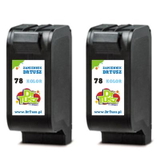
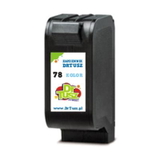
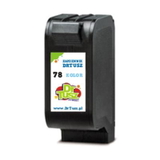
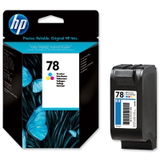
- HP 78 (C6578AE / C6578DE) Colour – tri-colour cartridge for basic colour graphics and mixed documents.
Original OEM vs compatible ink: choose what suits you best We know customers often ask which option is better: Original OEM ink for HP DeskJet 3822 or a compatible ink cartridge. The honest answer is: it depends on your priorities—but you can confidently choose either in our store. - Original OEM cartridges are made by HP and are a great choice if you prefer to stay with the manufacturer’s solution, especially for consistent results and familiarity.
- Compatible ink cartridges from our offer are a smart alternative if you want excellent print quality while keeping printing costs under control. We select compatible replacements that are designed specifically for these models—so you can print with peace of mind. In everyday home and office use, our compatible cartridges perform just as well as originals.
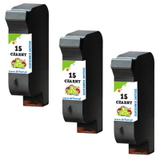
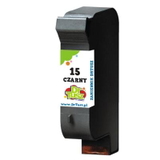
Whichever route you take, the key is choosing the correct cartridge code for your printer model: HP DeskJet 3822 ink = HP 15 black + HP 78 colour. Popular products in this category (original and compatible) We’ve built this category to make shopping simple: you can quickly pick the exact cartridge you need, in original or compatible version, including cost-effective multi-packs. - Compatible Ink Cartridge 15 for HP (C6615DE) (Black) – a reliable choice for frequent black text printing.
- Compatible Ink Cartridge 78 for HP (C6578AE) (Color) and Compatible Ink Cartridge 78 for HP (C6578DE) (Color) – for colour documents and everyday graphics.
- Compatible Ink Cartridges 78 for HP (C6578AE-2) (Color) (2-pack) – a convenient option if you print colour regularly and want a spare ready.
- Original OEM Ink Cartridge HP 15 (C6615DE) (Black) – the manufacturer’s cartridge for consistent black prints.
- Original OEM Ink Cartridge HP 78 (C6578AE) (Color) and Original OEM Ink Cartridge HP 78 (C6578DE) (Color) – original tri-colour options depending on your preferred code.
- Compatible Ink Cartridges 15 for HP (C6615DE-2) (Black) (2-pack) and Compatible Ink Cartridges 15 for HP (C6615DE-3) (Black) (3-pack) – great for heavy black printing and better value per page.
How to choose the right ink for HP DeskJet 3822 (and avoid common issues) When selecting ink for printer HP DeskJet 3822, start with your printing habits. If you mostly print documents, a black multi-pack can be the most economical solution. If you print mixed content (text + colour), consider pairing a black cartridge with a colour cartridge and keeping a spare. Customers using the HP DeskJet 3822 often encounter a few typical situations—here’s how to handle them: - “My printer says the cartridge is not recognised.” Make sure the cartridge code matches (C6615DE for black, C6578AE/C6578DE for colour), remove any protective tape, and reseat the cartridge firmly.
- Streaks, faded prints or missing colours. This is often caused by dried nozzles after a longer break. Running the printer’s cleaning cycle and printing a test page usually helps. Keeping a spare ink cartridge for HP 3822 at home prevents downtime.
- Black prints fine, colour doesn’t (or the other way around). Remember: the HP DeskJet 3822 uses separate cartridges. Replacing only the empty one is normal and cost-effective.
- High printing costs. If you print frequently, consider our compatible cartridges or value multi-packs—they’re designed to deliver excellent results at a better overall cost.
If you’re unsure whether your printer is listed as HP Deskjet 3800 Series or HP DeskJet 3822, don’t worry—these cartridges are commonly searched under both names. And if you want extra certainty, we’re here to help you choose the right ink for HP DeskJet 3822. Order your HP DeskJet 3822 ink today We encourage you to explore our full selection of ink cartridges for HP DeskJet 3822—both Original OEM and carefully selected compatible ink cartridges. We focus on availability, clear product descriptions and practical options like 2-packs and 3-packs, so you can print without interruptions. CTA: Choose your HP 15 (C6615DE) and HP 78 (C6578AE/C6578DE) cartridges now, add them to your cart, and if you have any questions—contact us. We’ll gladly help you match the best ink for your HP DeskJet 3822 and your printing style, and we’ll get your order ready for fast delivery. |