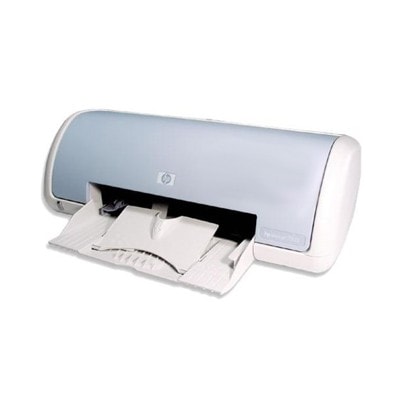
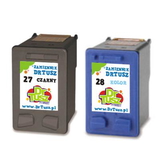
HP DeskJet 3550 – a reliable home printer that still gets the job done The HP DeskJet 3550 (also searched as HP 3550 or HP Deskjet 3500 Series) is a compact inkjet printer designed for everyday printing at home and in small offices. It’s valued for simple operation, good text quality, and low running costs—provided you choose the right ink cartridges for HP DeskJet 3550. In this category you’ll find both Original OEM and carefully selected compatible ink cartridges, so you can match your purchase to your needs and budget. Ink for HP DeskJet 3550: what you print, how you print, and why the cartridge matters For the HP DeskJet 3550, the most important factor is using cartridges designed for the printer’s system—typically recognized by symbols and codes such as HP 27 (black) and HP 28 (color). Many customers also look for printer identifiers like C8991A or simply type “ink for HP 3550” when they need a quick replacement. Choosing the right ink for printer HP DeskJet 3550 helps maintain clean text, consistent colors, and smoother everyday use. These ink cartridges are perfect for: - documents and schoolwork – sharp black text and readable graphics,
- forms and invoices – dependable output with good contrast,
- color prints – presentations, charts, and occasional photos.
Whether you print occasionally or several times a week, a fresh ink cartridge for HP DeskJet 3550 is the easiest way to restore quality and avoid streaks, faded lines, or missing colors. Compatible and Original OEM cartridges – one printer, two smart ways to buy We know that different customers want different things from their printing. That’s why we offer both Original OEM ink for HP DeskJet 3550 and high-quality compatible ink cartridges. Original OEM cartridges are produced by the printer manufacturer and are a great choice for those who want the classic “install and print” experience. At the same time, our compatible ink for HP DeskJet 3550 is designed to deliver results that are just as good as the originals—clear black, balanced color, and reliable everyday performance—while helping you reduce printing costs. If you print a lot (or simply want better value), compatible cartridges can be the most practical option. Popular ink cartridges for HP DeskJet 3550 available in this category In this selection you’ll find the most commonly used cartridges for the HP DeskJet 3550, including single-color replacements and convenient multi-packs. Here are some of the products customers choose most often: - Compatible Ink Cartridge 27 for HP (C8727AE) (Black) – a strong everyday choice for sharp text.
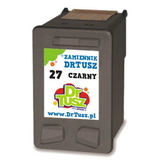
- Compatible Ink Cartridge 28 for HP (C8728AE) (Color) – for color documents, charts, and graphics.
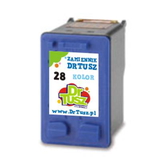
- Compatible Ink Cartridges 27 + 28 for HP (CC628A) (multi pack) – a convenient set for full black + color coverage.
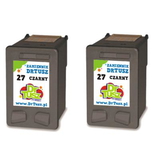
- Compatible Ink Cartridges 27 for HP (CC621A) (Black) (2-pack) – ideal if you print a lot of black text and want a backup ready.
- Original OEM Ink Cartridge HP 27 (C8727AE) (Black) – manufacturer original for classic OEM performance.
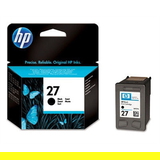
- Original OEM Ink Cartridge HP 28 (C8728AE) (Color) – OEM color cartridge for consistent color output.
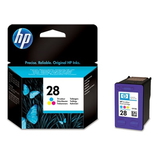
Thanks to this variety, you can easily match your purchase to how you actually use the printer—whether you mainly print text or need both black and color at hand. How to choose the right ink for HP 3550 and avoid common printing problems When selecting ink for HP DeskJet 3550, we recommend checking two things: the cartridge number (27/28) and whether you want Original OEM or Compatible. If you often print in black, a black cartridge or even a two-pack can save time and reduce last-minute shopping. If you print mixed content, a black + color multipack is the most comfortable solution. Common issues reported by HP DeskJet 3550 users are usually easy to solve with the right cartridge and a few practical steps: - Faded or streaky prints – often caused by low ink or a cartridge nearing the end of its life; replacing the cartridge typically restores quality.
- Missing colors – a fresh color cartridge can bring back full graphics; printing occasionally in color helps prevent drying.
- Printer not recognizing a cartridge – re-seating the cartridge and ensuring protective elements are removed can help; if you need support, we’re here.
- Ink drying out due to infrequent printing – if you print rarely, consider running a quick test page from time to time.
Still unsure which option is best? We encourage you to choose based on your priorities: OEM for the manufacturer’s original, or compatible for excellent value—our compatible cartridges are built to be a dependable alternative and deliver prints as good as the originals. Choose your HP Deskjet 3500 Series cartridge today If you’re looking for a proven ink cartridge for HP DeskJet 3550—whether by model name, series name, or code like C8991A—you’re in the right place. We invite you to explore the available compatible and Original OEM options, pick the set that matches your printing habits, and enjoy smooth everyday printing again. CTA: Add the right ink for printer HP DeskJet 3550 to your cart now, and if you have any questions about choosing between HP 27 / HP 28, compatible vs OEM, or multipacks, contact us—we’ll help you select the best option and arrange fast, convenient delivery. |