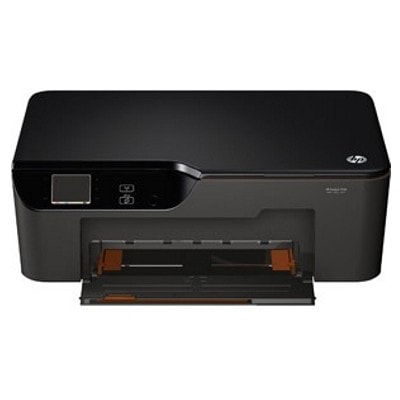
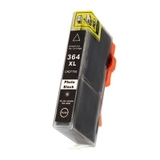
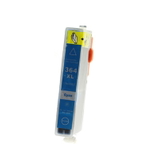
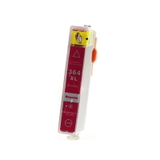
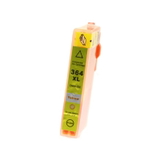
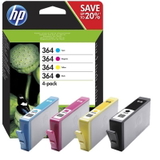
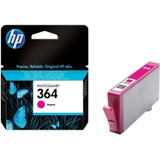
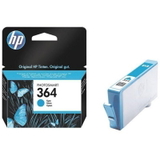
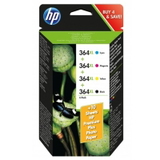
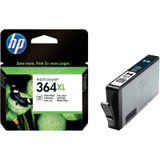
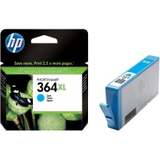
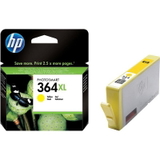
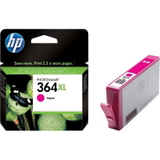
HP DeskJet 3526 All-in-One (CX059A) – a compact home office classic The HP DeskJet 3526 All-in-One (also searched as HP 3526 or HP DeskJet 3520 e-All-in-One Printer series) is a popular device for everyday printing, copying and scanning. It’s appreciated for its convenient operation, wireless printing options and good photo output for a home printer. To keep it running smoothly and to maintain consistent print quality, it’s worth choosing the right ink cartridge for HP DeskJet 3526 All-in-One—whether you prefer Original OEM or a proven compatible alternative. Ink for HP DeskJet 3526 All-in-One – what matters in daily use This model works with the HP 364 family of cartridges, available in standard and high-yield versions. Choosing the right ink for HP 3526 impacts not only color accuracy and text sharpness, but also how often you’ll need to replace cartridges. If you print frequently—documents for school or work, invoices, or color graphics—high-yield versions like HP 364 XL are usually the most cost-effective. In this category we focus on ink cartridges designed specifically for your printer, so you can easily match: - Black for crisp text and clear outlines,
- Cyan, Magenta, Yellow for vivid color prints,
- Photo (Foto) for smoother gradients and better-looking photos.
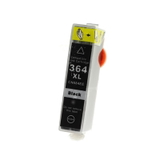
Whether you print occasional family photos or lots of black text pages, we help you pick the cartridge type that best suits your routine. Compatible and Original OEM – one place, a wide choice We stock both Original OEM ink cartridges for HP DeskJet 3526 All-in-One and carefully selected compatible ink cartridges. This means you can choose exactly what you need: full color sets for convenience, single colors when one runs out, or XL cartridges when you want fewer replacements. Among the most popular options in this category you’ll find: - Compatible Ink Cartridge 364 XL for HP (CN684EE) (Black) – a high-yield choice for frequent document printing,
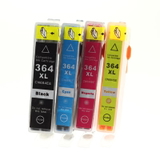
- Compatible Ink Cartridges 364 XL CMYK for HP (N9J74AE) (multi pack) – a practical set for people who print in color regularly,
- Compatible Ink Cartridge 364 XL for HP (CB322EE) (Foto) – for better photo transitions and more natural tones,
- Original OEM Ink Cartridges HP 364 CMYK (N9J73AE) (multi pack) – a convenient OEM bundle for reliable everyday use,
- Original OEM Ink Cartridge HP 364 XL (CN684EE) (Black) – OEM high-yield black for consistent results,
- Original OEM Ink Cartridges HP 364 XL CMYK (N9J74AE) (multi pack) – OEM XL set for those who want maximum convenience.
Need a single color? You can also pick individual cartridges like Compatible Ink Cartridge 364 XL for HP (CB323EE) (Cyan), (CB324EE) (Magenta), (CB325EE) (Yellow), or the matching Original OEM versions such as HP 364 (CB318EE) (Cyan), HP 364 (CB319EE) (Magenta), and HP 364 (CB320EE) (Yellow). How to choose ink for HP 3526 – practical tips we recommend When selecting an ink cartridge for HP DeskJet 3526 All-in-One, start with your printing style. If you mostly print text, invest in an XL black. If you print mixed content (charts, school projects, photos), a CMYK multipack is often the easiest and most budget-friendly route. - Standard vs XL: XL cartridges typically offer a better cost per page and fewer replacements.
- Single cartridge vs multipack: A multipack reduces the risk of running out of one color mid-print and is convenient for home use.
- Photo cartridge: If you print photos, adding a HP 364 XL Photo (CB322EE) can noticeably improve tonal transitions.
Original OEM vs compatible cartridges – what’s the real difference? Many customers ask us whether it’s better to choose Original OEM ink for HP DeskJet 3526 All-in-One or a compatible option. OEM cartridges are produced by the printer brand and are a safe, predictable choice for anyone who wants to stick with the manufacturer’s solution. At the same time, our compatible ink cartridges are designed to deliver print quality that is as good as the originals—with strong blacks, clean lines and vivid colors—while helping you reduce printing costs. If you print more often, compatibles are a smart choice without compromising everyday results. Common HP DeskJet 3526 ink issues – and how to prevent them Even with a reliable printer like the HP DeskJet 3526 All-in-One, everyday use can bring typical cartridge-related problems. Here’s what we most often see and what we recommend: - “Cartridge not recognized” message: remove and reinsert the cartridge, check protective seals were removed, and make sure the cartridge matches the HP 364/364 XL series.
- Streaks or missing colors: run the printer’s cleaning utility and avoid long breaks between color prints—ink systems like regular use.
- Fast ink consumption: choose HP 364 XL versions and review print settings (draft mode for internal documents can save ink).
- Washed-out photos: use the correct paper type setting and consider a Photo cartridge for better gradation.
If you’re unsure which ink for HP 3526 will solve a specific issue, we’re here to help you choose the best option. Choose your ink today – we’re ready to help We encourage you to explore our full selection of ink cartridges for HP DeskJet 3526 All-in-One—both Compatible and Original OEM. Whether you need a single HP 364 color, an XL black for frequent printing, or a complete CMYK multipack, you’ll find a tailored option here. CTA: Add the right cartridges to your cart and keep your HP DeskJet 3526 ready for every task. If you’d like quick guidance, contact us—we’ll help you match the best ink for printer HP DeskJet 3526 All-in-One to your printing needs and arrange fast delivery. |