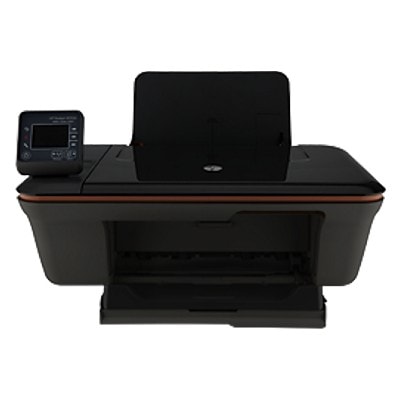
HP DeskJet 3057A J611n – everyday printing made simple If you use the HP DeskJet 3057A J611n (also searched as HP 3057A J611n, 3057A J611N, B0N12B or HP Deskjet 3050 All-in-One series), you probably value one thing most: hassle-free, economical printing at home or in a small office. This multifunction device was designed for daily documents, school materials and occasional colour printing. To keep it working reliably and to maintain good print quality, it’s worth choosing the right ink for HP DeskJet 3057A J611n—and that’s exactly what this category is for. Ink cartridges for HP DeskJet 3057A J611n – what you need to know This printer uses the popular HP 301 cartridge family: black and tri-colour cartridges, available in standard and high-yield versions. In our category you will find both Original OEM and Compatible ink cartridges—so you can match your choice to your budget and printing style. Choosing the right ink for printer HP DeskJet 3057A J611n affects: - Text clarity – crisp letters for forms, homework and invoices,
- Colour consistency – clean charts, graphics and everyday photos,
- Cost per page – especially important when you print often,
- Comfort – fewer replacements when you choose XL cartridges.
For frequent printing, we particularly recommend the XL versions as a practical way to reduce downtime and keep printing predictable. Original OEM vs Compatible – choose what fits your needs Many customers ask us which option is “better” for ink for HP 3057A J611n. The truth is: it depends on what you prioritise. Original OEM cartridges are produced by HP and are a safe choice when you want the manufacturer’s solution. At the same time, our compatible ink cartridges from DrTusz.pl are designed to deliver results that are as good as the originals—while offering a more budget-friendly alternative. In practice: - Original OEM ink cartridges – ideal if you prefer the brand’s own consumables and want to keep everything strictly OEM,
- Compatible ink cartridges – great if you print a lot and want to lower costs without sacrificing quality; they are a smart choice for everyday documents and colour prints alike.
Whichever option you choose, we help you select the correct cartridge version (standard or XL, black or colour) so your ink for HP DeskJet 3057A J611n arrives ready to install. Popular ink cartridges in this category We keep this category focused and clear: everything here matches the HP DeskJet 3057A J611n. Below are some of the most frequently chosen items—perfect for stocking up or replacing just one colour: - Original OEM Ink Cartridges HP 301 BK + 301 C (N9J72AE) (multi pack) – a convenient OEM set for everyday use,
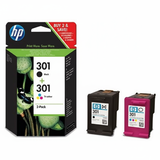
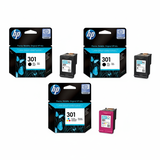
- Compatible Ink Cartridges 301 XL BK + 301 XL C for HP (N9J72AE) (multi pack) – an economical high-yield combo for frequent printing,
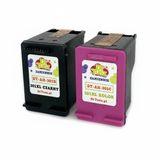
- Original OEM Ink Cartridge HP 301 (CH561EE) (Black) and Compatible Ink Cartridge 301 for HP (CH561EE) (Black) – when you mainly print text,
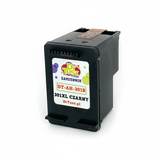
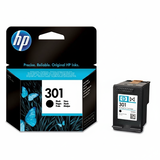
- Original OEM Ink Cartridge HP 301 (CH562EE) (Color) and Compatible Ink Cartridge 301 for HP (CH562EE) (Color) – for colour documents, graphics and school projects,
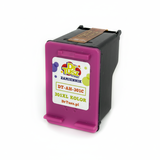
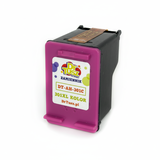
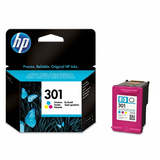
- Original OEM Ink Cartridge HP 301 XL (CH563EE) (Black) and Compatible Ink Cartridge 301 XL for HP (CH563EE) (Black) – high-yield black for heavy document printing,
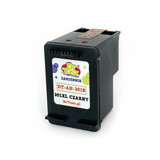
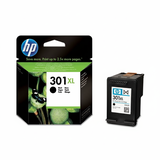
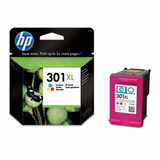
- Original OEM Ink Cartridge HP 301 XL (CH564EE) (Color) and Compatible Ink Cartridge 301 XL for HP (CH564EE) (Color) – high-yield colour for more pages and fewer changes,
- Original OEM Ink Cartridges HP 2x 301 BK + 301 C (E5Y87EE) (multi pack) – a larger OEM pack for those who want a spare set at hand.
This selection makes it easy to buy exactly what you need: one cartridge, an XL upgrade, or a multi pack that keeps your printer ready for weeks. How to pick the right ink for HP DeskJet 3057A J611n When you’re choosing ink for HP DeskJet 3057A J611n, we suggest a quick checklist: - Decide between standard and XL: if you print frequently, XL usually offers a better cost per page.
- Check what you print most: text-heavy printing = black cartridge; colourful materials = colour cartridge or a set.
- Consider multi packs: they’re convenient, often more cost-effective, and reduce the risk of running out at the wrong moment.
- Match the code: HP 301 / HP 301 XL and the symbols like CH561EE, CH562EE, CH563EE, CH564EE, N9J72AE or E5Y87EE help confirm you’re choosing the right variant.
If you’re unsure which cartridge is best for your printing habits, we encourage you to contact us—together we’ll choose the optimal ink for printer HP DeskJet 3057A J611n. Common user issues with the HP DeskJet 3057A J611n – and simple fixes This model is popular, so we often hear similar questions. If your printer shows messages like “cartridge not recognised” or prints with streaks, it doesn’t always mean the cartridge is faulty. Here are practical steps that help in many cases: - Streaks / faded print: run the printhead cleaning from the printer maintenance menu and print a test page.
- Colours missing: the tri-colour cartridge contains multiple colours—if one runs out, colour quality may drop; replacing the colour cartridge solves it.
- Cartridge not detected: remove and reinstall the cartridge, and gently clean the contacts (dry, lint-free cloth).
- Ink dries out: if you print rarely, print a short test page once in a while—this helps keep ink flowing properly.
And of course—if you need support, we’re here. We know this printer series well and can help you choose the right product and troubleshoot typical printing issues. Order your ink today and keep printing without interruptions We invite you to explore our full range of ink cartridges for HP DeskJet 3057A J611n—both Original OEM and high-quality Compatible options. Choose a single cartridge for a quick replacement, an XL version for more pages, or a multi pack to stay prepared. CTA: Add the right ink for HP DeskJet 3057A J611n to your basket now, or contact us if you want a recommendation—we’ll help you select the best cartridge and arrange fast delivery so your printer is ready when you need it. |