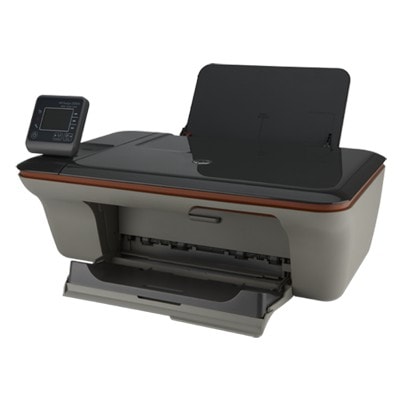
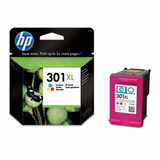
HP DeskJet 3050 J610e – a proven all‑in‑one for everyday printing If you use the HP DeskJet 3050 J610e (also found under names like HP 3050 J610e, HP Deskjet 3050 All‑in‑One series or model code CH378A), you already know why this device is so popular: it’s compact, easy to use, and ideal for home printing, scanning and copying. To keep it running smoothly, you need the right ink for HP DeskJet 3050 J610e—reliable cartridges that deliver crisp black text and vivid colour graphics whenever you need them. What to expect from ink for HP DeskJet 3050 J610e Choosing the right ink cartridge for HP DeskJet 3050 J610e affects not only print quality, but also daily comfort and cost per page. This printer uses the well-known HP 301 family of cartridges in standard and high-yield (XL) versions, available in black (BK) and colour (C). With the right set, you can print: - clear documents for school, work and home administration,
- colour presentations, charts and marketing materials,
- photos and graphics for everyday use,
- copies and scans supported by consistent print output.
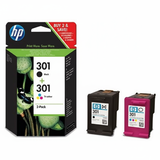
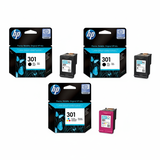
In our category you’ll find both Original OEM ink cartridges and carefully selected compatible ink cartridges. This means you can decide whether you prefer manufacturer originals or want to reduce printing costs without sacrificing quality—because our compatibles from DrTusz.pl are designed to be just as dependable in normal day-to-day printing. Popular HP 301 cartridges in this category – originals and compatibles We keep the offer clear and practical: the most frequently chosen items are available as single cartridges and convenient multipacks. If you print often, multipacks are usually the fastest way to restock and avoid running out of colour unexpectedly. - Original OEM Ink Cartridges HP 301 BK + 301 C (N9J72AE) (multi pack) – a classic original set for black and colour printing.
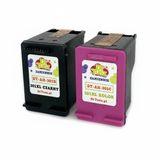
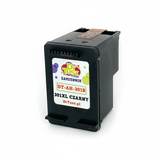
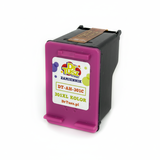
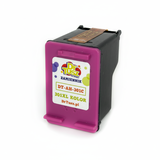
- Compatible Ink Cartridges 301 XL BK + 301 XL C for HP (N9J72AE) (multi pack) – a cost-effective high-yield compatible option for frequent printing.
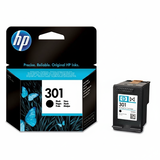
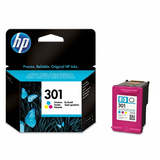
- Original OEM Ink Cartridge HP 301 (CH561EE) (Black) and Original OEM Ink Cartridge HP 301 (CH562EE) (Color) – standard capacity originals for occasional printing.
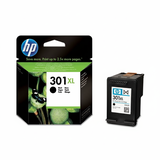
- Original OEM Ink Cartridge HP 301 XL (CH563EE) (Black) and Original OEM Ink Cartridge HP 301 XL (CH564EE) (Color) – XL originals for higher page yield and fewer replacements.
- Compatible Ink Cartridge 301 for HP (CH561EE) (Black) and Compatible Ink Cartridge 301 for HP (CH562EE) (Color) – compatible standard versions for everyday savings.
- Compatible Ink Cartridge 301 XL for HP (CH563EE) (Black) and Compatible Ink Cartridge 301 XL for HP (CH564EE) (Color) – compatible XL cartridges for the best economy per page.
- Original OEM Ink Cartridges HP 2x 301 BK + 301 C (E5Y87EE) (multi pack) – a larger original bundle, ideal when you want extra black ink on hand.
No matter which option you choose, you’ll find the right ink for HP 3050 J610e here—matched to the printer and ready for quick installation. How to choose: Original OEM vs Compatible ink for HP DeskJet 3050 J610e Many customers ask us which cartridge type is “better”. In practice, the best choice depends on how you print. - Original OEM ink for HP DeskJet 3050 J610e – recommended if you want strictly manufacturer-branded supplies, consistent performance across a wide range of documents, and you simply prefer OEM solutions.
- Compatible ink for HP DeskJet 3050 J610e – the smart choice when you print a lot and want to lower costs. Our compatible cartridges from DrTusz.pl are built to deliver high quality comparable to originals, with strong blacks and vivid colours for everyday documents and graphics.
- Standard vs XL – if you print regularly, choose 301 XL (black and/or colour). If you print occasionally, standard HP 301 may be enough and helps avoid long idle periods with ink inside the cartridge.
Common user issues with HP DeskJet 3050 J610e – and how the right cartridge helps This HP Deskjet 3050 All‑in‑One series model is easy to operate, but like any inkjet printer it can run into typical situations. The good news: most are simple to prevent. - Faded prints or missing lines – often caused by low ink or infrequent printing. Replacing the cartridge (especially choosing XL if you print more) and performing basic maintenance usually solves it.
- Colour looks weak – colour cartridges may be running low even when black still prints. A multipack such as HP 301 BK + 301 C helps keep both colours and black ready.
- Frequent cartridge changes – if this bothers you, switch to 301 XL versions to print more pages between replacements.
- “Wrong cartridge” worries – for this printer you should look for HP 301 / HP 301 XL references (e.g., CH561EE, CH562EE, CH563EE, CH564EE, N9J72AE). If you see HP DeskJet 3050 J610e on the list, you’re in the right place.
If you’re unsure which ink cartridge for HP DeskJet 3050 J610E will fit your printing habits, we’re here to help—just tell us how much you print and whether you prefer OEM or compatible. Choose your ink today and keep your HP 3050 J610e ready to print We encourage you to browse our selection of ink cartridges for HP DeskJet 3050 J610e—both Original OEM and high-quality Compatible options. Pick a single black or colour cartridge, or save time with a multipack. Add your chosen ink for HP DeskJet 3050 J610e to the cart and enjoy a smooth purchase experience, fast delivery options, and helpful support if you need it. CTA: Explore the available HP 301 / HP 301 XL cartridges in this category and order the variant that best matches your daily printing—if you have any questions, contact us and we’ll help you choose the perfect cartridge. |