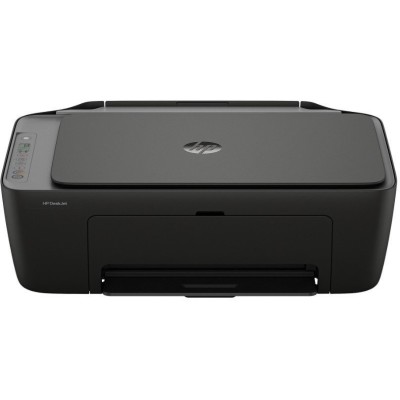
HP DeskJet 2920 All-in-One – a compact home and office helper If you use the HP DeskJet 2920 All-in-One (also searched as HP 2920, HP Deskjet 2900 Series, 89F97B or simply 2920), you already know why it’s so popular: it’s an easy-to-use All-in-One device built for everyday printing, copying and scanning. It’s a great choice for home study, small offices, and anyone who wants reliable color printing without complicated setup. To keep your prints sharp and your colors vivid, choosing the right ink for HP DeskJet 2920 All-in-One matters as much as the printer itself. Color ink cartridges for HP DeskJet 2920 All-in-One – what they do best The right ink cartridge for HP DeskJet 2920 All-in-One affects everything you print: from black text documents and forms to colorful school projects, charts, invoices and photos for everyday use. With a well-matched cartridge, you can expect consistent color saturation, clean edges on letters, and fewer issues like streaks or faded areas. In our category, you’ll find color ink cartridges and black cartridges designed for the HP DeskJet 2920 platform, so you can easily match your printing style—whether you mainly print text or you frequently print in color. - For daily documents: crisp text, clear lines, professional readability.
- For school and home: strong colors for graphics, homework, and presentations.
- For mixed printing: balanced performance for both black and color pages.
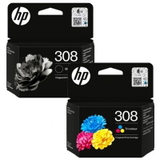
Our offer: Original OEM ink and the right device in one place We keep the selection clear and practical—so you can quickly find the ink for HP 2920 that fits your needs. This category includes both Original OEM cartridges and the printer itself, which is helpful if you’re completing a set for home or replacing an older device. Popular products in this category include: - Original OEM Ink Cartridges HP 308BK + 308C (6L6S6UE) (multi pack) – a convenient multipack for users who print both text and color regularly.
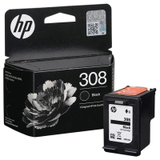
- Original OEM Ink Cartridge HP 308 (7FP21UE) (Black) – ideal when your priority is readable documents, notes and office-style prints.
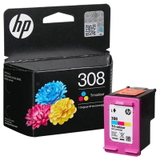
- Original OEM Ink Cartridge HP 308 (7FP20UE) (Color) – for vibrant color pages, charts, and everyday graphics.
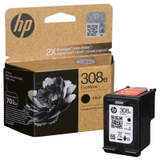
- Original OEM Ink Cartridge HP 308e (7FP22UE) (Black) – a great option when you want reliable black printing in an OEM version.
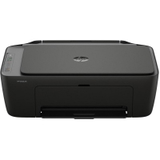
- All-In-One Printer HP DeskJet 2920 All-in-One – if you need the device itself or want a fresh start with a new printer.
Thanks to this wide range, you can choose a single cartridge, a multipack, or even add the All-in-One printer to your cart—without wasting time searching across multiple stores. How to choose the best ink for HP DeskJet 2920 All-in-One When choosing an ink cartridge for HP DeskJet 2920 All-in-One, we recommend starting with your real printing habits. Do you print occasionally, or do you print often? Mostly black text, or lots of color? Matching the cartridge to your use helps you avoid overpaying and prevents frequent replacements. - If you print a lot: consider a multipack such as HP 308BK + 308C to keep both black and color ready.
- If you mostly print documents: choose a dedicated black cartridge like HP 308 Black or HP 308e Black.
- If you print colored materials: add HP 308 Color to keep your graphics and images looking fresh.
Original OEM vs compatible cartridges – what’s the difference? Many customers ask us whether they should choose Original OEM ink for HP DeskJet 2920 All-in-One or a compatible alternative. Original OEM cartridges are produced by the printer manufacturer and are a straightforward choice for anyone who wants to stick to the brand’s own solutions. At the same time, we know that printing costs matter. That’s why we also offer high-quality compatible solutions on DrTusz.pl. Our compatible cartridges are designed to deliver print quality and reliability that are as good as the originals—while helping you reduce the cost per page. If you want a smart balance of performance and savings, compatible ink for HP 2920 is often the best everyday choice. Common issues with HP 2920 ink cartridges – and how we help Users of the HP Deskjet 2900 Series sometimes report typical ink-related problems. The good news: most of them are easy to prevent with the right cartridge choice and a few simple habits. - Faded print or missing lines: often caused by low ink or dried nozzles—replacing the cartridge and running a basic cleaning cycle usually solves it.
- Printer not recognizing the cartridge: make sure you installed the correct model (for example HP 308), remove protective seals, and reseat the cartridge firmly.
- Color not printing properly: if color pages look washed out, a fresh HP 308 Color cartridge is typically the quickest fix.
- Ink drying out with occasional printing: printing a small color test page once in a while helps keep the system in good condition.
If you’re unsure which ink for printer HP DeskJet 2920 All-in-One you need, we’re here to help you choose quickly and correctly. Order ink for HP DeskJet 2920 All-in-One with confidence We encourage you to explore our selection of ink cartridges for HP DeskJet 2920 All-in-One—both Original OEM and reliable compatible options—so you can print without interruptions and keep every page looking its best. Add the right cartridge (or multipack) to your cart, and if you need support, contact us—our team will help you match the correct ink to your printer model and printing needs. CTA: Choose your HP 308 ink today, compare Original OEM and compatible options, and enjoy fast, convenient delivery and expert help whenever you need it. |