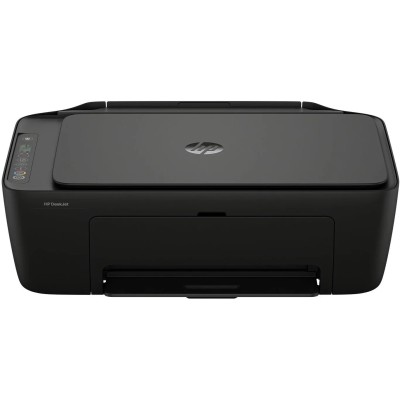
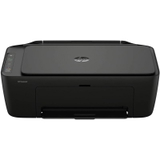
Everyday printing with the HP DeskJet 2910 All-in-One The HP DeskJet 2910 All-in-One (also searched as HP 2910, HP Deskjet 2900 Series, 89F98B or simply 2910) is a compact all‑rounder designed for home and small office use. It combines printing, scanning and copying in one device, so you can handle schoolwork, documents, forms and occasional colour pages without taking up much space. To keep your prints sharp and your colours consistent, choosing the right ink for printer HP DeskJet 2910 All-in-One is essential—especially when you print regularly. What to expect from ink for HP DeskJet 2910 All-in-One In this category we focus on color ink cartridges and black ink solutions that match the HP DeskJet 2910 All-in-One family. Properly selected ink for HP 2910 helps you get clear text, smooth greys and vivid colour graphics, whether you’re printing homework, invoices, recipes, travel documents or photos for everyday use. Quality ink cartridges for this model are designed to deliver: - clean, readable black text for documents and emails
- balanced colour for charts, presentations and school materials
- reliable page-to-page consistency when printing more than a few sheets
- easy installation and quick replacement when ink runs low
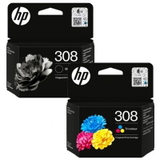
If you’re looking for ink for printer HP Deskjet 2900 Series, you’re in the right place—this selection is built specifically around cartridges compatible with the HP DeskJet 2910 All-in-One ecosystem. Original OEM cartridges and practical multipacks in one place We keep the offer clear and comprehensive, so you can choose quickly—whether you prefer Original OEM or a cost-effective compatible alternative. In this category you’ll find popular, proven products such as: - Original OEM Ink Cartridges HP 308 (6L6S6UE) (multi pack) – a convenient option when you want to stock up and keep both black and colour ready for everyday printing.
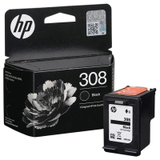
- Original OEM Ink Cartridge HP 308 (7FP21UE) (Black) – for crisp documents and sharp text output.
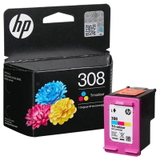
- Original OEM Ink Cartridge HP 308 (7FP20UE) (Color) – for colour prints, graphics and mixed documents.
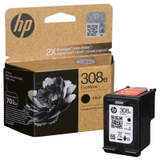
- Original OEM Ink Cartridge HP 308e (7FP22UE) (Black) – an extended option for users who print more and want fewer replacements.
And if you’re still choosing your device, we also include the printer itself: All-In-One Printer HP DeskJet 2910 All-in-One. This makes it simple to match the right ink for HP DeskJet 2910 All-in-One to the exact model you’re using. How to choose the right cartridge (and avoid common issues) When selecting ink for HP DeskJet 2910 All-in-One, we recommend focusing on two things: the cartridge type (black or colour) and your printing habits. If you print mostly text, choose black first; if you print school projects, presentations or colourful documents, keep a colour cartridge on hand as well. Typical user questions around the HP DeskJet 2910 All-in-One include: - “My prints are faint or streaky.” This is often a sign that the cartridge is low, has dried slightly due to long breaks between prints, or needs a quick cleaning cycle from the printer menu.
- “The printer doesn’t recognise the cartridge.” Usually it helps to reseat the cartridge and ensure protective tape has been removed; also make sure you’re using the correct cartridge family for HP 2910.
- “Colour looks off.” A fresh colour cartridge and a simple alignment can restore proper colour balance—especially after replacement.
Choosing between Original OEM and compatible cartridges depends on your preferences and budget. Original OEM cartridges are made by the printer manufacturer and are a classic choice for users who want factory-standard results. Compatible cartridges are a smart alternative when you want to reduce printing costs without giving up quality. We want to be clear: our compatible cartridges from DrTusz.pl are designed to be as good as the originals in everyday use—reliable, efficient and suitable for your HP DeskJet 2910 All-in-One. Order ink for HP 2910 with confidence We encourage you to explore our selection and choose the best ink for printer HP DeskJet 2910 All-in-One for your needs—whether it’s a single black cartridge, a colour cartridge, or a practical multipack. If you’re unsure which option fits your printing style, contact us and we’ll help you pick the right cartridge quickly. View the available HP 308 / HP 308e cartridges and place your order today—and keep your HP DeskJet 2910 All-in-One ready whenever you need it. We offer convenient delivery options and helpful customer support, so you can print without interruptions. |