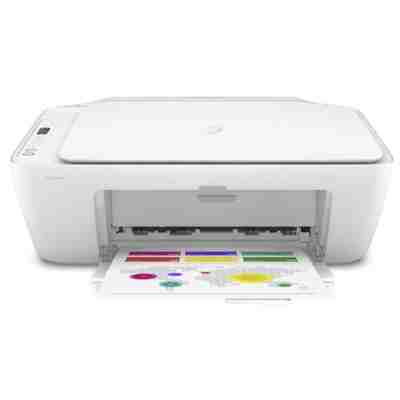
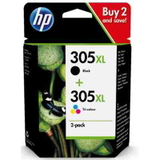
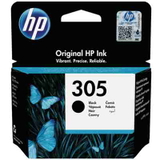
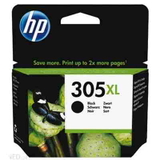
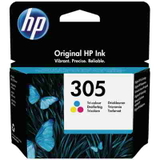
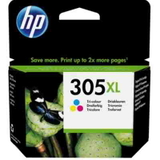
| If you use the HP DeskJet 2720 All-in-One (also searched as HP 2720, HP Deskjet 2700 Series or 3XV18B), you probably value one thing most: convenient everyday printing at home. This compact all-in-one device is designed for documents, school materials, web printouts and colorful graphics, with the added comfort of scanning and copying in one place. To keep it working smoothly, you need the right ink for HP DeskJet 2720 All-in-One—reliable, efficient and matched to your printing habits. Color ink cartridges for HP 2720 – what they’re made for In this category you’ll find color ink cartridges and multipacks dedicated to the HP 2720 platform, including the popular HP 305 and HP 305 XL series. These cartridges are a perfect fit for everyday use: crisp black text for homework and office documents, and vivid color for charts, photos, invitations or projects. Choosing the proper ink for printer HP DeskJet 2720 All-in-One helps you keep stable quality from the first page to the last, while avoiding common issues like uneven color, faint prints or frequent cartridge replacements. - Standard capacity (HP 305) – great for occasional printing and low monthly volume.
- High capacity (HP 305 XL) – ideal when you print more often and want a better cost per page.
- Black + Color sets – convenient replacement in one order, with consistent results across documents and graphics.
Original OEM and compatible ink for HP DeskJet 2720 All-in-One We offer both Original OEM and Compatible cartridges, so you can choose what fits your priorities. Original OEM ink is produced to HP specifications and is often chosen by users who want to stick to factory solutions. At the same time, our compatible cartridges are designed as a practical alternative—delivering the same everyday comfort and print quality you expect from your HP DeskJet 2720 All-in-One. In short: if you’re looking for a smart balance of performance and savings, our compatible ink for HP DeskJet 2720 All-in-One is a dependable choice, and many customers use it as their go-to option for home printing. Popular products in this category (HP 305 / HP 305 XL) To make choosing easier, we stock the most frequently selected cartridges for the HP Deskjet 2700 Series. Here are the highlights: - Original OEM Ink Cartridges HP 305 BK + 305 C (6ZD17AE) (multi pack) – a convenient everyday set for black text and color prints.
- Original OEM Ink Cartridges HP 305 XL BK + 305 XL C (6ZA94AE) (multi pack) – high-yield multipack for frequent printing with fewer replacements.
- Original OEM Ink Cartridge HP 305 (3YM61AE) (Black) and Original OEM Ink Cartridge HP 305 (3YM60AE) (Color) – classic standard-capacity refills.
- Original OEM Ink Cartridge HP 305 XL (3YM62AE) (Black) and Original OEM Ink Cartridge HP 305 XL (3YM63AE) (Color) – high-capacity options for heavier use.
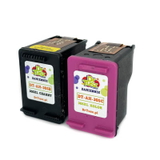
- Compatible Ink Cartridges 305 XL BK + 305 XL C for HP (6ZA94AE) (multi pack) – a popular choice for reducing printing costs without giving up on quality.
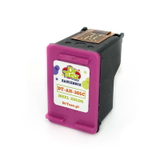
- Compatible Ink Cartridge 305 XL for HP (3YM62AE) (Black) and Compatible Ink Cartridge 305 XL for HP (3YM63AE) (Color) – high-yield compatible cartridges for everyday home and student printing.
- All-In-One Printer HP DeskJet 2720 All-in-One – the device itself, perfect if you’re setting up a new home printing station.
How to choose the right ink for HP DeskJet 2720 All-in-One When you select ink for HP 2720, start with two simple questions: how much do you print, and what do you print most often? If you print occasionally, standard HP 305 cartridges may be enough. If you print regularly (school worksheets, documents, shipping labels, colorful presentations), HP 305 XL is usually the more convenient and economical path. - For text-heavy printing: consider the HP 305 XL Black (OEM or compatible) for longer runtime.
- For mixed printing (text + graphics): choose a Black + Color multipack to keep color consistency and avoid downtime.
- To reduce frequent cartridge swaps: go for XL versions—especially if multiple household members print.
Common user issues with HP DeskJet 2720 and how the right cartridge helps Users of the HP DeskJet 2720 All-in-One often mention a few recurring situations: “my prints look pale,” “black is streaky,” “colors don’t match,” or “the cartridge runs out too fast.” In many cases, the solution is simply choosing the correct cartridge type (standard vs XL), replacing both black and color when quality drops, and ensuring you use a cartridge matched to the device series (HP 305 / HP 305 XL for HP Deskjet 2700 Series). If you’re unsure which ink for printer HP DeskJet 2720 All-in-One you need, we encourage you to check the cartridge code on the current cartridge (e.g., 3YM60AE, 3YM61AE, 3YM62AE, 3YM63AE, 6ZD17AE, 6ZA94AE) and match it with our product list. And if anything is unclear, we’re here to help. Order today and keep your HP 2720 ready to print We’ve built this category so you can quickly find the best color ink cartridges for your HP DeskJet 2720 All-in-One—whether you prefer Original OEM or a proven Compatible alternative that performs just as well in everyday use. We encourage you to browse the available multipacks and XL versions, choose what matches your printing style, and place your order with confidence. CTA: Explore our selection of ink for HP DeskJet 2720 All-in-One now—add the right HP 305 / HP 305 XL cartridge to your cart, or contact us if you want a quick recommendation for your home printing needs. We’ll help you get the best results with your HP Deskjet 2700 Series. |