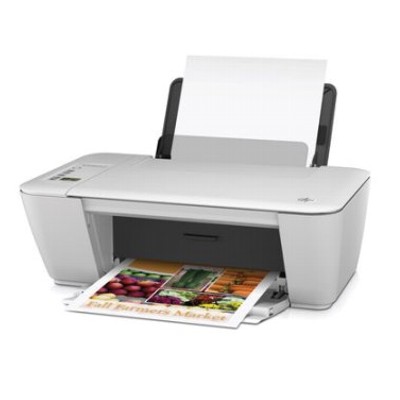
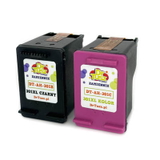
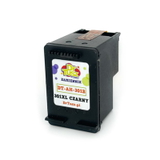
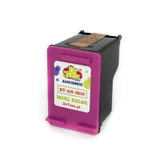
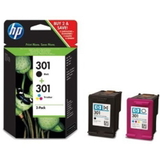
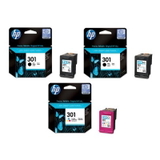
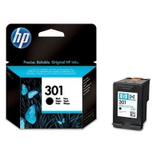
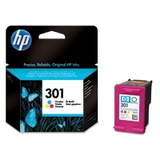
HP DeskJet 2542 All-in-One – a compact home printer that deserves reliable ink If you use the HP DeskJet 2542 All-in-One (also searched as HP 2542, A9U28B or HP Deskjet 2000 Printer series - J210), you probably value simplicity: quick printing for school, home office, bills, forms, and everyday color documents. This model is popular because it prints, scans, and copies in one compact device—so choosing the right ink for HP DeskJet 2542 All-in-One is the easiest way to keep it working smoothly and avoid interruptions when you need a printout “right now”. What ink cartridges fit HP 2542 and what can you expect from them? The HP DeskJet 2542 uses the well-known HP 301 family of cartridges: black for sharp text and tri-color for graphics and photos. In this category you’ll find both Original OEM ink cartridges and high-quality compatible ink cartridges, so you can match your choice to your printing style and budget. Whether you print occasionally or regularly, the right ink for printer HP DeskJet 2542 All-in-One helps you maintain consistent quality, correct color balance, and clean, readable text. Typical applications for these cartridges include: - documents, homework, and office-style prints (black ink cartridge)
- color charts, invitations, simple marketing materials (color ink cartridge)
- mixed printing at home where you want good quality without overspending
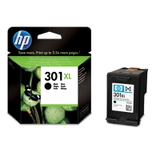
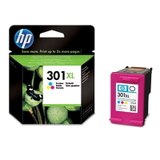
For users who print more often, an HP 301 XL cartridge is a practical upgrade. XL versions deliver more pages, meaning fewer replacements and usually a lower cost per page—especially useful if your HP 2542 is your main household printer. Original OEM and Compatible ink for HP DeskJet 2542 All-in-One – wide choice in one place We stock a broad range of cartridges for this model, from standard capacity to XL and from single cartridges to convenient multipacks. Popular choices in this category include: - Original OEM Ink Cartridges HP 301 BK + 301 C (N9J72AE) (multi pack) – a classic set for everyday black + color printing
- Compatible Ink Cartridges 301 XL BK + 301 XL C for HP (N9J72AE) (multi pack) – a high-yield compatible bundle for frequent printing
- Original OEM Ink Cartridge HP 301 (CH561EE) (Black) and Original OEM Ink Cartridge HP 301 (CH562EE) (Color) – ideal if you prefer OEM cartridges and buy separately
- Compatible Ink Cartridge 301 for HP (CH561EE) (Black) and Compatible Ink Cartridge 301 for HP (CH562EE) (Color) – cost-effective options for regular home printing
- Original OEM Ink Cartridge HP 301 XL (CH563EE) (Black) and Original OEM Ink Cartridge HP 301 XL (CH564EE) (Color) – OEM high-yield versions for more pages per cartridge
- Compatible Ink Cartridge 301 XL for HP (CH563EE) (Black) and Compatible Ink Cartridge 301 XL for HP (CH564EE) (Color) – our go-to choice for frequent printing and strong value
- Original OEM Ink Cartridges HP 2x 301 BK + 301 C (E5Y87EE) (multi pack) – a larger OEM pack for those who want запас and convenience
This mix of Original OEM and Compatible products means you can easily plan your purchases: a single black cartridge for text-heavy printing, a color cartridge for occasional graphics, or a multipack when you want the best price-to-convenience ratio. How to choose the best ink for HP 2542: practical tips and real user needs When customers look for ink for HP DeskJet 2542 All-in-One, the most common questions are: “Should I choose standard or XL?” and “Original OEM or compatible?” Here’s how we recommend deciding: - Choose XL if you print often – it reduces how frequently you replace cartridges and is usually more economical per page.
- Choose a multipack if you want convenience – you’ll have both black and color ready when one runs out (and they often run out at different times).
- Choose black first for documents – if your priority is text, black ink gives the biggest day-to-day benefit.
Original OEM ink cartridge is made by HP and is a great fit for users who want the manufacturer’s solution and predictable performance. Compatible ink cartridge is a smart alternative when you want to lower printing costs without sacrificing quality. We want to be very clear: the compatible cartridges from DrTusz.pl are designed to be as good as the originals in everyday use—sharp black text, pleasant color, and reliable operation in your printer. Common user issues with the HP DeskJet 2542 All-in-One are usually simple to solve with the right cartridge choice and good habits: - Faded prints or streaks – often caused by low ink or a cartridge nearing the end; switching to a fresh cartridge (or XL) helps immediately.
- Color looks “off” – the tri-color cartridge may be depleted in one color; replacing the color cartridge restores balance.
- Ink runs out too quickly – consider HP 301 XL (OEM or compatible) and avoid unnecessary “photo” mode for regular documents.
Order ink cartridges for HP DeskJet 2542 All-in-One and keep printing without breaks We encourage you to explore our selection of ink for printer HP DeskJet 2542 All-in-One—from Original OEM HP 301 cartridges to our proven compatible HP 301 / HP 301 XL options, plus practical multipacks for home and office routines. If you’re not sure which cartridge (CH561EE, CH562EE, CH563EE, CH564EE) is best for your needs, contact us—our team will help you choose quickly and accurately. Check the available cartridges now, pick the version that matches your printing habits, and place your order today—we’ll help you get back to clean, reliable printing as fast as possible. |