Haven't found what you were looking for? Click here! ▼
Describe below exactly what you are looking for and we will see how we can help. You will receive a reply to your e-mail address by 15:47 at the latest
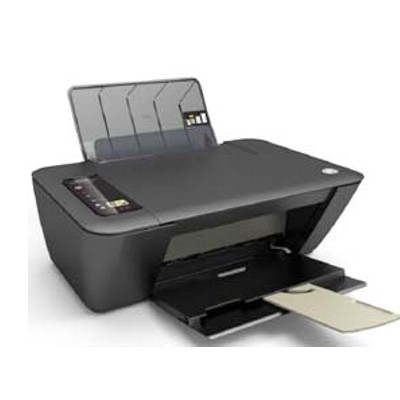
Ink cartridges for HP DeskJet 2540 - compatible and original OEM
Keep your HP DeskJet 2540 printing sharp and reliable with a full selection of inkjet cartridges designed for the HP 2540 / HP Deskjet 2000 Printer series (J210), including models referenced as A9U22B and 2540. This category brings together the most popular HP 301 and HP 301 XL inks in both black and color, so you can match your printing needs—everyday documents or vibrant images—without guesswork.
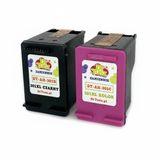
Choose between Original OEM cartridges for consistent, manufacturer-grade performance, or high-quality compatible ink cartridges built to fit and work seamlessly with your printer. Available options include single cartridges like HP 301/301 XL Black (CH561EE/CH563EE) and Color (CH562EE/CH564EE), as well as convenient multipacks such as HP 301 BK + 301 C (N9J72AE) and 2x black + color sets (E5Y87EE) to help you stock up and reduce downtime.
Whether you’re replacing one cartridge or refreshing both, you’ll find the right ink cartridges for HP DeskJet 2540 here—compatible or OEM—ready for clean text and dependable color. Pick your HP 301 or 301 XL set today and get back to printing with confidence—explore the full range and choose the best value for your needs.
Product Number: A9U22B Other names: All-In-One Printer HP DeskJet 2540
HP DeskJet 2540 – a reliable home all‑in‑one that deserves good ink
The HP DeskJet 2540 (also searched as HP 2540, A9U22B or HP Deskjet 2000 Printer series - J210) is a popular, compact all‑in‑one designed for everyday home printing, copying and scanning. It’s valued for simple operation and affordable running costs—provided you choose the right ink for HP DeskJet 2540. In this category we’ve gathered both Original OEM and carefully selected Compatible ink cartridges, so you can print exactly the way you want: maximum brand assurance or maximum savings.
Ink cartridges for HP DeskJet 2540 – what you get from the right cartridge
For this model the key is choosing the correct cartridge family: HP 301 (black and color) and the higher‑capacity HP 301 XL. A well‑matched ink for HP 2540 ensures crisp text for documents, readable school materials, and vivid color for everyday graphics and photos. With the right cartridge you also reduce typical issues like streaks, faded prints, or frequent replacements.
When you choose our ink cartridges for HP DeskJet 2540, you can expect:
Sharp black text for homework, invoices and forms
Natural color for charts, images and casual photo prints
Stable performance in regular home use (printing from time to time or in larger batches)
Choice of standard or XL yield to match how much you print
Original OEM vs Compatible ink for HP DeskJet 2540 – choose what fits your needs
We offer two proven paths: Original OEM cartridges from HP and Compatible cartridges that are a smart alternative when you want to lower printing costs. Many customers ask which option is “better”—so we keep it practical:
Original OEM ink cartridge for HP DeskJet 2540 – ideal if you want to stick with the manufacturer’s cartridge and prefer the OEM route for peace of mind and consistency.
Compatible ink cartridge for HP DeskJet 2540 – a budget‑friendly choice without sacrificing quality. The compatible cartridges we offer at DrTusz.pl are prepared to deliver results comparable to originals, making them a strong everyday option for documents and color prints.
If you print often, we strongly recommend considering XL versions. An HP 301 XL cartridge typically means fewer changes, less downtime and a better cost per page—especially useful for families and home offices.
Popular cartridges in this category – HP 301 and HP 301 XL (black & color)
To make selection easier, here are some of the most frequently chosen products for ink for HP DeskJet 2540:
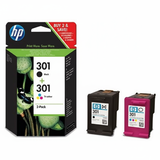
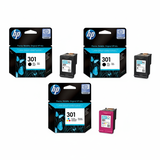
Original OEM Ink Cartridges HP 301 BK + 301 C (N9J72AE) (multi pack) – a convenient OEM set for balanced black and color printing.
Compatible Ink Cartridges 301 XL BK + 301 XL C for HP (N9J72AE) (multi pack) – our popular compatible XL multipack for frequent printers.
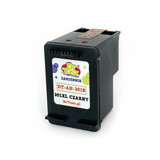
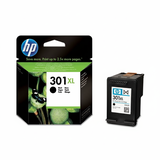
Compatible Ink Cartridge 301 XL for HP (CH563EE) (Black) – high‑yield black for lots of text documents.
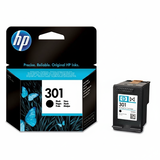
Original OEM Ink Cartridge HP 301 (CH561EE) (Black) – standard OEM black for occasional printing.
Compatible Ink Cartridge 301 for HP (CH561EE) (Black) – a cost‑effective black option for everyday documents.
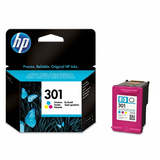
Original OEM Ink Cartridge HP 301 (CH562EE) (Color) – standard OEM color cartridge for graphics and photos.
Original OEM Ink Cartridge HP 301 XL (CH563EE) (Black) – OEM XL black when you print more pages each month.
Original OEM Ink Cartridges HP 2x 301 BK + 301 C (E5Y87EE) (multi pack) – extra black capacity in an OEM multipack (great for document-heavy users).
Compatible Ink Cartridge 301 for HP (CH562EE) (Color) – compatible color for home and school printing.
Compatible Ink Cartridge 301 XL for HP (CH564EE) (Color) – XL color capacity for more frequent color work.
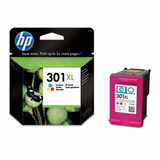
Original OEM Ink Cartridge HP 301 XL (CH564EE) (Color) – OEM XL color for higher-volume color printing.
How to pick the right ink for HP 2540 – quick, practical tips
When choosing ink for printer HP DeskJet 2540, start with two simple questions: how much you print and what you print most often.
Mostly documents? Choose black XL (301 XL / CH563EE) or a multipack with extra black (like E5Y87EE).
Documents + color charts/graphics? A BK+Color multipack (N9J72AE) is the most convenient.
Print only occasionally? Standard 301 cartridges (CH561EE black, CH562EE color) may be enough.
Want fewer replacements and better value? Go with HP 301 XL (black CH563EE, color CH564EE) in OEM or compatible.
Common user issues with the HP DeskJet 2540 are usually easy to solve with the right cartridge and routine:
Faded or streaky prints – run the printer’s cleaning cycle and make sure the cartridge is fresh and properly installed.
Printer doesn’t recognize the cartridge – remove and reinsert the cartridge, gently clean contacts, and restart the printer.
Color looks off – print a test page and align the cartridges; replacing an old color cartridge often restores vivid output.
Ink runs out too fast – consider switching to XL cartridges or multipacks for a better cost per page.
Order ink cartridges for HP DeskJet 2540 with confidence
We make it easy to choose the right ink cartridge for HP DeskJet 2540—whether you prefer Original OEM or a high-quality Compatible alternative from our offer. Browse the products above, compare standard vs XL yield, and pick the set that matches your printing habits.
CTA: We encourage you to explore the full selection in this category and stock up on black and color cartridges today. If you’re unsure which HP 301 / HP 301 XL version is best for your needs, contact us—we’ll help you choose quickly so you can get back to printing without hassle. Fast delivery and helpful support are part of how we work every day.