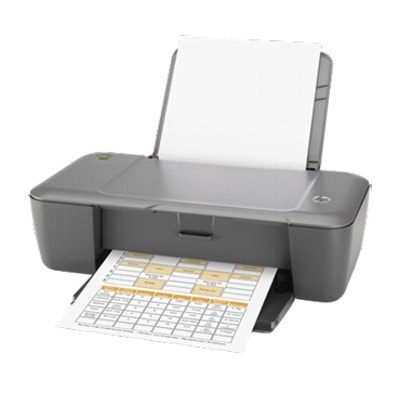
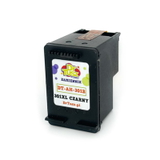
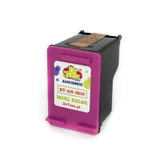
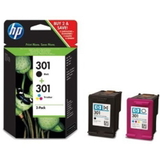
HP DeskJet 2000 J210c – a reliable home printer that deserves good ink The HP DeskJet 2000 J210c (also found as HP 2000 J210c, HP Deskjet 2000 Printer series - J210, CQ529A, 2000 J210C) is a compact inkjet printer designed for everyday home printing. It’s a popular choice for school assignments, documents, recipes, tickets, and occasional color prints. To keep this device working smoothly and to maintain consistent print quality, choosing the right ink for HP DeskJet 2000 J210c is essential. What ink cartridges the HP DeskJet 2000 J210c uses and what you can expect This model works with the HP 301 family of cartridges in black and tri-color. In our category you’ll find both Original OEM and Compatible options, including standard and high-yield XL versions. Good-quality ink for HP DeskJet 2000 J210c means readable text, stable black density, and clean color blends—especially important if you print charts, graphics, or colorful school materials. Typical applications for these cartridges include: - everyday black-and-white documents (letters, invoices, homework),
- color documents (presentations, charts, simple graphics),
- occasional photo printing on suitable paper,
- home office printing where reliability matters.
If you print often, we strongly recommend XL versions—an XL ink cartridge for HP DeskJet 2000 J210c helps reduce the frequency of replacements and is usually more cost-effective per page. Original OEM and Compatible ink – two good paths to great prints In this category we give you a clear choice: Original OEM ink cartridges for those who prefer manufacturer-branded supplies, and Compatible ink cartridges for customers who want excellent value without sacrificing quality. Our compatible cartridges from DrTusz.pl are designed to deliver results that are as good as the originals—sharp text, stable colors, and dependable everyday performance. When you choose ink for HP DeskJet 2000 J210c, consider your printing style. OEM is a straightforward “stick with the brand” option. Compatible is ideal if you want to print more while keeping costs under control—especially for frequent home or student printing. Popular cartridges in our offer (HP 301 / HP 301 XL) We keep the selection practical and complete, so you can easily match the cartridge to your needs. Here are some of the most popular products in this category: - Compatible Ink Cartridges 301 XL BK + 301 XL C for HP (N9J72AE) (multi pack) – a high-yield set for customers who print a lot in both black and color.
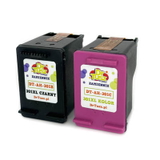
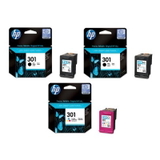
- Original OEM Ink Cartridges HP 301 BK + 301 C (N9J72AE) (multi pack) – the classic OEM multipack for balanced everyday use.
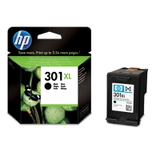
- Compatible Ink Cartridge 301 XL for HP (CH563EE) (Black) and Original OEM Ink Cartridge HP 301 XL (CH563EE) (Black) – high-yield black options for document-heavy printing.
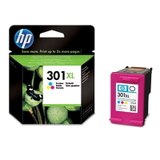
- Compatible Ink Cartridge 301 XL for HP (CH564EE) (Color) and Original OEM Ink Cartridge HP 301 XL (CH564EE) (Color) – XL color cartridges for frequent color pages.
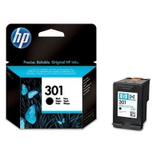
- Original OEM Ink Cartridge HP 301 (CH561EE) (Black) / Compatible Ink Cartridge 301 for HP (CH561EE) (Black) – standard black versions for occasional printing.
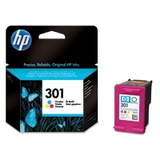
- Original OEM Ink Cartridge HP 301 (CH562EE) (Color) / Compatible Ink Cartridge 301 for HP (CH562EE) (Color) – standard color cartridges for lighter usage.
- Original OEM Ink Cartridges HP 2x 301 BK + 301 C (E5Y87EE) (multi pack) – a convenient OEM set if you want spares ready at home.
Thanks to this range, you can quickly select the right ink for HP DeskJet 2000 J210c—single cartridge, XL, or a multipack that covers both colors and black. How to choose the best ink for HP DeskJet 2000 J210c (and avoid common issues) Dear Customer, the simplest way to choose the right cartridge is to match both the series and the code. The HP DeskJet 2000 J210c uses HP 301 and HP 301 XL cartridges. If you print mostly text, start with a black cartridge (standard or XL). If you print in color, remember you’ll need the tri-color cartridge as well. Our practical tips: - Choose XL if you print regularly – an HP 301 XL cartridge is ideal for frequent home printing and helps reduce replacement downtime.
- Pick a multipack for convenience – multipacks are great when you want both black and color ready at the same time.
- If prints look faint or streaky, it’s often due to infrequent printing and dried nozzles—running the printer’s cleaning cycle and printing a test page can help.
- If the printer doesn’t recognize a cartridge, remove it, gently reinsert it, and ensure protective elements are removed (when applicable). This is one of the most common day-to-day issues for the HP DeskJet 2000 J210c.
- For color shifts (e.g., missing one color), print a nozzle check and use the built-in cleaning function—color cartridges can clog if the printer sits unused for longer periods.
Whether you choose Original OEM or our Compatible option, we focus on providing dependable solutions. If you want maximum savings without giving up quality, our compatible ink for HP DeskJet 2000 J210c is a smart choice—made for everyday reliability and clean output. Order your cartridges today – we’re here to help We encourage you to explore our full selection of ink cartridges for HP DeskJet 2000 J210c—Original OEM and Compatible, standard and XL, single cartridges and multipacks. Choose the setup that matches your printing habits and enjoy consistent results at home. If you’re unsure which cartridge code to pick (for example CH561EE, CH562EE, CH563EE, CH564EE, N9J72AE), contact us—we’ll help you select the correct ink for HP DeskJet 2000 J210c quickly and confidently. Order now and keep your printer ready whenever you need it. |