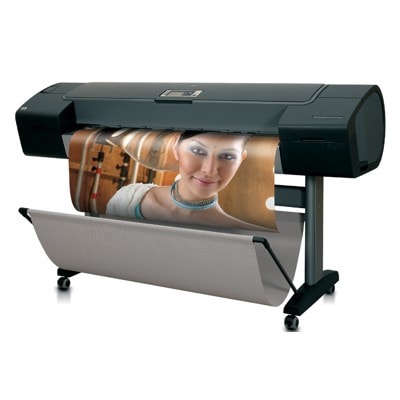
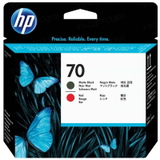
HP DesignJet Z3100 (Q5669A) – built for precise, gallery-grade printing Dear Customer, the HP DesignJet Z3100 - Q5669A (also found as HP Z3100 or HP Designjet Z3100 Series) is a professional large-format printer designed for demanding color work: photography, fine-art reproductions, proofs, posters, and presentations where detail, smooth tonal transitions, and color stability matter. To get the most out of this device, the right ink for HP DesignJet Z3100 - Q5669A and properly selected printhead are essential—because in a production environment, consistency is just as important as quality. Ink for HP Z3100 – what makes the HP 70 system special? The Z3100 uses the HP 70 ink set, created to deliver wide color gamut, accurate grays, and excellent longevity on dedicated media. Choosing the correct ink cartridge for HP DesignJet Z3100 Series helps maintain predictable results across different papers (matte, satin, glossy) and minimizes the risk of color shifts between prints. In this category you’ll find ink cartridges and printheads for HP DesignJet Z3100 - Q5669A, which together determine: - color accuracy and repeatability (important for proofing and photo work),
- smooth gradients and neutral grays (especially visible in monochrome images),
- proper gloss management on glossy media (uniform finish and fewer bronzing effects),
- stable ink flow that supports long print jobs without interruptions.
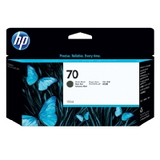
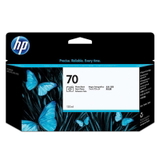
Original OEM HP 70 ink cartridges – popular colors and their role We stock a carefully selected range of Original OEM ink for HP DesignJet Z3100 - Q5669A so you can replace exactly what your workflow needs—whether you print color photos daily or focus on monochrome and fine-art. Among the most frequently chosen items are: - Original OEM Ink Cartridge HP 70 (C9448A) (Black) and Original OEM Ink Cartridge HP 70 (C9449A) (Black Photo) – deep blacks and excellent detail in shadows.
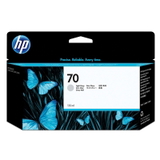
- Original OEM Ink Cartridge HP 70 (C9451A) (Light gray) – smoother grayscale transitions and more neutral B&W prints.
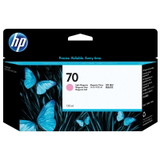
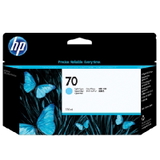
- Original OEM Ink Cartridge HP 70 (C9390A) (Light cyan) and Original OEM Ink Cartridge HP 70 (C9455A) (Light magenta) – improved highlights and skin-tone transitions.
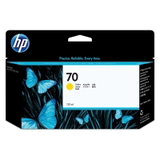
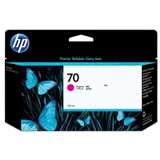
- Original OEM Ink Cartridge HP 70 (C9453A) (Magenta) and Original OEM Ink Cartridge HP 70 (C9454A) (Yellow) – strong, saturated color and accurate midtones.
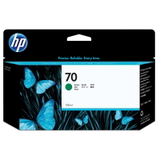
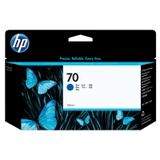
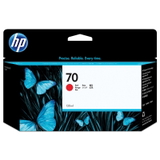
- Original OEM Ink Cartridge HP 70 (C9456A) (Red), (C9457A) (Green), (C9458A) (Blue) – expanded gamut, especially beneficial for vivid graphics and photo work.
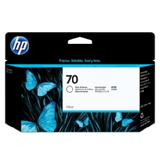
- Original OEM Ink Cartridge HP 70 (C9459A) (Gloss) – helps create a more even finish on glossy and semi-gloss media.
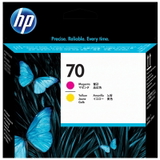
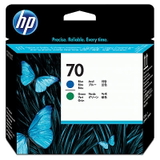
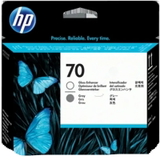
Thanks to this variety, you can easily match the right ink cartridge for HP Z3100 to your specific output—without compromise. Printheads for HP DesignJet Z3100 Series – when replacing ink isn’t enough In professional printing, printheads are just as important as ink. If you notice missing lines, banding, or persistent nozzle issues that cleaning routines can’t resolve, replacing the printhead for HP DesignJet Z3100 - Q5669A is often the quickest way back to perfect output. In this category we offer, among others: - Original OEM Printhead HP 70 (C9406A)
- Original OEM Printhead HP 70 (C9408A)
- Original OEM Printhead HP 70 (C9409A)
- Original OEM Printhead HP 70 (C9410A)
Correct printhead selection ensures proper ink delivery, sharp details, and stable color—especially important when your Z3100 is used for client-ready work. How to choose the right ink cartridge for HP DesignJet Z3100 (Q5669A) We encourage you to choose ink for HP DesignJet Z3100 - Q5669A based on your real printing profile: - Check the exact code (e.g., C9454A) and color name—this avoids ordering the wrong variant.
- Plan replacements for frequently used colors (often blacks, grays, light cyan, light magenta) to reduce downtime.
- Consider your media: for glossy papers, the HP 70 Gloss (C9459A) can be especially important for a uniform finish.
- Watch for symptoms: if you see banding or missing nozzles across several colors, a printhead may be the real cause, not the ink cartridge.
Common user issues with HP Z3100 inks – and what usually helps The HP Designjet Z3100 Series is reliable, but like any large-format photo printer it can face typical consumable-related issues. Customers most often report: - Banding or missing lines – often linked to clogged nozzles or a worn printhead; replacing the relevant HP 70 printhead can restore quality.
- Color inconsistency after a long break – a fresh ink cartridge for HP DesignJet Z3100 and a proper maintenance cycle usually stabilizes output.
- Gloss differences on photo papers – using the correct HP 70 Gloss (C9459A) helps achieve a more even surface appearance.
- Unexpected “ink low” messages – keeping one spare of the most-used colors can prevent work interruptions during time-sensitive jobs.
Original OEM vs compatible – what to choose? In this category we focus on Original OEM solutions for users who want factory-spec consumables for the HP DesignJet Z3100 - Q5669A. Original cartridges and printheads are a safe choice for color-critical workflows and repeatable production. If you’re also considering an alternative, remember: compatible cartridges from the DrTusz.pl offer are designed to be as good as the originals in everyday use—especially when you want to optimize printing costs without giving up quality. If you tell us what you print (photos, proofs, posters) and how often, we’ll help you choose the best option. Order ink for HP DesignJet Z3100 - Q5669A with confidence We make it easy to select the right ink for HP Z3100 and the matching HP 70 printhead—with clear product names, precise codes, and a wide choice of colors. Add the needed consumables to your cart, or contact us if you want help matching the cartridge code to your printer and current needs. CTA: We encourage you to browse our full selection of HP 70 ink cartridges and printheads for HP DesignJet Z3100 Series. If you have questions about compatibility, colors, or print quality issues, contact us—together we’ll choose the best solution and get your Z3100 back to producing flawless prints. Fast delivery options are available so you can avoid downtime and keep your projects on schedule. |