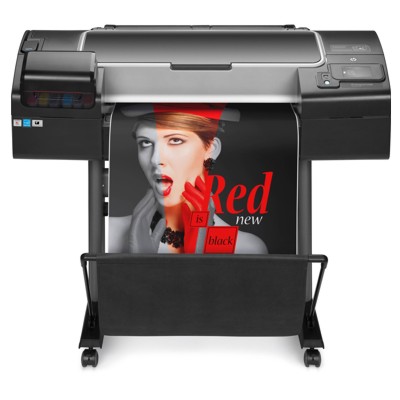
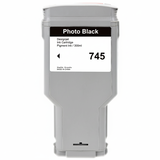
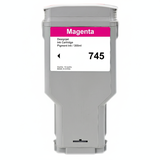
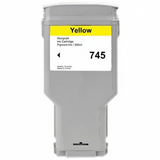
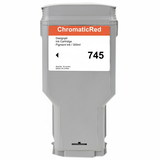
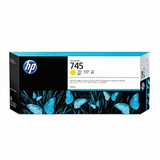
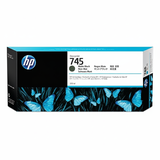
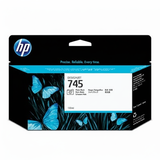
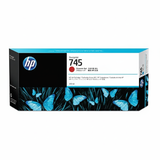
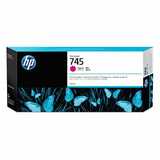
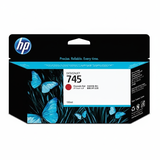
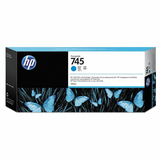
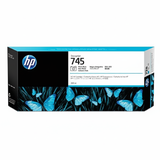
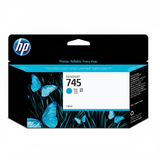
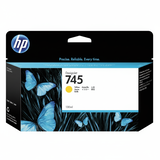
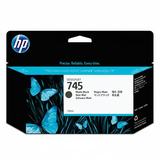
HP DesignJet Z2600 – a production-ready photo and graphics workhorse If you work with the HP DesignJet Z2600 (also searched as HP Z2600 or HP DesignJet Z2600 Series), you already know it’s built for consistent, accurate large-format output—posters, photo prints, presentations, technical graphics and everyday studio proofing. To keep this printer delivering the colour stability and smooth gradients it’s known for, you need reliable ink for HP DesignJet Z2600 and the right printheads on hand. In this category we’ve gathered both Original OEM and compatible options so you can choose what best fits your workflow and budget without compromising on quality. Ink for HP DesignJet Z2600: what matters most in daily printing The Z2600 uses the HP 745 ink system, available in different capacities to match different print volumes. Whether you print occasionally or run long production sessions, good ink cartridges for HP DesignJet Z2600 should provide repeatable colour, clean lines and dependable performance from the first page to the last. In practice, that means: - Stable colour reproduction for photos, branding elements and exhibition graphics (including Red and Photo Black support).
- Crisp detail and smooth fills for technical drawings, maps and infographics.
- Efficient capacity choices—130 ml for flexible replenishment, and 300 ml for lower cost per ml in higher-volume environments.
- System compatibility with the Z2600 ink set and HP 744 printheads used by this platform.
When you search for ink for HP Z2600 using codes like T0B52A or the printer series name, you’ll land in the right place: this category is dedicated to the correct consumables for your machine. Original OEM and compatible ink cartridges – choose your best option We know that different customers have different priorities. That’s why we offer both Original OEM ink for HP DesignJet Z2600 and carefully selected compatible ink for HP DesignJet Z2600. - Original OEM cartridges are a great choice when you want the manufacturer’s solution for colour management, demanding client work or strict internal standards.
- Compatible cartridges from our DrTusz.pl offer are designed to be a smart alternative: they are as good as the originals in everyday use, delivering very good colour and reliability while helping you control printing costs—especially in higher volumes.
No matter which route you choose, you can build a complete, consistent set for your HP DesignJet Z2600 ink system: Cyan, Magenta, Yellow, Matte Black, Photo Black and Red. Popular products for HP 745 ink and HP 744 printheads in this category To make shopping easier, we stock the most frequently chosen items for the Z2600 platform—both 130 ml and 300 ml. Here are examples you’ll find here: - Original OEM Ink Cartridge HP 745 130ml (F9J98A) (Black Photo), (F9J99A) (Matte black), (F9J97A) (Cyan), (F9J95A) (Magenta), (F9J96A) (Yellow)
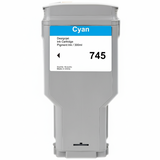
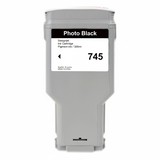
- Original OEM Ink Cartridge HP 745 300ml: (F9K03A) (Cyan), (F9K01A) (Magenta), (F9K02A) (Yellow), (F9K05A) (Matte black), (F9K04A) (Black Photo), (F9K06A) (Red)
- Compatible Ink Cartridge 745 300ml for HP: (F9K03A) (Cyan), (F9K01A) (Magenta), (F9K02A) (Yellow), (F9K05A) (Matte black), (F9K04A) (Black Photo), (F9K06A) (Red)
- Original OEM Printhead HP 744: (F9J86A), (F9J87A), (F9J88A)
Thanks to this mix, you can quickly match capacity to workload, or keep an emergency backup cartridge ready—without guessing which series fits the printer. How to choose ink for HP DesignJet Z2600 (and avoid the most common issues) When selecting ink cartridges for HP DesignJet Z2600, we recommend checking three things: colour, capacity and print volume. If you print more, consider 300 ml to reduce interruptions and cost per page; if you print less or need flexibility, 130 ml can be ideal. Customers using the Z2600 most often ask about a few practical situations. Here is how we approach them: - “My printer shows low ink too quickly” – for frequent printing, switching to 300 ml cartridges can help reduce downtime and improve planning.
- “I see banding or missing lines” – this is often related to maintenance or a worn printhead. Alongside fresh ink for HP Z2600, having the correct HP 744 printhead available can restore clean output.
- “Which black do I need: Matte Black or Photo Black?” – many workflows use both. Matte Black is typically preferred for matte media and technical work; Photo Black is ideal for glossy/photo-oriented prints where deep blacks and smooth gradients matter.
- “Can I mix Original OEM and compatible cartridges?” – in many real-world environments, users do mix depending on colour usage and job type. If you want the safest, most predictable approach for critical projects, keep one consistent set; for cost control, compatible cartridges from DrTusz.pl are a proven option and perform like originals in everyday production.
If you’re unsure which exact cartridge code you need, compare the symbol on your current cartridge (for example F9K01A for Magenta 300 ml or F9J95A for Magenta 130 ml) and match it in our list above. That’s the fastest way to choose the right ink for HP DesignJet Z2600 Series. Order your HP DesignJet Z2600 ink and printheads with confidence We encourage you to explore our full selection of HP 745 ink for HP DesignJet Z2600—both Original OEM and compatible—as well as the matching HP 744 printheads. Choose the colours and capacities you need, stock up for the next project, and keep your Z2600 ready for consistent, high-quality output. If you would like help selecting the best option for your specific workflow (photo, technical drawings, posters, mixed production), contact us—our team will help you match the right ink cartridges for HP Z2600 and suggest the most cost-effective setup. We also offer convenient delivery options so you can receive your consumables quickly and get back to printing. CTA: Check the available HP 745 cartridges and HP 744 printheads in this category and place your order today—your HP DesignJet Z2600 deserves ink that keeps pace with your work. |