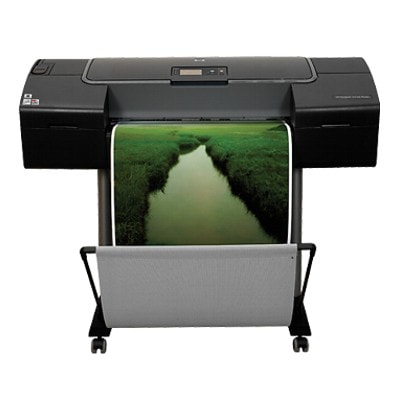
HP DesignJet Z2100 (Q6675C) – precision printing for photos and CAD Dear Customer, the HP DesignJet Z2100 - Q6675C (also searched as HP Z2100 or HP Designjet Z2100 Series) is a wide-format printer built for demanding color work: photo prints, posters, proofing, and graphics where smooth gradients and accurate tones matter. To keep this device performing at its best, you need the right ink cartridge for HP DesignJet Z2100 - Q6675C—reliable, consistent, and matched to the printer’s pigment ink system. Ink for HP Z2100 – what makes these cartridges special? The Z2100 uses multiple colors (including light inks and photo black) to reproduce detail and subtle transitions that standard office printers can’t achieve. Choosing the correct ink for HP DesignJet Z2100 helps you maintain predictable results on different media, from coated photo papers to technical stocks. In this category we focus on Ink Cartridges designed for the Z2100 platform—ready to install and designed to support stable color output. Key benefits you can expect from the right ink for printer HP DesignJet Z2100 - Q6675C: - Accurate color and smooth gradations thanks to dedicated cyan/magenta/yellow plus light shades.
- Deep blacks with separate black options for different print needs.
- Sharp detail for line work, graphics, and high-resolution images.
- Reliable day-to-day operation when you replace cartridges on time and use the correct series.
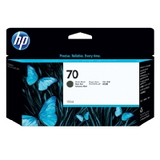
Our selection: popular HP 70 ink cartridges for HP DesignJet Z2100 We offer proven solutions for anyone looking for an ink cartridge for HP Z2100. The category includes original cartridges from the HP 70 series—among the most frequently chosen items by professional users who want consistent results and OEM-standard performance. Here are several top picks available in this section: - Original OEM Ink Cartridge HP 70 (C9448A) (Black) – everyday black for crisp text and technical elements.
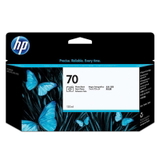
- Original OEM Ink Cartridge HP 70 (C9449A) (Black Photo) – designed for photo-oriented output with rich, nuanced dark tones.
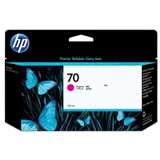
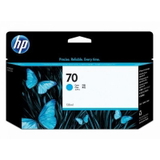
- Original OEM Ink Cartridge HP 70 (C9452A) (Cyan) and Original OEM Ink Cartridge HP 70 (C9453A) (Magenta) – the core colors for accurate image reproduction.
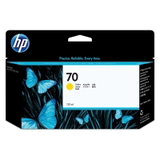
- Original OEM Ink Cartridge HP 70 (C9454A) (Yellow) – clean yellows that support vibrant prints and natural skin tones.
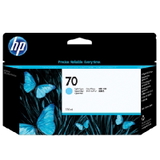
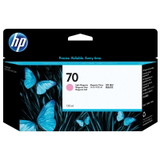
- Original OEM Ink Cartridge HP 70 (C9390A) (Light cyan) and Original OEM Ink Cartridge HP 70 (C9455A) (Light magenta) – essential for smooth highlights and gentle gradients.
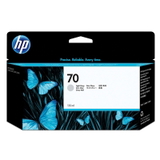
- Original OEM Ink Cartridge HP 70 (C9451A) (Light gray) – helps maintain neutral grays and balanced tonal transitions.
Because each color plays a specific role, having the right combination of cartridges is crucial. With our range, you can replenish exactly what you need—whether you’re replacing a single depleted color or preparing a full set of ink for HP Designjet Z2100 Series. How to choose the right ink cartridge for HP DesignJet Z2100 - Q6675C When buying ink for HP DesignJet Z2100 - Q6675C, we recommend checking three things: - Printer identification: confirm your device is the Q6675C version or belongs to the Z2100 family.
- Cartridge code: match the exact symbol (e.g., C9448A, C9449A, C9452A) to avoid ordering the wrong color.
- Your print type: photo work often benefits from keeping Black Photo and light colors topped up; technical prints may consume more standard black.
Original OEM vs compatible – what should you know? In this category you’ll find Original OEM cartridges, which many professionals choose for repeatable, specification-level output. At the same time, we also want to make one thing clear: if you are considering a compatible option from our range in other sections, the compatible cartridges available at DrTusz.pl are designed to be as good as the originals in everyday use—helping you control costs without sacrificing print quality. If you tell us what you print (photos, posters, CAD, proofing), we’ll help you choose the best solution for your workflow. Common user issues with HP Z2100 inks – and how to prevent them Wide-format printing is demanding, and many issues come down to ink management. The most frequent challenges reported by users of the HP DesignJet Z2100 include running out of one color unexpectedly, uneven color caused by long pauses between prints, or confusion between similar cartridge names (e.g., standard black vs photo black). To reduce problems: - Replace cartridges proactively when a color is low—especially light cyan, light magenta, and light gray for photo work.
- Print regularly to keep ink flowing smoothly in a professional pigment system.
- Order by code (C9448A, C9449A, C9451A, etc.) to ensure the right cartridge arrives the first time.
Order ink for HP DesignJet Z2100 today We encourage you to explore our selection of ink cartridges for HP DesignJet Z2100 - Q6675C and choose the colors you need right now. If you’re not sure which cartridge code fits your printer or which black version will suit your prints, contact us—we’ll help you match the correct ink for HP Z2100 quickly and confidently. Place your order and enjoy fast, convenient delivery plus support from a team that knows printer consumables inside out. |