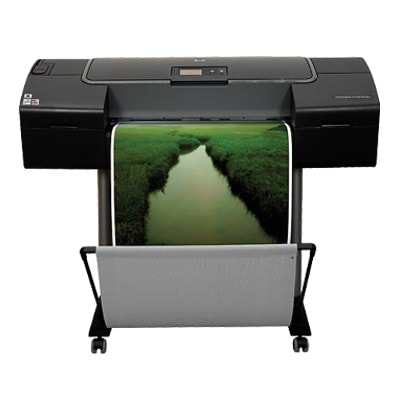
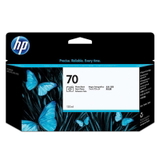
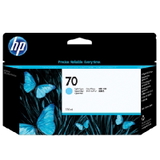
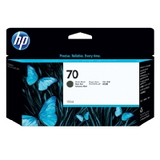
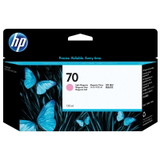
Reliable colour for the HP DesignJet Z2100 (Q6675B) If you work on large-format prints, you know how much depends on stable, repeatable colour. The HP DesignJet Z2100 - Q6675B from the HP Designjet Z2100 Series is a proven photo and proofing plotter designed for graphics, photography and CAD/poster applications where detail and tonal smoothness matter. To keep this device performing at its best, you need the right ink for HP DesignJet Z2100—fresh, correctly matched and ready for demanding print sessions. In this category we have prepared a selection of ink cartridges for HP Z2100 that help you maintain consistent quality, whether you print occasionally or every day. You’ll find solutions compatible with searches such as HP DesignJet Z2100 - Q6675B, HP Z2100, Q6675B and Z2100. What makes ink for the HP Z2100 special? The HP DesignJet Z2100 uses a multi-colour ink system to reproduce a wide gamut with smooth transitions, neutral grays and deep blacks. Choosing the correct ink for HP Designjet Z2100 Series is essential for: - Accurate colour and soft gradients in photos, posters and art prints,
- Neutral gray balance in black-and-white work (without unwanted colour casts),
- Consistent blacks for strong contrast and crisp detail,
- Reliable operation during long print jobs and less downtime due to ink-related issues.
When you select ink cartridges for HP DesignJet Z2100 - Q6675B matched to the printer’s requirements, you protect print quality and keep production predictable—especially important when you’re preparing client work, exhibitions or proof sets. Original OEM HP 70 cartridges – the core of the offer This subpage focuses on Original OEM ink cartridges from the HP 70 family, widely used in the Z2100 platform. These are popular choices for users who want maximum compatibility and repeatability across jobs. In our range you’ll find, among others: - Original OEM Ink Cartridge HP 70 (C9448A) (Black) – a solid base for sharp text and strong density,
- Original OEM Ink Cartridge HP 70 (C9449A) (Black Photo) – built for photographic depth and smoother dark areas,
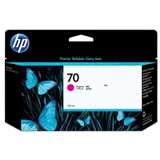
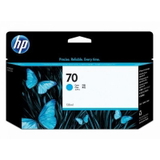
- Original OEM Ink Cartridge HP 70 (C9452A) (Cyan) and Original OEM Ink Cartridge HP 70 (C9453A) (Magenta) – key colours for vivid graphics,
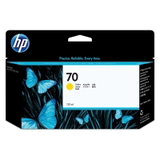
- Original OEM Ink Cartridge HP 70 (C9454A) (Yellow) – essential for warm tones and clean highlights,
- Original OEM Ink Cartridge HP 70 (C9390A) (Light cyan) and Original OEM Ink Cartridge HP 70 (C9455A) (Light magenta) – for smooth transitions in skies, skin tones and pastel gradients,
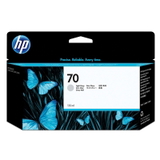
- Original OEM Ink Cartridge HP 70 (C9451A) (Light gray) – very important for neutral black-and-white and subtle shadow detail.
Thanks to this selection, you can comfortably build a complete colour set or simply top up the cartridges that run out fastest in your workflow. How to choose the right ink cartridge for HP DesignJet Z2100 When buying ink for HP DesignJet Z2100, we recommend a quick checklist: - Confirm the printer model: HP DesignJet Z2100 / HP DesignJet Z2100 Series / Q6675B.
- Match the cartridge code (for example C9448A, C9449A, C9452A). The code is the safest identifier.
- Choose the colour intentionally: photo workflows often consume Light Cyan/Light Magenta quickly; technical posters may use more black.
- Plan ahead for longer jobs: keeping a spare of frequently used colours reduces downtime.
Common issues reported by HP Z2100 users are surprisingly practical: a print job stops because one colour is empty, colours shift after replacing a single cartridge, or a long run is interrupted by inconsistent ink levels. In most cases, using the correct ink cartridge for HP Z2100, replacing depleted colours on time and running routine maintenance/calibration helps keep the printer stable and results consistent. Original vs compatible cartridges – what you should know Many customers ask us whether to choose Original OEM ink or a compatible alternative for the HP DesignJet Z2100 - Q6675B. Original cartridges are a classic choice for users who want the manufacturer’s solution and straightforward, predictable results. At the same time, if you are considering savings without compromising output, it’s worth knowing that our compatible solutions available at DrTusz.pl are designed to deliver quality comparable to originals—sharp detail, good colour stability and reliable performance. If you need help selecting the best option for your usage (photo, proofing, posters, CAD), we encourage you to contact us—we’ll recommend the right ink for HP Z2100 for your priorities and budget. Order ink for HP DesignJet Z2100 (Q6675B) with confidence We make it easy to find the exact ink cartridges for HP DesignJet Z2100 you need—by model name (HP Z2100, HP Designjet Z2100 Series), by device code (Q6675B) or by cartridge symbol. Browse the products listed in this category, choose the colours that match your workload and keep your plotter ready for the next project. CTA: We encourage you to view our current offer of ink for HP DesignJet Z2100 - Q6675B and order the cartridges you need today. If you’re unsure which cartridge will be best for your print type or you want to optimise your set, contact us—together we’ll pick the most cost-effective and reliable solution, with fast delivery and helpful support. |