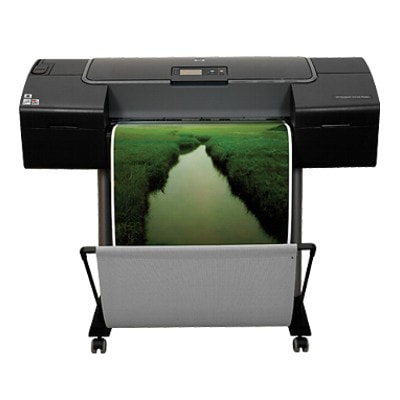
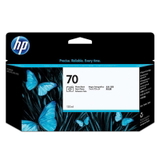
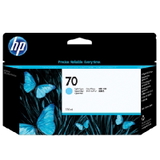
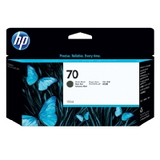
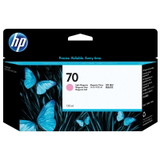
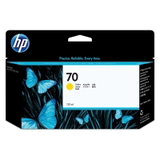
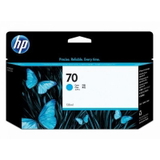
HP DesignJet Z2100 (Q6675A) – a plotter made for precise color work If you work with large-format prints, you know that the printer is only as good as the ink you put inside it. The HP DesignJet Z2100 - Q6675A (also searched as HP Z2100, HP Designjet Z2100 Series or simply Z2100) is a professional photo and proofing plotter designed for accurate color reproduction, smooth gradients and consistent results across long print runs. It’s a popular choice for photographers, graphic studios, architects and anyone who expects repeatable quality on a wide range of media. In this category you’ll find ink cartridges for HP DesignJet Z2100 - Q6675A—carefully selected to help you keep your device ready for everyday production printing and demanding color projects. Ink for HP DesignJet Z2100 – what it affects in everyday printing Choosing the right ink for HP DesignJet Z2100 - Q6675A isn’t just about “having something to print with”. In this model, ink quality directly impacts: - color accuracy (important for photography, proofing and branded materials),
- neutral grays and smooth transitions (especially in black-and-white and shadow areas),
- detail and sharpness in technical drawings and fine lines,
- print stability over time (archival expectations, exhibition work),
- reliability of the printing system—clean ink flow and fewer interruptions.
The HP DesignJet Z2100 Series uses multiple color channels, including photo and light shades, so the correct cartridge set is essential for balanced, professional output. When you replace a cartridge on time and match the right color, the printer maintains its intended performance—without surprises in the middle of a job. Original OEM ink cartridges we offer (HP 70 series) We focus on proven, in-demand solutions for the Z2100, which is why this page includes the Original OEM ink cartridge line dedicated to this device. Popular choices in this category include: - Original OEM Ink Cartridge HP 70 (C9448A) (Black) – for crisp text, deep lines and strong contrast,
- Original OEM Ink Cartridge HP 70 (C9449A) (Black Photo) – for rich photographic blacks and smooth tonal depth,
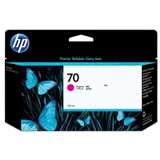
- Original OEM Ink Cartridge HP 70 (C9452A) (Cyan) and Original OEM Ink Cartridge HP 70 (C9453A) (Magenta) – key colors for accurate photo reproduction,
- Original OEM Ink Cartridge HP 70 (C9454A) (Yellow) – clean highlights and natural warm tones,
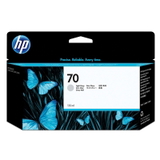
- Original OEM Ink Cartridge HP 70 (C9390A) (Light cyan) and Original OEM Ink Cartridge HP 70 (C9455A) (Light magenta) – smoother gradients, improved skin tones and better pastel transitions,
- Original OEM Ink Cartridge HP 70 (C9451A) (Light gray) – excellent neutrality for grayscale work and refined shadow detail.
Thanks to this selection, you can easily rebuild the color set you need—whether you print mainly photos, exhibition posters, or technical projects that still require consistent color management. How to choose the right cartridge for HP Z2100 When selecting an ink cartridge for HP DesignJet Z2100, we recommend a quick checklist: - Confirm the printer name: HP DesignJet Z2100 / HP Designjet Z2100 Series / Q6675A.
- Match the cartridge code: for example C9448A, C9449A, C9452A etc. (the code is the safest identifier).
- Choose the correct color: Black vs Black Photo is a common point of confusion—both are used for different tonal roles.
- Plan ahead for multi-cartridge systems: in large-format printing, running out of a light shade (like Light cyan) can stop a job just as effectively as running out of Black.
If you tell us what you print most often (photos, CAD, posters, proofing), we’ll help you pick the most sensible replenishment order so you don’t overstock rarely used colors. Original OEM vs compatible – what you should know Many customers ask us which option is best: Original OEM or compatible ink cartridges. Original OEM ink is the manufacturer’s solution—chosen by users who want to keep their workflow fully aligned with HP specifications and predictable color behavior. At the same time, it’s worth knowing that high-quality compatible ink cartridges from DrTusz.pl are designed to deliver results as good as the originals—especially when you want to optimize printing costs without sacrificing quality. If you are considering a compatible alternative, we can recommend the right option for your usage profile and expected color precision. Common HP DesignJet Z2100 ink-related issues (and how to avoid them) In our experience, the most frequent problems with ink for HP DesignJet Z2100 are not caused by the printer itself, but by timing and maintenance. Watch out for: - printing interruptions mid-job – keep an eye on low ink warnings and replace cartridges before long runs,
- uneven color or banding – usually improved by timely replacement and basic maintenance routines,
- confusing Black vs Photo Black – always double-check the label and code (C9448A vs C9449A),
- infrequent printing – if the plotter sits unused, plan periodic test prints to keep the system in good condition.
If you describe the symptoms, we’ll help you decide whether it’s time for a new ink cartridge for HP Z2100 and which color is the real bottleneck. Order your ink cartridges today – we’re here to help We encourage you to explore our selection of ink cartridges for HP DesignJet Z2100 - Q6675A and choose the exact HP 70 cartridge you need—by color and code. If you want to build a full set for the HP Designjet Z2100 Series or you’re unsure which cartridge fits your workflow, contact us and we’ll guide you quickly and clearly. Add the right ink for HP DesignJet Z2100 to your cart and keep your plotter ready for every deadline—we’ll take care of a smooth purchase process, reliable packing and fast delivery options. |