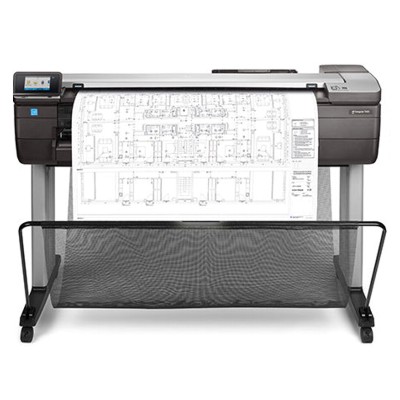
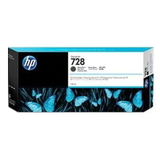
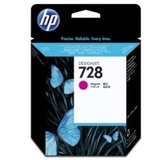
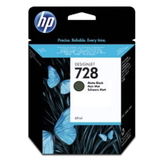
HP DesignJet T830: a compact large-format printer built for plans, posters and CAD HP DesignJet T830 (also searched as HP T830, HP Designjet T830 Series, F9A30A or simply T830) is a popular wide-format machine designed for fast, precise printing in offices, construction sites and design studios. It’s valued for clear line work, solid fills and reliable output on technical drawings, maps and presentations. To keep this standard every day, you need the right ink for HP DesignJet T830 and a dependable printhead for HP DesignJet T830—and that’s exactly what we focus on in this category. What you gain with the right ink for HP DesignJet T830 Choosing a proper ink cartridge for HP DesignJet T830 is not only about “having color”. It’s about consistent line accuracy, repeatable colors and minimal downtime. The HP DesignJet T830 works with pigment-based inks that help deliver sharp text, clean thin lines and good resistance to smudging—especially important for CAD, architecture and engineering documentation. In our store you’ll find Original OEM ink for HP DesignJet T830 in multiple capacities, so you can match the supply to your workflow—whether you print occasionally or run larger batches every week. Original OEM HP 728 ink cartridges: sizes and colors tailored to your workload This category includes the proven HP 728 series—an excellent choice when you want predictable results and full compatibility with your device. We offer popular colors and capacities, so you can reduce interruptions and manage costs better: - Original OEM Ink Cartridge HP 728 300ml (F9J68A) (Matte black) – great for heavy use, crisp linework and dense blacks
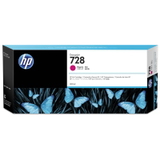
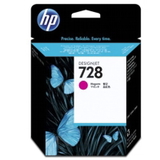
- Original OEM Ink Cartridge HP 728 130ml (F9J66A) (Magenta) and Original OEM Ink Cartridge HP 728 300ml (F9K16A) (Magenta)
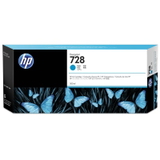
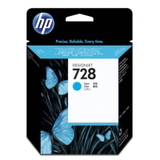
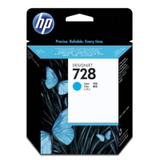
- Original OEM Ink Cartridge HP 728 130ml (F9J67A) (Cyan) and Original OEM Ink Cartridge HP 728 300ml (F9K17A) (Cyan)
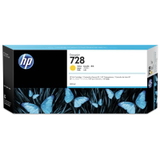
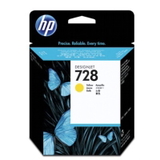
- Original OEM Ink Cartridge HP 728 130ml (F9J65A) (Yellow) and Original OEM Ink Cartridge HP 728 300ml (F9K15A) (Yellow)
- Original OEM Ink Cartridge HP 728 40ml (F9J64A) (Matte black) – ideal as a backup or for low-volume printing
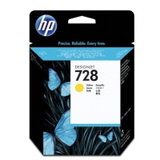
- Original OEM Ink Cartridge HP 728 40ml (F9J62A) (Magenta), HP 728 40ml (F9J63A) (Cyan), HP 728 40ml (F9J61A) (Yellow)
Thanks to this range, you can choose a smaller cartridge for occasional projects or go with 130 ml / 300 ml to support continuous, cost-efficient production. If you frequently print monochrome technical drawings, a higher-capacity matte black often makes the most sense. Printheads matter: stable quality with the right HP DesignJet T830 printhead If you notice missing lines, banding, uneven fills or repeated cleaning cycles, the cause is often not the ink cartridge but the printhead. That’s why we also offer the dedicated solution: Original OEM Printhead HP 729 (F9J81A). Replacing the printhead at the right moment can restore crisp output and reduce wasted ink caused by excessive maintenance routines. How to choose: matching part numbers, capacity and real-life printing habits When selecting ink for HP DesignJet T830, we recommend focusing on three things: - Printer identification: confirm the model name (HP DesignJet T830 / T830 Series / F9A30A)
- Correct cartridge code: for this printer it’s typically HP 728 (color + capacity) and HP 729 for the printhead
- Capacity planning: 40 ml is convenient for occasional use; 130 ml offers balanced flexibility; 300 ml is best for higher-volume printing and fewer cartridge changes
Common user issues with the HP DesignJet T830 often include “color looks uneven”, “lines are missing” or “the printer keeps asking for maintenance”. In many cases, choosing the correct OEM cartridge, ensuring you’re using the right color in the right slot, and replacing a worn printhead solves the problem quickly. Original OEM vs compatible: what to expect when you buy from us In this category you’ll find Original OEM products—ideal for customers who prioritize maximum predictability and manufacturer-standard performance. At the same time, many customers ask us about compatible options. We’d like to reassure you: compatible cartridges from DrTusz.pl offer are as good as the originals—when you want an alternative without compromising everyday print quality. If you need help deciding which route is better for your workload, we’re here to advise. Order your ink for HP DesignJet T830 with confidence We encourage you to explore our selection of ink cartridges for HP DesignJet T830 and the HP 729 printhead. Choose the exact color and capacity you need, reduce downtime, and keep your plots and technical prints looking professional. CTA: Add the right HP 728 cartridges or the HP 729 printhead to your cart today—or contact us if you want us to help you match the correct product to your HP DesignJet T830. We offer fast delivery options and friendly support, so you can get back to printing without delays. |