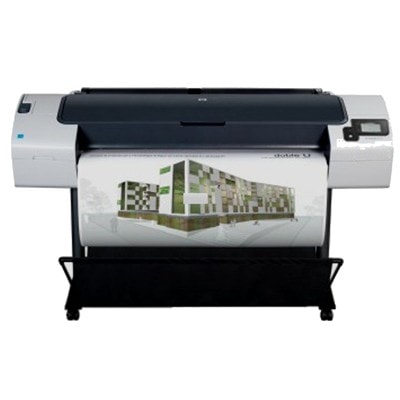
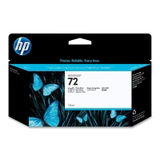
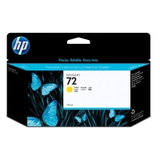
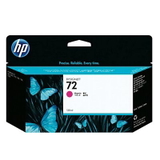
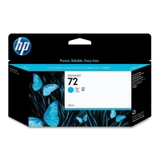
| The HP DesignJet T790 - CR647A (also searched as HP T790, HP Designjet T790 Series, or simply T790) is a proven large-format printer designed for precise CAD drawings, technical documentation, GIS maps, and professional graphics. It’s valued for reliable workflow and consistent color, but like any plotter, it performs best only when it’s paired with the right ink for HP DesignJet T790 - CR647A and a properly matched printhead. In this category we’ve gathered everything you need to keep your device ready for daily production: ink cartridges and printheads dedicated to the HP 72 system. If you want predictable results, sharp lines, and clean color transitions, choosing the correct ink for HP T790 is as important as the paper or file settings. That’s why we focus on products that match the printer’s requirements and help you avoid typical downtime issues such as color shifts, weak blacks, or missing lines in technical prints. Ink for HP DesignJet T790 – what it influences and where it’s used The ink cartridge for HP DesignJet T790 is not just “a consumable” — it directly impacts readability of fine lines, grayscale smoothness, and the durability of prints stored in archives or used on-site. The HP 72 ink system is commonly used for: - CAD and architectural drawings (thin, crisp linework and legible annotations),
- engineering documentation and schematics,
- GIS and mapping (stable color coding and consistent fills),
- presentations and posters when color accuracy matters.
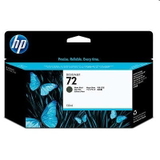
To keep your HP Designjet T790 Series running smoothly, it’s worth paying attention not only to the color you need, but also to the capacity (standard vs XL) and to the condition of the printhead. A fresh printhead for HP DesignJet T790 - CR647A can solve many print-quality issues that users sometimes mistakenly attribute to ink. Original OEM HP 72 cartridges and printheads – our recommended set for T790 In this category we offer a carefully selected range of Original OEM supplies that fit the HP 72 platform. Popular choices include both standard and high-capacity versions, so you can match the purchase to your print volume: - Original OEM Ink Cartridge HP 72 XL (C9403A) (Matte black) – a go-to option for CAD text and strong, dense blacks on matte media,
- Original OEM Ink Cartridge HP 72 XL (C9371A) (Cyan) and Original OEM Ink Cartridge HP 72 XL (C9372A) (Magenta) – essential for stable color reproduction,
- Original OEM Ink Cartridge HP 72 XL (C9373A) (Yellow) – supports clean highlights and accurate color coding in maps and diagrams,
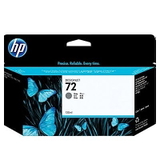
- Original OEM Ink Cartridge HP 72 XL (C9374A) (Gray) – helps keep neutral tones neutral and improves grayscale transitions,
- Original OEM Ink Cartridge HP 72 XL (C9370A) (Black Photo) – useful for deep photo blacks and richer contrast in graphics.
For customers who prefer standard capacity, we also stock proven classics such as Original OEM Ink Cartridge HP 72 (C9397A) (Black Photo), Original OEM Ink Cartridge HP 72 (C9398A) (Cyan), Original OEM Ink Cartridge HP 72 (C9399A) (Magenta), Original OEM Ink Cartridge HP 72 (C9400A) (Yellow), and Original OEM Ink Cartridge HP 72 (C9401A) (Gray). And because plotters depend heavily on head condition, you’ll also find dedicated printheads such as Original OEM Printhead HP 72 (C9380A), Original OEM Printhead HP 72 (C9383A), and Original OEM Printhead HP 72 (C9384A)—perfect when you want to restore sharpness, eliminate banding, or get rid of missing nozzles that persist after cleaning. How to choose the right ink cartridge for HP T790 and avoid common problems When selecting ink for printer HP DesignJet T790 - CR647A, we encourage you to check three practical points: - Match the exact platform: HP 72 cartridges and HP 72 printheads are the correct family for this series.
- Choose the right capacity: XL cartridges are ideal if you print a lot and want fewer replacements; standard cartridges suit occasional printing or mixed color usage.
- Diagnose print quality correctly: if you see streaks, missing lines, or uneven fills, the cause may be a worn or clogged head rather than the ink itself—consider a printhead for HP T790 when cleaning routines no longer help.
Common user issues with the HP Designjet T790 Series often include: fading in large fills, banding on solid areas, or occasional “missing color” in a specific channel. In practice, these are typically solved by using the correct ink cartridge for HP DesignJet T790, running the appropriate maintenance cycle, and replacing the printhead when it’s reached the end of its life. Original vs compatible ink for HP DesignJet T790 – what to know before you buy In this subpage we present Original OEM options, which many customers choose for maximum predictability and brand-certified performance. At the same time, we know that many users also look for a cost-effective alternative. That’s why we want to be clear: when you choose a compatible ink for HP DesignJet T790 - CR647A from the DrTusz.pl offer, you can expect results that are as good as the originals—while optimizing printing costs for high-volume environments. If you’re unsure which route is best for your workflow (technical CAD, GIS maps, or mixed graphics), we’ll help you choose the right solution based on your expectations, print frequency, and the colors you use the most. Order confidently – keep your HP DesignJet T790 ready for work We encourage you to explore the available ink cartridges and printheads for HP DesignJet T790 - CR647A and pick a set that matches your daily printing. If you want fewer interruptions, consider stocking the most-used colors (often Matte Black for CAD or the main CMY colors for graphics) and keeping a printhead on hand for quick recovery when quality drops. CTA: Choose your ink for HP T790 and the right printhead for HP DesignJet T790 from our selection—add them to your cart or contact us if you’d like help confirming the correct product codes. We’re here to make sure your plotter prints cleanly, consistently, and on schedule, with fast delivery and friendly support whenever you need it. |