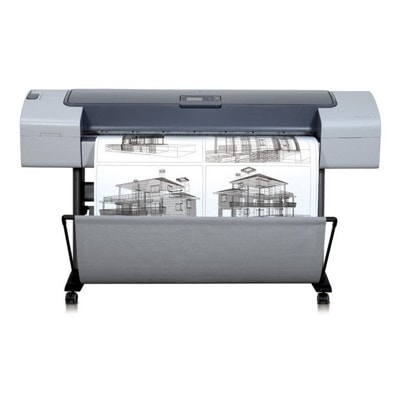
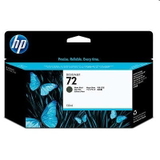
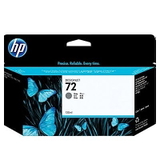
Reliable large-format printing with the HP DesignJet T610 (Q6712A) HP DesignJet T610 - Q6712A is a proven wide-format plotter from the HP Designjet T610 Series, designed for CAD drawings, technical documentation, GIS maps and large posters. If you use your HP T610 every day, you know that consistent quality depends not only on the device, but mainly on the right ink and a healthy printhead. In this category we’ve gathered everything you need for safe, predictable printing: ink cartridges and printheads for HP DesignJet T610 (HP 72). Ink for HP DesignJet T610 – what you gain with the right cartridge Choosing the correct ink for printer HP DesignJet T610 means stable lines, clean fills and repeatable colour. HP 72 inks are pigment-based, which is important in technical printing: they help keep fine details sharp, reduce smudging and improve longevity. Whether you print monochrome linework or colour presentations, the proper colour set (including Gray and Photo Black) supports smoother transitions and accurate neutral tones. In our offer you’ll find both standard and XL capacity options, so you can match the ink to your workflow—occasional plotting or high-volume production. Original OEM HP 72 cartridges and HP 72 printheads in one place This subpage focuses on Original OEM supplies for the T610, covering the most popular colours and components used in daily operation. You can quickly complete or refresh your whole set: - Original OEM Ink Cartridge HP 72 XL (C9403A) (Matte black) – a go-to choice for CAD line precision and strong, readable text.
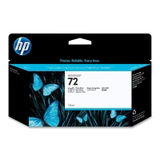
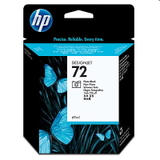
- Original OEM Ink Cartridge HP 72 XL (C9370A) (Black Photo) – for deeper blacks and better photo/graphic contrast.
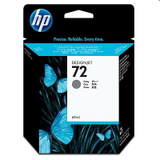
- Original OEM Ink Cartridge HP 72 XL (C9374A) (Gray) – supports smooth grayscale and neutral shading (useful for maps and technical illustrations).
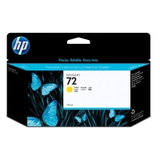
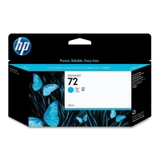
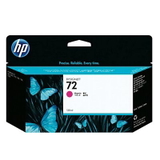
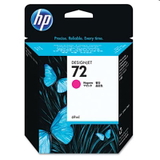
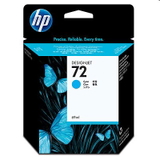
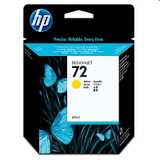
- Original OEM Ink Cartridge HP 72 XL (C9371A) (Cyan), (C9372A) (Magenta), (C9373A) (Yellow) – dependable colour for posters, presentations and mixed CAD/GIS output.
- Standard capacities: HP 72 (C9397A) Photo Black, C9398A Cyan, C9399A Magenta, C9400A Yellow, C9401A Gray – ideal when you want to replace only what’s needed.
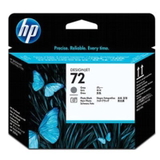
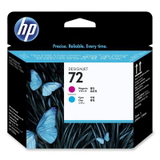
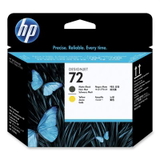
- Print reliability components: Original OEM Printhead HP 72 (C9380A), (C9383A), (C9384A) – crucial for clean nozzles, accurate line placement and preventing banding.
If you search by model name, you may see different phrases: HP DesignJet T610 - Q6712A, HP T610, HP Designjet T610 Series or simply T610. They all lead to the same goal: choosing the correct ink for HP DesignJet T610 and the matching HP 72 printhead. How to choose the right cartridge (and when a printhead matters) When buying ink for printer HP DesignJet T610, start with two checks: the part number and the colour. HP 72 cartridges are clearly marked (for example C9403A for Matte Black XL). If you print mostly technical drawings, Matte Black is usually consumed fastest. If you produce presentations, maps or posters, colour inks and Gray can empty more quickly. Also pay attention to symptoms that users of the HP DesignJet T610 Series commonly report: - Faint lines or missing segments – often linked to nozzle issues; replacing or servicing the HP 72 printhead can restore quality.
- Banding in solid areas – can be caused by a worn printhead or inconsistent ink delivery.
- Colour shifts / inaccurate greys – Gray/Photo Black condition matters; keeping the set consistent helps.
- Frequent cleaning cycles – may indicate the printhead is nearing end-of-life or ink is running low in a key channel.
Original OEM cartridges and printheads are designed for predictable results and full compatibility with your device. At the same time, it’s worth knowing that high-quality compatible cartridges can be a smart alternative for many users. In our store we treat compatibility seriously—our compatible solutions are selected to deliver results that are as good as the originals, with strong print quality and reliability for everyday work. Why buy your HP T610 ink with us? We focus on clarity and safety: clear product naming, correct codes, and the right supplies for your exact plotter model. Whether you need a single HP 72 cartridge or a full refill set with a new printhead, you can place everything in one basket and keep your HP DesignJet T610 (Q6712A) ready for the next deadline. We encourage you to browse the products in this category, choose the exact ink for HP DesignJet T610 you need, and order in a few clicks. If you’re unsure which HP 72 cartridge or printhead fits your current setup, contact us— we’ll help you select the right option and get you printing again quickly. Fast delivery and helpful support are part of how we work every day. |