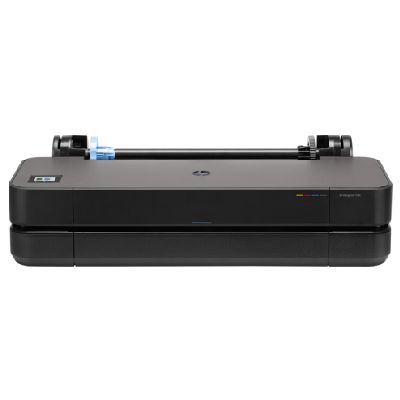
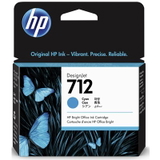
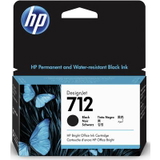
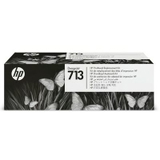
| When you choose the HP DesignJet T250 24", you’re choosing a compact, modern large-format plotter from the HP DesignJet 200 Series designed for everyday CAD and technical printing. Whether you search by HP T250, HP DesignJet T250 24" or simply T250, one thing stays the same: to keep your lines crisp, your fills even and your deadlines safe, you need reliable ink for HP DesignJet T250 24" and a print system that stays in top condition. Ink for HP DesignJet T250 24" – what matters in daily plotting The T250 works with the HP 712 ink system, built for precise line accuracy, consistent grayscale and vivid color on large-format media. Good ink for printer HP DesignJet T250 24" should deliver predictable results from the first plot to the last—especially when you print: - technical drawings (CAD), plans and elevations,
- maps and GIS outputs,
- presentations and color concepts,
- posters and everyday large-format documents.
In this category we focus on what you actually need for uninterrupted work: Ink Cartridges (black and CMY colors) and the dedicated Printhead. With the right combination, your HP DesignJet T250 ink stays stable, your colors remain consistent, and your printer is ready whenever the next project lands on your desk. Compatible and Original OEM – choose the option that fits your workflow We offer both Original OEM and Compatible cartridges for the T250. Original cartridges are a great choice when you want to keep everything strictly OEM for internal procedures or corporate standards. At the same time, our compatible ink cartridge for HP DesignJet T250 24" is built to be just as dependable in everyday use—clear text, clean lines, and strong coverage—while helping you control printing costs. In short: if you print a lot, compatible options are often the smartest way to reduce cost per plot without sacrificing quality. If you need OEM documentation consistency, choose Original OEM. Either way, you can keep your printer running smoothly with one trusted supplier. Popular HP 712 supplies available in this category To make selection easy, we stock the most commonly used colors and capacities for HP 712 ink for HP DesignJet T250, including: - Original OEM Ink Cartridge HP 712 XL (3ED71A) (Black) – high-capacity black for heavy plotting,
- Compatible Ink Cartridge 712 XL for HP (3ED71A) (Black) – a cost-effective XL alternative for frequent printing,
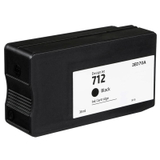
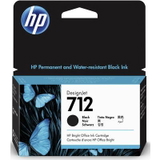
- Original OEM Ink Cartridge HP 712 (3ED70A) (Black) – standard black for regular use,
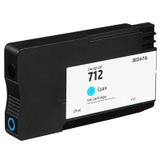
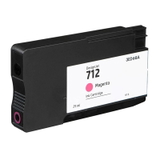
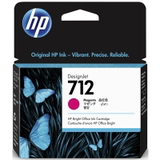
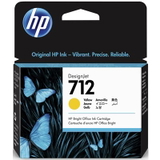
- Original OEM Ink Cartridge HP 712 (3ED67A) (Cyan), (3ED68A) (Magenta), (3ED69A) (Yellow) – core colors for accurate diagrams and presentations,
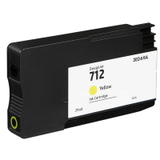
- Compatible Ink Cartridge 712 for HP (3ED67A) (Cyan), (3ED68A) (Magenta), (3ED69A) (Yellow) – compatible CMY alternatives for budget-friendly color printing,
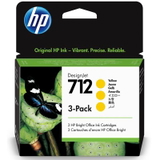
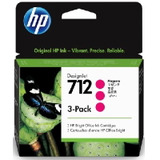
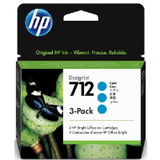
- Original OEM Ink Cartridges HP 712 (3ED77A/3ED78A/3ED79A) (3-pack) – convenient multi-packs for teams and busy offices,
- Original OEM Printhead HP 713 (3ED58A) – essential when you need to restore perfect line quality and prevent downtime.
This variety means you can buy exactly what you need today—and easily standardize supplies for tomorrow. How to choose ink for HP DesignJet T250 24" (and avoid common issues) When customers look for ink for HP T250, they usually want two things: correct compatibility and predictable performance. We recommend: - Match the code, not just the printer name – for this model it’s typically HP 712 (e.g., 3ED67A, 3ED68A, 3ED69A, 3ED70A, 3ED71A).
- Choose XL black if you print a lot of technical drawings – it reduces replacement frequency and keeps your workflow smoother.
- Use 3-packs for color consistency in teams – great for offices that want fewer supply orders and stable inventory.
- Don’t ignore the printhead – if you see missing lines, uneven fills, or persistent streaks, the solution is often a fresh printhead for HP DesignJet T250 like HP 713 (3ED58A), not another cartridge.
Common user challenges with the HP DesignJet T250 24" include faint lines in CAD prints, banding in solid fills, or color shifts after long idle periods. In many cases, replacing a depleted color cartridge, ensuring you have the right ink cartridge for HP DesignJet T250, or installing a new printhead brings the printer back to full quality quickly. If you’re unsure whether to pick Original OEM or Compatible, we’re here to help. Our compatible cartridges are selected to deliver results that are as good as originals in everyday plotting—so you can print confidently and keep costs under control. Order today and keep your HP DesignJet T250 ready for the next deadline We encourage you to explore our full range of ink for HP DesignJet T250 24"—Original OEM and Compatible—plus the dedicated printhead. Add the right cartridges to your basket, stock up on the colors you use most, and keep your plotter running without interruptions. If you need help choosing between HP 712 standard vs XL, selecting a 3-pack, or confirming the correct printhead, contact us—we’ll guide you to the best option. Order conveniently online with fast delivery options and get back to what matters: reliable, clean large-format prints. |