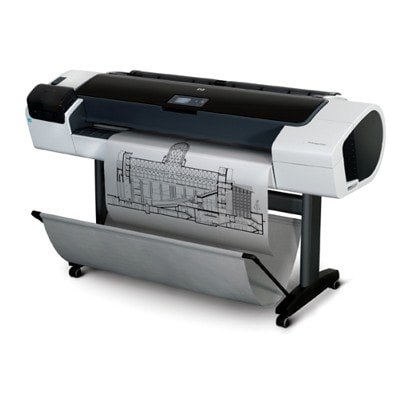
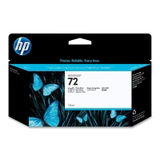
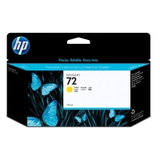
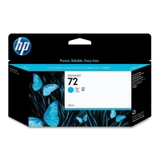
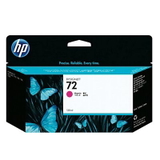
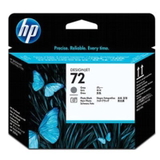
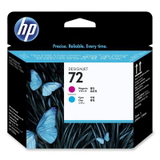
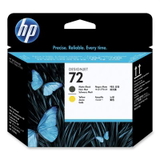
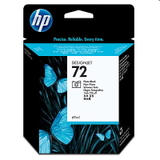
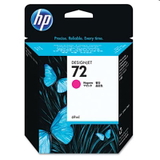
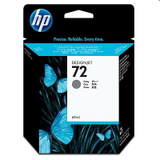
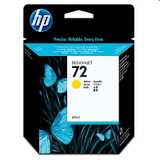
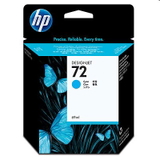
HP DesignJet T1200 (CK834A) — dependable large-format printing for demanding work If you use the HP DesignJet T1200 - CK834A (also searched as HP T1200 or HP Designjet T1200 Series), you already know it’s a professional large-format plotter built for precise technical drawings, GIS maps, architectural plans and high-quality presentations. To keep this standard every day, you need the right ink for HP DesignJet T1200 - CK834A and reliable printheads that maintain crisp lines, smooth fills and consistent colour reproduction across long print runs. In this category we offer carefully selected supplies dedicated to the T1200 platform: HP 72 ink cartridges (standard and XL) and HP 72 printheads. Everything is matched to the requirements of the CK834A device so you can print with confidence—without guesswork. Ink for HP DesignJet T1200 - CK834A — what it affects in everyday printing The right ink for HP DesignJet T1200 is not only about colour. In large-format printing it directly impacts: - Line accuracy (thin technical lines, CAD details, readable labels)
- Colour consistency between projects and over time
- Drying and smudge resistance on different media
- Printhead condition and the frequency of cleaning cycles
- Cost per print, especially when you print large areas or long plot runs
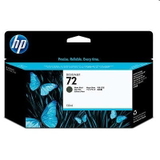
The HP DesignJet T1200 Series uses the HP 72 family, including Photo Black and Matte Black—important when you switch between coated photo papers and matte technical media. Choosing the correct black cartridge for your paper type helps you avoid dull results, bronzing, or unnecessary ink usage. Original OEM cartridges and printheads for HP T1200 — stable results and predictable workflow Many customers choose Original OEM ink for HP DesignJet T1200 - CK834A when they need maximum predictability: stable colour, repeatable output across projects, and seamless cooperation with the device’s maintenance routines. That’s why we stock the most commonly used HP 72 colours in both standard and XL capacities, as well as dedicated printheads. Popular choices in this category include: - Original OEM Ink Cartridge HP 72 XL (C9403A) (Matte black) – a frequent pick for technical drawings on matte media
- Original OEM Ink Cartridge HP 72 XL (C9370A) (Black Photo) – great for presentation prints and photo-oriented papers
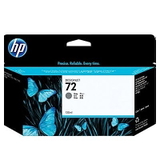
- Original OEM Ink Cartridge HP 72 XL (C9371A) (Cyan), (C9372A) (Magenta), (C9373A) (Yellow), (C9374A) (Gray) – a balanced set for accurate colour and neutral tones
- Original OEM Ink Cartridge HP 72 (C9397A) (Black Photo) and HP 72 (C9398A) (Cyan) / (C9399A) (Magenta) / (C9400A) (Yellow) / (C9401A) (Gray) – standard capacity options for controlled usage
- Original OEM Printhead HP 72 (C9380A), Original OEM Printhead HP 72 (C9383A), Original OEM Printhead HP 72 (C9384A) – essential when you need to restore sharpness and eliminate persistent banding
This broad selection makes it easy to match your purchase to your workflow—whether you print occasionally or run the plotter daily. How to choose the right cartridge for HP DesignJet T1200 Series When selecting ink for HP Designjet T1200 Series, we encourage you to check three practical points: - Capacity: XL cartridges are ideal for higher volumes and fewer interruptions; standard cartridges are good for smaller teams or mixed workloads.
- Paper type: Matte papers usually work best with Matte Black; coated/photo media typically benefits from Photo Black.
- Your colour needs: For GIS and CAD, maintaining a healthy level of Gray can improve neutral shading and reduce colour casts.
If you’re not sure which item you need for your CK834A plotter, we can help you match the correct HP 72 cartridge or printhead to your current setup and printing habits. Original vs compatible — what you should know before buying In this subpage we focus on Original OEM solutions, because many professionals want the most direct, manufacturer-validated route. At the same time, we know that cost control matters in large-format printing. That’s why we also offer compatible alternatives within our wider assortment—our compatible cartridges from DrTusz.pl are designed to be as good as the originals in everyday use, with a strong balance of quality and savings. If your priority is maximum predictability and manufacturer specification—choose OEM. If you want to reduce printing costs while keeping excellent results—ask us about compatible options available for the HP T1200 ecosystem. Common user issues on HP DesignJet T1200 — and how ink and printheads help With the HP DesignJet T1200 - CK834A, the most common print-quality concerns we hear about are: - Banding or missing lines – often linked to a worn or clogged printhead; replacing the HP 72 printhead can restore clean output.
- Inconsistent colour or dull blacks – frequently solved by using the correct black (Matte vs Photo) for the media and ensuring cartridges are fresh and properly seated.
- Frequent cleaning cycles – can indicate ageing consumables; quality ink and a healthy printhead reduce maintenance interruptions.
Keeping a spare cartridge or printhead on hand is a practical way to avoid downtime—especially when deadlines depend on the plotter. Order ink for HP DesignJet T1200 - CK834A with confidence We encourage you to explore our selection of HP 72 ink cartridges and HP 72 printheads dedicated to the HP DesignJet T1200. If you want to optimise cost, improve colour consistency, or solve a print-quality issue, contact us—together we’ll choose the best option for your workflow. We provide fast order handling and clear support at every step, so you can get back to printing without unnecessary delays. CTA: Choose your HP 72 cartridge or printhead now, add it to your cart, or reach out to us for help selecting the right ink for HP T1200. |