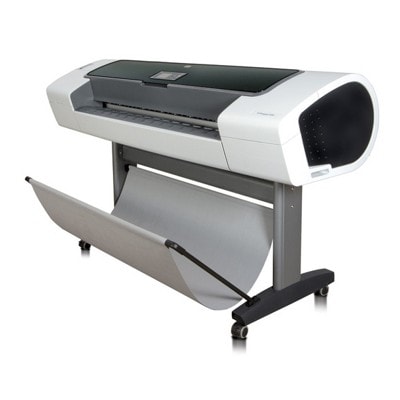
Ink and print quality for HP DesignJet T1120 (CK839A) – made for demanding large-format work HP DesignJet T1120 (CK839A) is a proven large-format plotter from the HP Designjet T1120 Series, designed for precise technical drawings, GIS maps, line work, and high-quality presentations. If you use your printer professionally, you already know that consistent color, sharp lines, and predictable results depend primarily on one thing: choosing the right ink for HP DesignJet T1120 and reliable HP 72 printheads. In this category we offer carefully selected supplies for your device—so you can print with confidence, minimize downtime, and keep your workflow smooth. What you’ll find here: HP 72 ink cartridges and HP 72 printheads This category is dedicated to ink cartridges for HP T1120 and printheads for HP DesignJet T1120. The HP 72 system is built around multiple colors and dedicated printheads that help maintain accuracy and repeatability—crucial when every millimeter and every shade matters. When you choose ink for CK839A, you’re investing in: - Crisp lines and legible text for CAD, architectural and engineering prints
- Stable color reproduction for renderings, posters, and client-ready presentations
- Reliable performance over long print runs with fewer interruptions
- Lower risk of clogs and banding when cartridges and printheads are matched correctly
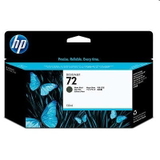
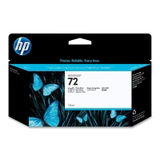
Popular HP 72 cartridges for HP DesignJet T1120 (CK839A) in our offer We keep a wide selection of Original OEM consumables so you can quickly match the right color to your current needs. Among the most frequently chosen items are: - Original OEM Ink Cartridge HP 72 XL (C9403A) (Matte black) – a go-to option for technical drawings and strong, dense blacks
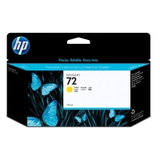
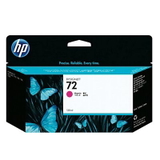
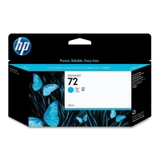
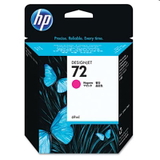
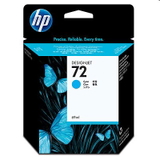
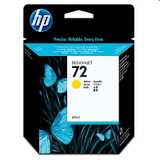
- Original OEM Ink Cartridge HP 72 XL (C9371A) (Cyan), (C9372A) (Magenta), (C9373A) (Yellow) – the core color set for vibrant, accurate output
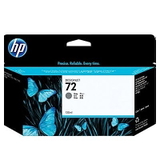
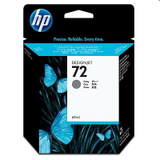
- Original OEM Ink Cartridge HP 72 XL (C9374A) (Gray) – excellent for smooth tonal transitions and neutral grayscale work
- Original OEM Ink Cartridge HP 72 XL (C9370A) (Black Photo) – designed for deep photo blacks and rich contrast
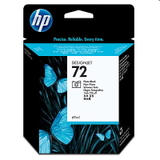
We also stock standard-capacity options, ideal when you print less frequently or want to balance colors more precisely: - Original OEM Ink Cartridge HP 72 (C9398A) (Cyan), (C9399A) (Magenta), (C9400A) (Yellow)
- Original OEM Ink Cartridge HP 72 (C9401A) (Gray)
- Original OEM Ink Cartridge HP 72 (C9397A) (Black Photo)
HP 72 printheads – the key to consistent results and fewer print problems If your plots show streaks, missing lines, or uneven fills, the issue is often related to the printhead rather than the ink cartridge itself. That’s why, alongside ink for HP DesignJet T1120, we offer Original OEM printheads made specifically for the HP 72 system: - Original OEM Printhead HP 72 (C9380A)
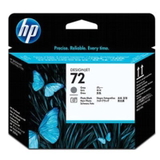
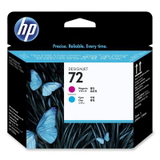
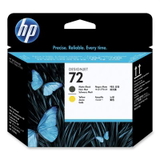
- Original OEM Printhead HP 72 (C9383A)
- Original OEM Printhead HP 72 (C9384A)
Replacing a worn printhead at the right moment can restore sharp line quality, improve color uniformity, and help you avoid wasted media during critical print jobs. How to choose the right ink for HP DesignJet T1120: practical tips To pick the best ink for printer HP DesignJet T1120, we recommend focusing on a few simple criteria: - Match the cartridge code – e.g. C9403A, C9371A, C9398A; the code ensures full compatibility with your HP T1120
- Choose capacity based on your workflow – XL cartridges are great for frequent printing and better cost-per-ml planning
- Select the right black – Matte Black is typically preferred for technical line drawings; Photo Black is used for richer photographic contrast
- Don’t ignore gray – it’s essential for smooth grayscale and professional-looking monochrome output
- Consider printhead condition – recurring banding, missing segments, or inconsistent color may indicate it’s time for a new printhead
Original OEM vs compatible ink for HP T1120 – what’s the difference? In this specific category you’ll find Original OEM products. Many customers ask us whether compatible options can deliver similar results. Our answer is clear: compatible cartridges from the DrTusz.pl offer are designed to be as good as the originals in everyday performance, with a strong focus on quality and safety for the printer. If you need help deciding between Original OEM and a compatible alternative (for example, to optimize printing costs), we encourage you to contact us—we’ll recommend the best option for your specific printing style, media, and expected coverage. Common issues in HP DesignJet T1120 and how the right supplies help Large-format printers work hard, and typical challenges can appear over time. The right ink for HP DesignJet T1120 - CK839A and a properly chosen printhead can help prevent or solve issues such as: - Banding or streaks – often related to printhead wear or clogged nozzles
- Faded colors – may occur when a cartridge is near empty or a color channel isn’t working properly
- Missing thin lines in CAD prints – frequently caused by printhead issues or inconsistent ink flow
- Unexpected color shifts – can be improved by using the correct cartridge type and replacing aging components
If you tell us what you’re printing (CAD, posters, photo, GIS) and what symptom you see, we’ll help you select the right cartridge or printhead quickly. Order ink for HP DesignJet T1120 (CK839A) with confidence We make it easy to find the correct ink for HP Designjet T1120 Series and keep your device ready for every deadline. Browse the available HP 72 ink cartridges and HP 72 printheads, choose the colors and capacity that fit your workflow, and place your order when you’re ready. If you have any questions about compatibility, color selection (Photo Black vs Matte Black), or printhead replacement—contact us. We’ll help you choose the best solution and arrange fast, convenient delivery. CTA: Explore the products in this category now and stock up on the right ink for HP DesignJet T1120—so your next print comes out exactly as expected. |