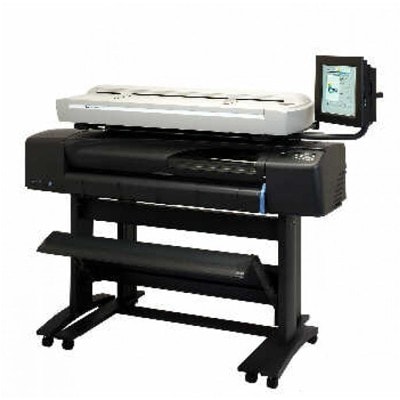
Reliable printing for HP DesignJet cc800ps and cc800ps Series If you work with an HP DesignJet cc800ps (also searched as HP cc800ps, cc800 ps, CC800PS or Q1262A), you know how important predictable, repeatable quality is—especially for technical drawings, CAD lines, maps and color proofs. This plotter is valued for precision and stable color work, but it performs at its best only when it receives the right consumables. In this category you will find everything you need: ink for HP DesignJet cc800ps in original OEM and compatible versions, plus printheads and a fluid for cleaning to keep the system in excellent condition. Ink for printer HP DesignJet cc800ps – what matters most Choosing the right ink for HP DesignJet cc800ps is not only about color. It’s about sharp lines, smooth fills, proper drying, and avoiding interruptions during large-format jobs. The HP cc800ps uses a classic set of colors where each component plays a role in accuracy and saturation: - Black – crisp text and CAD lines (great contrast on standard media)
- Cyan / Magenta / Yellow – clean color transitions, consistent palettes and readable maps/graphics
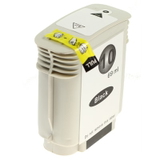
In our offer you’ll find ink cartridges for HP DesignJet cc800ps designed to fit and work properly with this device family, helping you maintain stable output over long print runs. For users who print frequently, we also recommend paying attention to the printhead condition—because even the best cartridge won’t deliver perfect results if the head is worn or clogged. Compatible and Original OEM – wide choice, same goal: great prints We offer both Original OEM ink and compatible ink for HP DesignJet cc800ps, so you can choose what best fits your workflow and budget. Original cartridges are the manufacturer’s solution, often chosen for strict internal procedures or standardized environments. At the same time, our compatible cartridges are a smart alternative: they are designed to deliver results that are as good as the originals—strong color, correct fit, and reliable performance—while helping you reduce printing costs. For maintenance and long-term stability, we also include Original OEM printheads and a specialistic fluid for cleaning heads. This is especially useful if your plotter prints irregularly or stands idle for longer periods. Popular products for HP cc800ps – inks, printheads, and cleaning fluid Below are some of the most frequently chosen items in this category. If you search by code (a common habit with plotters), you’ll easily match the right product: - Compatible Ink Cartridge 10 for HP (C4844AE) (Black) and Original OEM Ink Cartridge HP 10 (C4844AE) (Black)
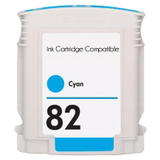
- Compatible Ink Cartridge 82 for HP (C4911AE) (Cyan) / Original OEM Ink Cartridge HP 82 (C4911AE) (Cyan) / Original OEM Ink Cartridge HP 82 (CH566AE) (Cyan)
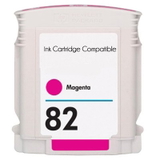
- Compatible Ink Cartridge 82 for HP (C4912AE) (Magenta) / Original OEM Ink Cartridge HP 82 (C4912AE) (Magenta) / Original OEM Ink Cartridge HP 82 (CH567AE) (Magenta)
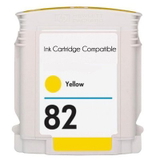
- Compatible Ink Cartridge 82 for HP (C4913AE) (Yellow) / Original OEM Ink Cartridge HP 82 (C4913AE) (Yellow) / Original OEM Ink Cartridge HP 82 (CH568AE) (Yellow)
- Original OEM Printhead HP 11: C4810AE (Black), C4811AE (Cyan), C4812AE (Magenta), C4813AE (Yellow)
- Specialistic Fluid for Cleaning Heads HP 250 ml (Uniwersalny)
Thanks to this mix, you can easily build a complete set for the HP Designjet cc800ps Series: daily printing cartridges, backup color, and maintenance products for problem-free operation. How to choose the right ink cartridge for HP DesignJet cc800ps To make sure you order the correct ink for printer HP DesignJet cc800ps, we recommend a simple checklist: - Match the cartridge number: HP 10 (black) and HP 82 (CMY) are the key ones for this model.
- Check the symbol/code on your current cartridge: e.g., C4844AE, C4911AE, C4912AE, C4913AE, or OEM alternatives like CH566AE / CH567AE / CH568AE.
- Decide between Original OEM and Compatible: OEM for strict procedures, compatible for excellent quality and better cost efficiency—our compatible options are as good as the originals.
- If you see defects despite new ink, consider the printhead (HP 11) or plan a cleaning using a cleaning fluid.
Common HP DesignJet cc800ps issues – and how our consumables help Large-format printers often face predictable challenges, especially when they are used intensively or, conversely, only occasionally. The most common issues include: - Faded colors or missing lines – often linked to a partially clogged or worn printhead; replacing an HP 11 printhead or using cleaning fluid can restore quality.
- Banding on fills – may indicate printhead condition or the need for maintenance; keeping fresh, properly matched ink for HP cc800ps helps ensure stable flow.
- Irregular printing after downtime – if the device stands unused, ink can dry in the nozzles; having a fluid for cleaning on hand is a practical safeguard.
- Color inconsistency between jobs – using a consistent set of cartridges (and replacing colors as a planned set when needed) improves repeatability.
We select products for this category so you can quickly address these situations—without guessing and without unnecessary downtime. Order ink for HP DesignJet cc800ps with confidence We encourage you to explore the full selection in this category and choose the best ink cartridge for HP DesignJet cc800ps for your needs—compatible, Original OEM, and also refill/maintenance components like printheads and cleaning fluids. If you’re unsure which code is right for your device (e.g., CC800 PS, cc800ps, or HP Designjet cc800ps Series), contact us—we’ll help you match the correct cartridge, printhead, or maintenance product. CTA: Add your chosen inks and printheads to the cart now, or message us for quick assistance—together we’ll keep your HP DesignJet cc800ps printing sharply, consistently, and cost-effectively. |