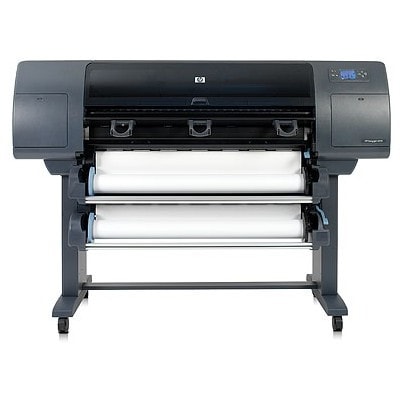
HP DesignJet 5500 (Q1253A) – a proven large-format workhorse HP DesignJet 5500 (also searched as HP 5500 or Q1253A) is a professional large-format printer designed for fast, repeatable output where colour consistency matters. It’s widely used for technical drawings, GIS maps, posters, presentations, and everyday CAD work. To keep this device producing sharp lines and stable colours, you need the right ink for HP DesignJet 5500—matched to the printer and reliable in day-to-day operation. Ink for HP DesignJet 5500 – what it affects in your prints Choosing the correct ink cartridge for HP DesignJet 5500 is not only about “having colour.” It influences accuracy, saturation, drying time, and how well fine details appear on coated and uncoated media. With the right ink for printer HP DesignJet 5500, you can expect: - clean, crisp lines for CAD and technical prints (especially with black ink),
- smooth transitions in gradients thanks to light cyan and light magenta,
- stable colour reproduction across multiple print runs,
- reduced risk of streaking and uneven fill on large areas.
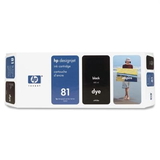
This category focuses on Ink Cartridges for the HP DesignJet 5500/Q1253A platform, so you can quickly find the right supply without guessing. Our range: Original OEM HP 81 ink cartridges (the full colour set) In this category you will find Original OEM ink cartridges dedicated to the HP DesignJet 5500 series. We offer the most popular and essential colours from the HP 81 family—ideal for keeping your printer ready for both technical and colour-intensive projects: - Original OEM Ink Cartridge HP 81 (C4930A) (Black) – for deep blacks, sharp text and precise linework.
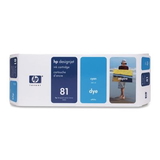
- Original OEM Ink Cartridge HP 81 (C4931A) (Cyan) – strong cyan for vivid graphics and accurate tones.
- Original OEM Ink Cartridge HP 81 (C4932A) (Magenta) – crucial for rich reds and balanced colour mixes.
- Original OEM Ink Cartridge HP 81 (C4933A) (Yellow) – clean yellows for bright, readable visuals.
- Original OEM Ink Cartridge HP 81 (C4934A) (Light cyan) – smoother gradients, better photographic and presentation output.
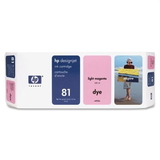
- Original OEM Ink Cartridge HP 81 (C4935A) (Light magenta) – improved skin tones and gentle transitions in images.
If you are building a complete set, these cartridges work together to deliver the colour gamut the HP DesignJet 5500 was engineered for. It’s a safe choice when you want predictable results and OEM-level performance every time. How to choose the right ink cartridge for HP 5500 / Q1253A When selecting ink for HP 5500, always verify two things: the printer family and the cartridge code. The HP DesignJet 5500 uses HP 81 inks, and the code on the cartridge (for example C4930A for black) is the quickest way to confirm compatibility. We encourage you to keep a simple replenishment routine: - replace colours before they run completely empty during high-volume jobs,
- for colour-critical projects, keep at least one spare of the most used inks (often black, cyan, magenta),
- match the cartridge exactly to your needs—graphics work benefits from light cyan/light magenta for smoother tonal steps.
Original OEM vs compatible – what to know (and how we help) In general, customers compare original OEM ink for HP DesignJet 5500 with compatible alternatives to balance cost and performance. OEM cartridges are the manufacturer’s solution for maximum predictability and consistency. At the same time, many users choose compatible ink to reduce printing costs—especially for drafts, internal proofs, or frequent production runs. Even though this subpage currently lists Original OEM items, we want you to know how we approach the choice: compatible cartridges available at DrTusz.pl are designed to be as good as the originals in everyday use, offering excellent print quality and reliable performance when you want to optimise cost per page. If you’re unsure which route is best for your workflow, we encourage you to contact us—together we’ll match the right ink strategy to your projects and budget. Typical user issues with HP DesignJet 5500 inks – and simple prevention Large-format printers often work in bursts: a busy week followed by a slower period. That can lead to avoidable issues. The most common problems we see around ink for printer HP DesignJet 5500 include running out of one colour mid-job, inconsistent colour caused by mixing old and new supplies, or print defects that users mistakenly attribute to the printer rather than a near-empty cartridge. Our practical tips: - monitor ink levels before long runs, especially when printing full-colour posters,
- store cartridges properly and install them promptly to maintain performance,
- if quality drops suddenly, check whether one colour is depleted or unevenly printing.
Order ink for HP DesignJet 5500 today We make it easy to select the right ink cartridge for HP DesignJet 5500 (Q1253A)—whether you search by HP DesignJet 5500, HP 5500, or the cartridge codes like C4930A–C4935A. Browse the available colours, choose the cartridges you need, and keep your printer ready for the next deadline. CTA: We encourage you to view our current selection of HP 81 cartridges and place your order now. If you have any questions about choosing the right ink for HP DesignJet 5500, compatibility, or which colours to stock for your workflow—contact us and we’ll help you quickly and clearly. Fast delivery and expert support are part of how we work every day. |