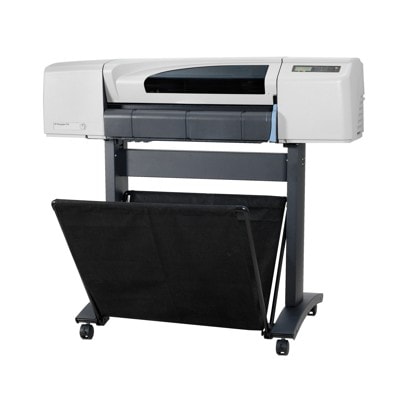
Reliable printing with HP DesignJet 510 (CH336A) – made for technical and graphic work HP DesignJet 510 (CH336A), also known as HP 510 or HP Designjet 510 Series, is a proven large-format plotter designed for everyday CAD drawings, architectural plans, line prints, and presentation graphics. To keep this printer working at its best, it needs the right consumables: high-quality ink for HP DesignJet 510 - CH336A and properly matched printheads. In our category you’ll find both Original OEM and carefully selected compatible ink cartridges, so you can choose the option that fits your budget and printing expectations. Ink cartridges and printheads for HP 510 – what matters most in everyday use Choosing the right ink for HP 510 is not just about color. It’s about consistent line sharpness, predictable drying, and repeatable color output—especially important when you print technical documentation or client-ready posters. In this category we offer Ink Cartridges and Printheads tailored to the HP DesignJet 510 Series workflow, helping you maintain stable print quality over time. With the right ink cartridge for HP DesignJet 510 - CH336A, you can expect: - clean, readable line work for CAD and technical drawings,
- solid fills and balanced color in charts and graphics,
- reliable performance during longer print runs,
- fewer interruptions thanks to well-matched consumables.
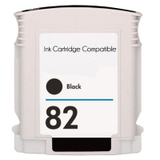
Equally important are printheads—when a plotter starts showing missing lines, banding, or uneven colors, the cause is often a worn or clogged head. That’s why, alongside ink, we also provide printheads for HP DesignJet 510 to restore proper nozzle performance and keep your device producing professional results. Our range: compatible and Original OEM ink for HP DesignJet 510 - CH336A We keep the offer broad and practical, so you can quickly select the right color and class. This category includes popular consumables such as: - Compatible Ink Cartridge 82 for HP (CH565AE) (Black)
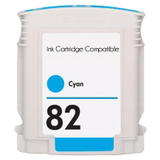
- Compatible Ink Cartridge 82 for HP (C4911AE) (Cyan)
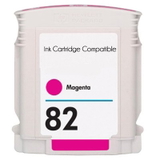
- Compatible Ink Cartridge 82 for HP (C4912AE) (Magenta)
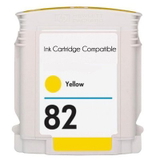
- Compatible Ink Cartridge 82 for HP (C4913AE) (Yellow)
- Original OEM Ink Cartridge HP 82 (CH565AE) (Black)
- Original OEM Ink Cartridge HP 82 (CH566AE / C4911AE) (Cyan)
- Original OEM Ink Cartridge HP 82 (CH567AE / C4912AE) (Magenta)
- Original OEM Ink Cartridge HP 82 (CH568AE / C4913AE) (Yellow)
- Original OEM Printhead HP 11 (C4810AE) (Black)
- Original OEM Printhead HP 11 (C4811AE) (Cyan)
- Original OEM Printhead HP 11 (C4812AE) (Magenta)
- Original OEM Printhead HP 11 (C4813AE) (Yellow)
Thanks to this selection, you can build a complete set of ink for HP Designjet 510 Series—black plus CMY—while also having the option to replace a printhead when print quality starts to drop. How to choose: Original OEM vs compatible ink cartridges (and why both make sense) When shopping for ink for printer HP DesignJet 510 - CH336A, many customers ask us whether to choose Original OEM cartridges or compatible ones. Both are valid options—what matters is your printing volume, quality requirements, and cost plan. - Original OEM ink cartridge for HP 510 is the go-to choice if you want to stay strictly within the manufacturer’s specifications and you print work where repeatability is critical (e.g., standardised technical output or client color expectations).
- Compatible ink for HP DesignJet 510 - CH336A is ideal when you want to reduce printing costs without sacrificing quality. The compatible cartridges we offer are designed to work as well as originals—stable performance, strong blacks, and consistent colors—so you can print confidently and efficiently.
Practical tip: always match the cartridge code to your need (for example CH565AE, C4911AE, C4912AE, C4913AE) and check whether you’re replacing an ink cartridge or a printhead. For HP 510 users, mixing these two is one of the most common ordering mistakes—and we’re here to help you avoid it. Common HP DesignJet 510 issues – and which consumable solves them HP DesignJet 510 plotters are durable, but like every inkjet device, they have typical symptoms that appear over time. If you notice any of the following, the solution is often simple: - Faded prints or weak blacks – usually indicates an ink cartridge nearing empty or ink that has been stored too long.
- Missing lines, banding, uneven color areas – frequently linked to the printhead condition; consider replacing the appropriate HP 11 printhead.
- Color shifts (e.g., too much cyan or magenta) – can happen when one color isn’t printing correctly; verify the correct ink cartridge for HP DesignJet 510 is installed and working.
- Interruptions during bigger print runs – keeping a spare ink for HP 510 set (Black/Cyan/Magenta/Yellow) helps avoid downtime.
If you’re unsure which item you need, tell us the printer name (HP DesignJet 510, CH336A) and the code visible on the consumable—together we’ll select the correct product quickly. Order ink for HP DesignJet 510 - CH336A with confidence We encourage you to explore our full selection of ink cartridges for HP DesignJet 510 - CH336A—both compatible and Original OEM—as well as dedicated printheads for this series. Choose the colors you need, stock up for uninterrupted work, and keep your plotter ready for every deadline. CTA: Add the right ink for HP Designjet 510 Series to your cart today or contact us if you want help matching cartridge and printhead codes. We’ll assist you in selecting the best option and arrange fast, convenient delivery so you can get back to printing as soon as possible. |