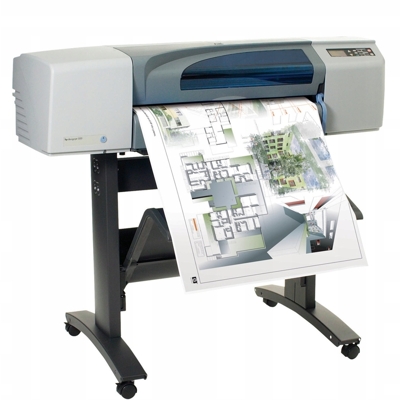
HP DesignJet 500 plus – a proven large-format workhorse HP DesignJet 500 plus (also found as HP 500 plus, HP DesignJet 500 Series, 500PLUS or C7770F) is a popular large-format plotter used for CAD drawings, architectural plans, technical documentation and posters. It’s valued for reliable everyday operation and crisp line quality—provided you use the right ink for HP DesignJet 500 plus and keep the print system in good condition. In this category, we’ve gathered everything you need: ink cartridge options (Compatible and Original OEM) and printhead replacements for consistent, predictable results. Ink cartridges and printheads – what matters for quality and reliability The HP DesignJet 500 plus uses a classic setup: ink is delivered from the ink cartridge to separate printheads. This design is great for productivity, but it also means that selecting the correct ink for printer HP DesignJet 500 plus and maintaining printheads is essential. With the right set, you get: - Sharp black lines for technical drawings (black ink cartridge).
- Clean, saturated colors for presentations and posters (cyan, magenta, yellow).
- Stable plotting with fewer interruptions thanks to properly matched cartridges and printheads.
- Predictable drying and coverage that helps avoid smearing and uneven fills.
Whether you print occasionally or run long plotting sessions, choosing the right ink for HP 500 plus is the quickest way to protect output quality and reduce downtime. Compatible and Original OEM – choose what fits your workflow In our store, you can buy Original OEM supplies as well as carefully selected Compatible alternatives. If you want manufacturer-branded solutions, OEM is the straightforward choice. If you want to optimize costs without sacrificing quality, our compatible ink cartridge for HP DesignJet 500 plus is a reliable option—our customers choose it for everyday technical printing and color work alike. - Original OEM ink cartridge – designed by HP for maximum predictability and consistent results.
- Compatible ink cartridge – a cost-effective alternative; in DrTusz.pl quality standards, it performs as well as the original for typical plotter tasks.
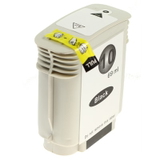
Popular products for HP DesignJet 500 plus (Black + CMY) To make selection easier, here are some of the most frequently chosen items from this category. You can build a complete set for your HP DesignJet 500 plus in minutes: - Compatible Ink Cartridge 10 for HP (C4844AE) (Black) – a practical choice for crisp lines and strong text in technical prints.
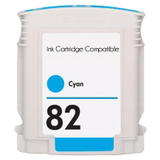
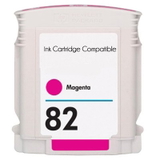
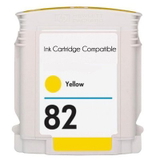
- Compatible Ink Cartridge 82 for HP (C4911AE) (Cyan), (C4912AE) (Magenta), (C4913AE) (Yellow) – great for color fills, diagrams and presentation plots.
- Original OEM Ink Cartridge HP 10 (C4844AE) (Black) – OEM black for users who prefer the manufacturer’s supply chain.
- Original OEM Ink Cartridge HP 82: (CH566AE)/(C4911AE) Cyan, (CH567AE)/(C4912AE) Magenta, (CH568AE)/(C4913AE) Yellow – OEM color inks for consistent plot-to-plot appearance.
- Original OEM Printhead HP 11: (C4810AE) Black, (C4811AE) Cyan, (C4812AE) Magenta, (C4813AE) Yellow – ideal when you want to restore clean nozzles and eliminate streaks.
Looking for the right ink for HP DesignJet 500 Series? Match the code on your current cartridge/printhead (e.g., C4844AE, C4911AE) and you’ll be set. How to choose the right ink for HP DesignJet 500 plus When customers ask us which ink for HP DesignJet 500 plus to buy, we recommend a simple checklist: - Check the color and symbol: HP 10 is Black; HP 82 is Cyan/Magenta/Yellow.
- Decide OEM vs Compatible: choose OEM for manufacturer-branded supplies, or choose Compatible for excellent performance and better value—our compatible cartridges are as good as the originals in everyday use.
- Consider your print profile: CAD linework users often replace black most frequently; color-heavy poster printing needs balanced CMY stock.
- Don’t ignore printheads: if you see defects, replacing a printhead may be the fastest fix even when ink is full.
Common HP DesignJet 500 plus issues—and what usually fixes them The HP 500 plus is dependable, but like any plotter it can show typical wear-and-tear symptoms. Here’s what we most often see, along with the right supply to consider: - Streaks or missing lines – often linked to a worn or clogged printhead; consider Original OEM Printhead HP 11 in the affected color.
- Incorrect colors or fading – replace the specific HP 82 color cartridge (Cyan/Magenta/Yellow) and check if one channel is running low.
- Pale black or broken CAD lines – replace the HP 10 Black ink cartridge (C4844AE).
- Frequent interruptions during big jobs – keeping a spare set of ink cartridges for HP DesignJet 500 plus helps you avoid downtime when deadlines matter.
If you’re unsure whether you need an ink cartridge or a printhead, we’ll help you choose the most cost-effective solution based on your symptoms and the codes you see on the device. Order today – fast help, the right supplies, and dependable delivery We encourage you to explore our full selection of ink cartridges for HP DesignJet 500 plus—both Compatible and Original OEM—as well as the dedicated HP 11 printheads. Add the items you need to your cart, or contact us if you want confirmation of compatibility with your HP DesignJet 500 plus / 500PLUS / C7770F. We’ll help you choose the best ink for printer HP DesignJet 500 plus for your workload, budget and quality expectations, and we’ll make sure your order is packed securely and shipped quickly. CTA: Choose your ink for HP DesignJet 500 plus now—pick OEM for maximum predictability or our Compatible cartridges for top value—and if you have any doubts, message us with your cartridge codes and we’ll guide you to the perfect match. |