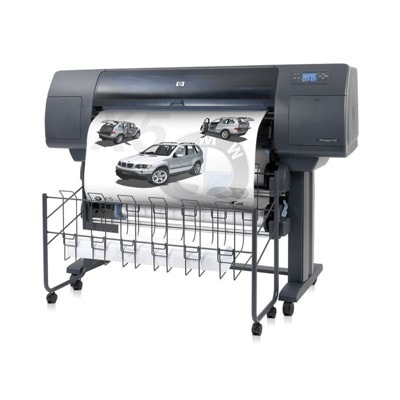
HP DesignJet 4500 MFP – reliable wide-format printing for demanding teams The HP DesignJet 4500 MFP (also searched as HP 4500 or HP Designjet 4500mfp Series) is a proven wide-format device designed for technical departments, architecture studios, and production environments where precision and repeatability matter. It combines large-format printing with scanning/copying workflows, so your ink system has to keep up with high workloads and consistent color requirements. In our category “Ink cartridges for HP DesignJet 4500 MFP” we help you keep your plotter ready for everyday work—whether you print CAD line drawings, GIS maps, posters, or presentation boards. Ink for HP DesignJet 4500 MFP – what matters most in everyday use Choosing the right ink for HP DesignJet 4500 MFP isn’t only about color. It’s about stable jetting, crisp lines, accurate fills, and predictable drying—especially on large sheets and roll media. The HP 4500 platform uses a professional ink system where each color plays a specific role in producing smooth gradients, readable text, and deep blacks. When you buy ink for HP DesignJet 4500 MFP from our offer, you can expect solutions tailored to typical applications: - CAD/GIS prints – sharp lines, high contrast, and consistent density across long runs.
- Posters and presentations – stable color reproduction and smooth transitions.
- Office-wide workflows – reliable performance, fewer interruptions, and clean maintenance routines.
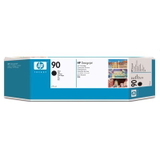
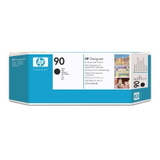
Original HP 90 XL cartridges – popular choices for HP 4500 We focus on a clear, professional selection, so you can quickly find the right ink cartridge for HP DesignJet 4500 MFP. This category includes Original OEM supplies from the HP 90 / HP 90 XL family—widely recognized for consistent results in production environments. Among the most frequently chosen products you’ll find: - Original OEM Ink Cartridge HP 90 XL (C5059A) (Black) – for dense blacks, readable text, and strong linework.
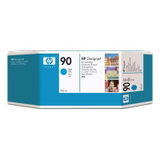
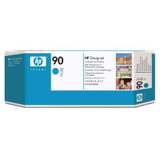
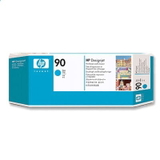
- Original OEM Ink Cartridge HP 90 XL (C5061A) (Cyan) – important for accurate blues and balanced color mixes.
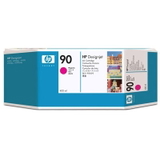
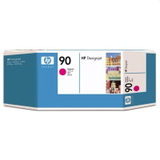
- Original OEM Ink Cartridge HP 90 XL (C5063A) (Magenta) – supports vivid tones and smooth color transitions.
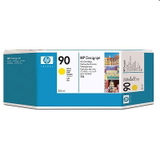
- Original OEM Ink Cartridge HP 90 XL (C5065A) (Yellow) – essential for bright highlights and natural warm shades.
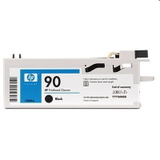
If you’re searching by device code such as Q1276A or simply “4500”, you’re in the right place—this is the dedicated section for ink cartridges and maintenance items for the HP DesignJet 4500 MFP series. Cleaners and head cleaners – prevent print defects before they start In large-format printing, maintenance supplies are just as important as ink itself. If you notice missing lines, banding, color instability, or fading areas, the cause is often dried ink residue or a clogged printhead path. That’s why we include dedicated maintenance products alongside cartridges—so your ink for HP 4500 can work at full potential. - Original OEM Cleaner HP 90 (C5096A) (Black) – supports proper system cleaning and stable ink delivery.
- Original OEM Head Cleaner HP 90 (C5054A) (Black)
- Original OEM Head Cleaner HP 90 (C5055A) (Cyan)
- Original OEM Head Cleaner HP 90 (C5056A) (Magenta)
- Original OEM Head Cleaner HP 90 (C5057A) (Yellow)
Regular use of cleaners can reduce downtime and help you avoid “last-minute surprises” right before a deadline—especially when the printer has been idle for longer periods. How to choose the right ink for HP DesignJet 4500 MFP (and avoid common issues) Dear Customer, if you want your ink for HP DesignJet 4500 MFP to last longer and print consistently, we recommend a simple selection routine: - Match the cartridge code – for this series, the key codes include C5059A, C5061A, C5063A, C5065A (HP 90 XL inks).
- Choose the right color set – replacing only one color can be fine, but for color-critical projects a balanced set helps maintain consistency.
- Don’t skip maintenance – if you see banding, missing lines, or uneven fills, consider a head cleaner before running repeated cleaning cycles in the printer menu.
- Plan for workload – XL cartridges are popular in busy environments because they reduce interruptions and support longer print runs.
Common user challenges with the HP DesignJet 4500 MFP series include: - Banding or missing lines after longer idle time – often resolved by proper head cleaning and using fresh supplies.
- Color shifts when one cartridge is near empty – replacing the low color and keeping the set consistent helps.
- Smudges or uneven coverage on demanding media – choosing the right ink and keeping the print system clean improves stability.
Original OEM vs compatible – what to choose? In this specific category, we currently feature Original OEM supplies, chosen for their predictable results in professional workflows. Many customers ask us about the difference between original and compatible options. In general: - Original OEM cartridges are designed by the printer manufacturer for maximum consistency and full compatibility with the device’s workflow.
- Compatible cartridges can be a cost-effective alternative; and compatible cartridges from our DrTusz.pl offer are as good as the originals—especially when you want to optimize printing costs without compromising quality.
If you’re unsure which option is best for your projects, tell us what you print (CAD, posters, mixed use) and how often you run the device—we’ll help you choose the most practical solution for your HP 4500. Order ink for HP 4500 with confidence – we’re here to help We encourage you to explore our selection of ink cartridges for HP DesignJet 4500 MFP, including HP 90 XL inks as well as dedicated cleaners and head cleaners. It’s the easiest way to keep your device ready for work, protect print quality, and reduce avoidable downtime. CTA: Add the needed cartridge or maintenance item to your cart now, or contact us if you want help confirming the right product code (e.g., Q1276A) and choosing the best setup for your printing workload. We offer fast, convenient delivery options and friendly support—so your HP DesignJet 4500 MFP can keep printing when you need it most. |