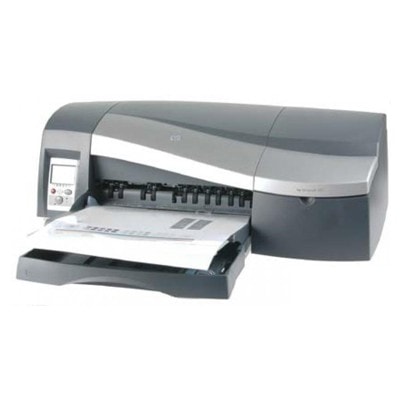
HP DesignJet 30n (HP 30n / HP DesignJet 30 Series) – precise large-format printing If you use the HP DesignJet 30n (also found under names like HP 30n, 30N, 30 n or C7790E), you already know what this plotter is made for: reliable, repeatable large-format output with clean lines and smooth colour transitions. It’s a popular choice for CAD drawings, presentations, and everyday studio or office printing where detail and consistency matter. To keep that standard, the right ink for HP DesignJet 30n and properly matched printheads are essential. Ink cartridge and printhead – how the HP 30n ink system works In the HP DesignJet 30n, print quality depends on two key consumables: the ink cartridge (your ink supply) and the printhead (the component that precisely places ink on paper). Choosing the correct ink for HP DesignJet 30n helps you maintain: - sharp text and thin lines (important in technical documents),
- stable colour reproduction (useful for posters and presentations),
- smooth gradients and accurate light tones (especially with light cyan/light magenta),
- fewer interruptions during printing and fewer service issues.
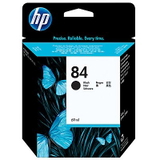
Because this category includes both Ink Cartridges and Printheads, you can conveniently complete the entire set of consumables for your HP DesignJet 30n in one place—without guessing compatibility. Original OEM HP ink for HP DesignJet 30n – selected essentials in our range In this category we focus on proven, factory-original solutions. If you’re looking for Original OEM ink for HP 30n and dedicated printheads for the HP DesignJet 30 Series, you’ll find popular items such as: - Original OEM Ink Cartridge HP 84 (C5016A) (Black) – a dependable choice for crisp linework and deep blacks.
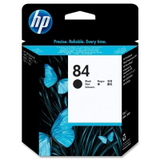
- Original OEM Printhead HP 84 (C5019A) (Black) – supports consistent black output and accurate detail.
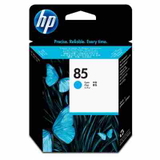
- Original OEM Printhead HP 85 (C9420A) (Cyan)
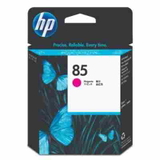
- Original OEM Printhead HP 85 (C9421A) (Magenta)
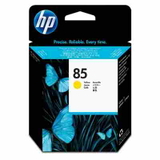
- Original OEM Printhead HP 85 (C9422A) (Yellow)
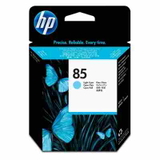
- Original OEM Printhead HP 85 (C9423A) (Light cyan)
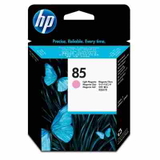
- Original OEM Printhead HP 85 (C9424A) (Light magenta)
This set covers the colours used by the HP DesignJet 30n to achieve both strong, saturated output and refined, lighter tones. If you print graphics, photos, or presentation boards, the light colours are especially helpful for more natural transitions and smoother highlights. How to choose the right cartridge and printhead for HP DesignJet 30n When selecting ink for printer HP DesignJet 30n, we recommend checking two things: your printer’s message panel (which often reports which supply needs replacing) and the exact part code (for example C5016A or C9420A). Matching the correct symbol avoids downtime and prevents installation issues. Common situations reported by HP 30n users include: - Faded colours or banding – often linked to a worn or clogged printhead rather than the cartridge itself.
- Missing lines in CAD drawings – usually indicates the black printhead needs attention or replacement.
- Colour shifts – can occur when one of the colour or light-colour printheads is nearing the end of its life.
If your printer prints unevenly, replacing the correct printhead for HP DesignJet 30n is often the fastest way to restore quality. If you’re unsure which component is responsible, we encourage you to contact us—tell us what the printer displays and what you’re seeing on paper, and we’ll help you choose. Original OEM vs compatible – what’s the difference? This page is dedicated to Original OEM supplies, preferred by many users who want manufacturer specifications and maximum predictability. At the same time, we know that many customers also consider compatible solutions when optimising print costs. In our store we offer compatible consumables that are designed to be fully safe for the device and deliver results comparable to originals—our compatible options from the DrTusz.pl offer are as good as the originals. If you’d like to compare versions, we’ll gladly advise what will work best for your printing volume and quality expectations. Order ink for HP DesignJet 30n with confidence We make it easy to choose the right ink for HP DesignJet 30n, the right printhead for HP 30n, and the exact codes used in the HP DesignJet 30 Series. Browse the products listed in this category, select the colours you need, and keep your plotter ready for the next project. Call to action: add your chosen HP 84 ink cartridge and HP 85 printheads to the cart now, or contact us—together we’ll pick the best option for your HP DesignJet 30n and help you get back to flawless printing as quickly as possible. We offer fast shipping and helpful support at every step of the purchase. |