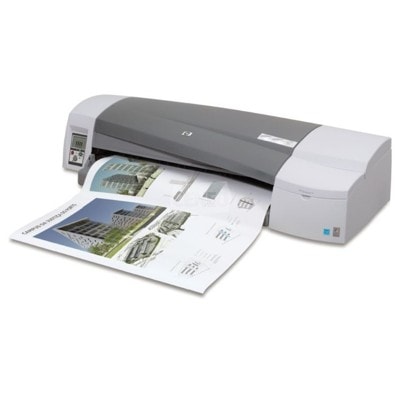
HP DesignJet 111 – a compact wide-format printer for big ideas HP DesignJet 111 (also searched as HP 111 or HP Designjet 111 Series) is a proven wide-format inkjet printer designed for users who need precise, good-looking prints in larger formats. It’s a popular choice for CAD drawings, technical documentation, posters, presentations, and everyday office graphics. To keep this device reliable and to maintain crisp lines and consistent colors, choosing the right ink for HP DesignJet 111 and a properly matched printhead is essential. Ink cartridges and printheads – what matters in daily printing This category is built around the consumables your printer actually needs: Ink Cartridges and Printheads. In the HP DesignJet 111, print quality depends not only on the ink itself but also on the condition of the printhead. Fresh, correctly formulated ink for HP 111 supports smooth flow, consistent coverage, and sharp details—especially important in line drawings and color fills. In our offer you’ll find ink colors used by this series, including black and the key color set (cyan, magenta, yellow). Whether you print architectural plans, signage drafts, or color presentations, selecting the right cartridge keeps your workflow steady and predictable. Compatible and Original OEM – choose what fits your budget and expectations We offer both Original OEM supplies and carefully selected Compatible alternatives for HP DesignJet 111. If you want the manufacturer’s solution, Original OEM cartridges and printheads are the safest pick for standardization and long-term consistency. If you want to optimize costs without sacrificing results, our compatible options are a smart choice—our customers choose them for everyday printing where quality and savings matter equally. - Original OEM: factory-standard performance, dependable color consistency, and predictable results.
- Compatible: excellent value and print quality comparable to originals—ideal when you print more and want to control costs.
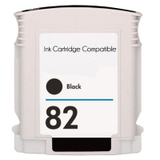
When you shop with us, you can confidently choose compatible supplies—our compatible cartridges are designed to perform just as well as the originals in real-world use. Popular products for HP DesignJet 111 (CQ532A / 111 Series) Looking for the most common choices? Here are some of the best-known items in this category—frequently searched by code (for example CQ532A or CH565AE) and matched to HP DesignJet 111: - Compatible Ink Cartridge 82 for HP (CH565AE) (Black) and Original OEM Ink Cartridge HP 82 (CH565AE) (Black) – for strong text, crisp lines, and clean contrast.
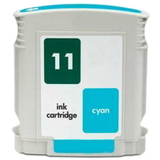
- Compatible Ink Cartridge 11 for HP (C4836AE) (Cyan) and Original OEM Ink Cartridge HP 11 (C4836AE) (Cyan) – for accurate blues and smooth gradients.
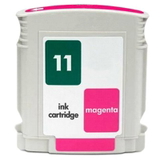
- Compatible Ink Cartridge 11 for HP (C4837AE) (Magenta) and Original OEM Ink Cartridge HP 11 (C4837AE) (Magenta) – for vivid reds and balanced color mixes.
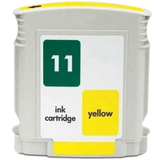
- Compatible Ink Cartridge 11 for HP (C4838AE) (Yellow) and Original OEM Ink Cartridge HP 11 (C4838AE) (Yellow) – for bright highlights and warm tones.
- Original OEM Printhead HP 11: C4810AE (Black), C4811AE (Cyan), C4812AE (Magenta), C4813AE (Yellow) – a key component when you need to restore precision and eliminate print defects.
Thanks to this wide selection, you can easily build a complete set of ink for printer HP DesignJet 111 and replace exactly what your device needs—no unnecessary purchases. How to choose the right ink and printhead – practical tips When selecting ink for HP DesignJet 111, we recommend checking the cartridge code first (for example CH565AE for black or C4836AE/C4837AE/C4838AE for colors). This is the fastest way to avoid mismatches—especially if you searched by “HP 111” or “Designjet 111 Series”. Also consider your printing habits: - If you print occasionally, run a small color test regularly—this helps prevent drying and nozzle issues.
- If you print a lot (CAD/graphics), compatible cartridges can significantly reduce running costs while keeping quality high.
- If you notice missing lines, streaking, or uneven color blocks, the issue is often the printhead, not the ink cartridge—replacing the HP 11 printhead can restore clean output.
Common user issues with HP DesignJet 111 – and how the right supplies help Users of HP DesignJet 111 most often report problems like banding, faded colors, or partial prints. In many cases, these come from: - empty or improperly seated ink cartridges,
- ink flow interruptions after long breaks in printing,
- worn or clogged printheads (especially when prints show repeated missing lines).
With correctly matched ink for HP 111 and a fresh HP 11 printhead, you can bring back sharp technical lines, stable color fills, and predictable results—exactly what wide-format printing demands. Order ink for HP DesignJet 111 with confidence We encourage you to explore our full selection of compatible and Original OEM ink cartridges for HP DesignJet 111 as well as the dedicated HP 11 printheads. If you’re unsure which item fits your printer (HP DesignJet 111 / HP 111 / CQ532A), contact us—we’ll help you choose the correct cartridge or printhead quickly. Add your supplies to the cart today and keep your HP DesignJet 111 ready for every project with fast delivery and expert support. |