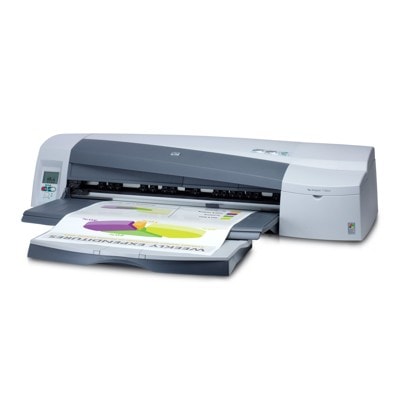
HP DesignJet 110plus – reliable large-format printing for your projects The HP DesignJet 110plus (also found as HP 110plus, HP Designjet 110plus Series, or C7796D) is a proven large-format printer designed for precise line work and vivid color output. It’s a popular choice for architects, engineers, designers, and anyone who needs consistent A1/A2-style prints, posters, CAD drawings, and presentation graphics. To keep this device working at its best, you need the right ink for HP DesignJet 110plus and well-maintained printheads—exactly what you’ll find in our category. What matters most in ink for HP DesignJet 110plus Choosing the correct ink cartridge for HP DesignJet 110plus is about more than “will it fit?”. The HP 10/11 system is built for sharp black text and accurate color, and the results depend on stable ink flow, proper color saturation, and printhead condition. With the right supplies, you can expect: - clean, crisp lines for technical drawings and fine details,
- smooth fills and consistent color on posters and presentations,
- reliable page-to-page repeatability for professional work,
- less downtime thanks to well-matched cartridges and maintained heads.
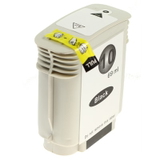
In this category we focus on everything needed for this printer family: Ink Cartridges, Printheads, and Fluids for Cleaning. Whether you print occasionally or run the HP DesignJet 110plus daily, the right combination will help you avoid streaks, missing lines, and wasted media. Compatible and Original OEM: a broad range for every budget We offer both Original OEM and high-quality Compatible solutions, plus selected refill components and maintenance items. That means you can tailor your purchases to your workflow—either prioritize manufacturer-original supplies or lower your cost per print without sacrificing quality. Our compatible products from DrTusz.pl are designed to be as good as the originals in everyday use: stable performance, strong color, and dependable results. Popular cartridges for HP 110plus – color set and black For the HP 10/11 ink system, we stock the most frequently chosen colors for this model. You can select individual cartridges or build a practical set depending on what you print most: - Compatible Ink Cartridge 10 for HP (C4844AE) (Black) – a great choice for sharp text, CAD lines and monochrome work.
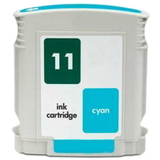
- Compatible Ink Cartridge 11 for HP (C4836AE) (Cyan) – for clean blues and smooth gradients.
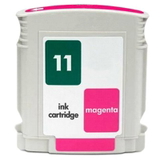
- Compatible Ink Cartridge 11 for HP (C4837AE) (Magenta) – supports vivid reds and accurate tones.
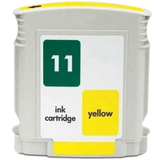
- Compatible Ink Cartridge 11 for HP (C4838AE) (Yellow) – bright yellows and better color balance in graphics.
If you prefer manufacturer supplies, we also carry Original OEM versions of the same essentials: - Original OEM Ink Cartridge HP 10 (C4844AE) (Black)
- Original OEM Ink Cartridge HP 11 (C4836AE) (Cyan)
- Original OEM Ink Cartridge HP 11 (C4837AE) (Magenta)
- Original OEM Ink Cartridge HP 11 (C4838AE) (Yellow)
Thanks to this range, you can easily match your buying strategy to your printing reality—whether you need original HP supplies for strict internal requirements or you want dependable compatible ink for HP DesignJet 110plus to reduce running costs. Printheads for HP DesignJet 110plus – when ink alone isn’t enough The HP DesignJet 110plus uses separate printheads, which means print quality depends heavily on their condition. If you notice persistent missing lines, banding, or color issues that cleaning doesn’t resolve, it may be time to replace a printhead—especially in high-use environments or after long idle periods. In this category you’ll find Original OEM printheads for reliable restoration of quality: - Original OEM Printhead HP 11 (C4810AE) (Black)
- Original OEM Printhead HP 11 (C4811AE) (Cyan)
- Original OEM Printhead HP 11 (C4812AE) (Magenta)
- Original OEM Printhead HP 11 (C4813AE) (Yellow)
Replacing the right head at the right time often saves money—less wasted media, fewer reprints, and faster job completion. Cleaning fluid – a practical solution for common HP 110plus issues One of the most common problems reported by users of the HP DesignJet 110plus Series is ink drying in nozzles after longer breaks, resulting in faint colors, missing lines, or uneven fills. That’s why we include maintenance products such as: - Specialistic Fluid for Cleaning Heads HP 250 ml (Uniwersalny)
This type of fluid can help when standard cleaning cycles are not enough, supporting better nozzle flow and helping extend printhead usability—especially if the printer is used occasionally or in a dry environment. How to choose the best option: Original OEM vs Compatible vs refill components Dear Customer, if you’re unsure which ink for HP DesignJet 110plus to select, here are the simplest guidelines we recommend: - Choose Original OEM if you want manufacturer-standard supplies, consistent output across critical jobs, or you operate under strict purchasing policies.
- Choose Compatible if you want excellent print quality with better cost efficiency. Our compatible cartridges from DrTusz.pl are engineered to be as good as the originals in everyday printing—great for frequent plotting and graphics.
- Consider refill components and maintenance if you want to optimize long-term operation, reduce downtime, and keep the ink system in good condition—especially when the printer sits unused.
Also remember to verify the cartridge codes and series names used in searches: C7796D, 110 plus, 110PLUS, 110 PLUS. If the printer name varies in documentation, the consumables often remain the same—when in doubt, we’re here to help. We help you print more and worry less We encourage you to explore the full selection in this category and choose the exact ink cartridge for HP DesignJet 110plus, printhead, or cleaning fluid you need. We focus on clear product identification, a broad choice of Compatible and Original OEM options, and practical support—so you can get back to printing quickly and confidently. CTA: Add your chosen ink for HP 110plus to the cart today, or contact us if you want help matching the correct cartridge (C4844AE, C4836AE, C4837AE, C4838AE) or printhead (C4810AE–C4813AE) to your printer and usage style. We’ll help you choose the best, most cost-effective solution and arrange fast delivery. |