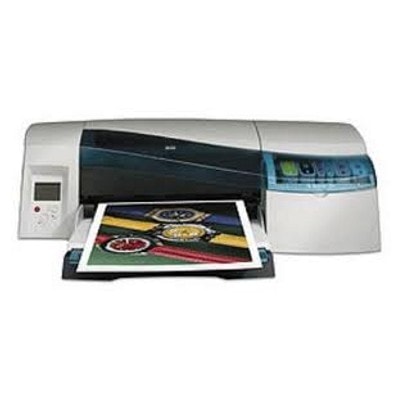
HP DesignJet 10ps – a proven large-format printer for demanding graphics HP DesignJet 10ps (also searched as HP 10ps, 10 ps, 10PS or as part of the HP Designjet 10ps/20ps/50ps Series) is a reliable large-format inkjet printer valued for precise linework and smooth color transitions. It’s a popular choice for CAD drawings, posters, presentations, GIS maps and photo-quality proofs. To keep this device working at its best, you need the right ink for HP DesignJet 10ps and, when needed, a fresh printhead for HP DesignJet 10ps. In this category we bring together both Original OEM and carefully selected compatible solutions—so you can match quality, budget and workload. What ink and printheads do in the HP 10ps system In the HP 10ps, print quality depends on two key consumables: ink cartridges (the ink supply) and printheads (the part that places ink on paper). Using the correct ink for HP DesignJet 10ps helps maintain consistent colors, sharp details and predictable results on different media types—whether you’re printing technical drawings or vibrant marketing graphics. Equally important are printheads. If you notice banding, missing lines, uneven fills or color shifts that cleaning doesn’t fix, it may be time for a new printhead for HP DesignJet 10ps. With the right combination of cartridges and printheads, you can extend the life of your printer and reduce reprints caused by quality issues. Compatible and Original OEM – choose what fits your workflow We offer two product classes in one place, so you can choose confidently: - Original OEM – manufacturer cartridges and printheads designed for the HP DesignJet 10ps platform, ideal when you want OEM consistency and the exact specifications.
- Compatible – cost-effective alternatives that deliver excellent print results. Our compatible ink cartridges from DrTusz.pl are prepared to be as good as the originals in everyday use, helping you control printing costs without sacrificing quality.
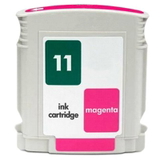
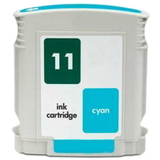
Whichever option you choose, you’ll find the correct references and product codes used by HP and commonly searched online, including C7790A and the well-known cartridge families for this series. Popular inks and printheads for HP DesignJet 10ps (C7790A) in our offer This category includes a practical set of the most frequently used colors and components for the HP 10ps. Customers often start with the core inks and then add printheads when quality symptoms appear. Here are some highlights: - Compatible Ink Cartridge 11 for HP (C4836AE) (Cyan) and Compatible Ink Cartridge 11 for HP (C4837AE) (Magenta) – great choices for everyday color printing with a focus on savings.
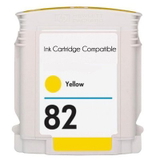
- Compatible Ink Cartridge 82 for HP (C4913AE) (Yellow) – ideal for vivid graphics and balanced color mixes.
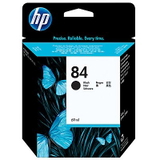
- Original OEM Ink Cartridge HP 84 (C5016A) (Black) – a key cartridge for sharp lines, text and technical prints.
- Original OEM Ink Cartridge HP 11 (C4836AE) (Cyan), Original OEM Ink Cartridge HP 11 (C4837AE) (Magenta) and Original OEM Ink Cartridge HP 82 (C4913AE) (Yellow) – OEM color set frequently chosen for proofing and consistent production.
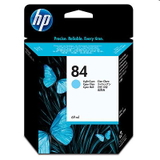
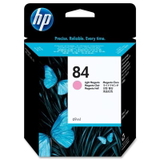
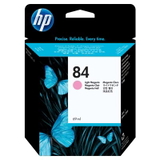
- Original OEM Ink Cartridge HP 84 (C5017A) (Light cyan) and Original OEM Ink Cartridge HP 84 (C5018A) (Light magenta) – important for smoother gradients and photo-like transitions.
- Original OEM Printhead HP 11 (C4811AE) (Cyan), C4812AE (Magenta), C4813AE (Yellow) – when you need to restore clean nozzles and accurate color placement.
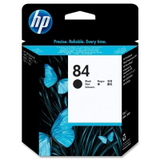
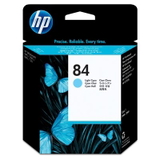
- Original OEM Printhead HP 84 (C5019A) (Black), C5020A (Light cyan), C5021A (Light magenta) – excellent for bringing back detail, smoothness and reliable coverage.
Thanks to this mix, you can build a complete, well-matched set of ink cartridges for HP DesignJet 10ps and the right printheads without searching across multiple pages. How to choose the right ink for HP DesignJet 10ps When selecting ink for HP 10ps, we recommend checking three things: - Correct symbol/code – look for cartridge numbers such as HP 11, HP 82, HP 84 and product codes like C4836AE, C4837AE, C4913AE, C5016A, C5017A, C5018A.
- Color needs – CAD users often consume more black, while posters and presentations rely heavily on cyan/magenta/yellow and the light colors for smoother tones.
- Your priority: OEM consistency or cost optimization – Original OEM is great for strict internal standards, while our compatible cartridges are a smart choice for high-volume printing and budget control.
Common HP DesignJet 10ps printing issues – and what usually helps Large-format printers are workhorses, but they also have typical maintenance moments. If you experience the following, it often points to ink or printhead actions: - Banding / streaks / missing lines – often linked to a worn or clogged printhead; consider replacing the relevant printhead for HP DesignJet 10ps (for example, cyan or black).
- Colors don’t match expectations – check whether the correct cartridge is installed and not running low; ensure you’re using the right color (including light cyan/light magenta where required).
- Faded prints or uneven fills – can occur when a cartridge is near empty or after long idle periods; a fresh ink cartridge for HP DesignJet 10ps often restores strong coverage.
- Printer downtime due to missing consumables – the easiest prevention is keeping a small reserve of the most used inks (often black and the main CMY colors).
If you’re not sure which consumable is responsible, we’re here to help you choose the correct ink for HP DesignJet 10ps or the correct printhead based on your symptoms and the colors affected. Order inks and printheads with confidence We encourage you to explore our full selection of ink cartridges for HP DesignJet 10ps—both compatible and Original OEM—as well as dedicated printheads for this series. Add the colors you need, secure your supply for upcoming projects, and keep your HP 10ps ready for reliable large-format printing. CTA: Choose your ink and printheads from the list above, place your order, or contact us if you want help matching the correct code (like C4836AE, C4837AE, C4913AE or C5016A) to your printer. We’ll help you get the right products quickly, with convenient delivery options and expert support. |