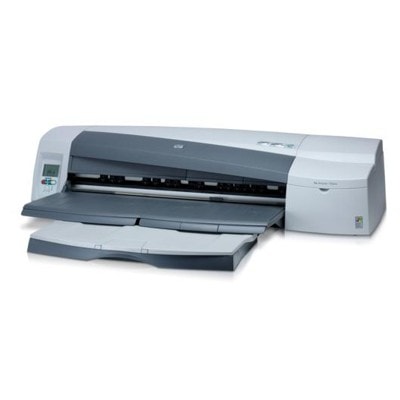
| If you use the HP DesignJet 100 (also searched as HP 100 or HP DesignJet 100 Series), you already know it’s a compact, reliable large-format printer built for precise color and clean line work. It’s a popular choice for CAD drawings, presentations, posters, proofs, and everyday studio printing—where consistent color and sharp detail matter. Here you’ll find everything you need for smooth operation: ink for HP DesignJet 100 in compatible and Original OEM versions, plus printhead options and a cleaning fluid for maintenance. Ink for HP DesignJet 100: what matters for quality and reliability Choosing the right ink cartridge for HP DesignJet 100 is the quickest way to keep your prints predictable—without wasted media and time. This model uses a pigment-based black and dye-based colors, so you can expect: - crisp text and lines (especially with black ink), ideal for technical prints,
- smooth color transitions and vivid fills for graphics and presentations,
- repeatable results when you print the same project over time,
- stable performance when cartridges and printheads are in good condition.
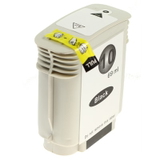
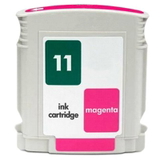
In this category we focus on what you truly need for daily work with HP Designjet 100 Series: ink cartridges (black, cyan, magenta, yellow), dedicated printheads, and a professional fluid for cleaning—helpful when the printer sits unused or when colors start to drop out. Compatible and Original OEM cartridges: one page, a full choice We know that every customer prints differently. Some need maximum OEM predictability for contract proofs; others want the best cost-per-ml for everyday production. That’s why we offer both Original OEM ink for HP DesignJet 100 and carefully selected compatible solutions that perform just as well in real-world use. With us, you can choose the option that matches your workflow—without sacrificing print quality. Looking for specific codes? The printer is often identified by phrases like C7796A or “100”. The ink set includes the HP 10 and HP 11 family, so it’s easy to find the right match when you know the symbol. Popular products for HP 100: inks, printheads, maintenance Below are some of the most frequently chosen items in this category—perfect if you want to restock quickly: - Compatible Ink Cartridge 10 for HP (C4844AE) (Black) – a practical choice for sharp lines and readable text.
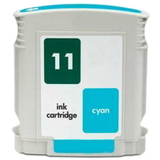
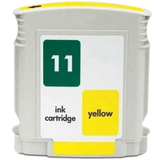
- Compatible Ink Cartridge 11 for HP (C4836AE) (Cyan), (C4837AE) (Magenta), (C4838AE) (Yellow) – a full color set for graphics and photo-like prints.
- Original OEM Ink Cartridge HP 10 (C4844AE) (Black) and Original OEM Ink Cartridge HP 11 in Cyan (C4836AE), Magenta (C4837AE), Yellow (C4838AE) – the OEM route for users who prefer manufacturer supplies.
- Original OEM Printhead HP 11: Black (C4810AE), Cyan (C4811AE), Magenta (C4812AE), Yellow (C4813AE) – the right solution when cleaning isn’t enough and you need to restore full nozzle performance.
- Specialistic Fluid for Cleaning Heads HP 250 ml (Uniwersalny) – helpful for dried ink, clogged nozzles, and preventive maintenance.
Thanks to this selection, you can complete a full service “basket” in one go: ink for HP DesignJet 100, the right printhead, and a maintenance product to keep the device stable over time. How to choose: Original OEM vs compatible ink for HP DesignJet 100 When selecting an ink cartridge for HP DesignJet 100, start with your printing priorities: - If you want classic OEM consistency (standardized results across many devices/workflows), choose Original OEM cartridges and printheads.
- If you want excellent value without compromising quality, choose our compatible ink for HP DesignJet 100. The compatible cartridges in our offer are as good as the originals in everyday use—reliable, clean, and designed to work smoothly with the printer.
- If you’re troubleshooting print quality, consider whether the issue is ink-related or printhead-related. Replacing a weak printhead often solves missing lines or color dropouts faster than swapping cartridges repeatedly.
A practical tip: keep black and at least one color cartridge in reserve if you print on deadlines. Large-format jobs consume more ink than they seem, and running out mid-print can waste paper and time. Common HP DesignJet 100 issues—and what usually fixes them The HP Designjet 100 is robust, but like any inkjet, it can develop typical symptoms—especially after idle periods. Here’s what customers most often report and how to respond: - Faded colors or missing lines – often a partially clogged nozzle; start with cleaning, and if the problem persists, consider replacing the relevant HP 11 printhead (C4810AE/C4811AE/C4812AE/C4813AE).
- Streaking/banding – check printhead condition, run maintenance, and ensure you’re using stable ink for HP 100 matched to the correct cartridge code (C4844AE, C4836AE, C4837AE, C4838AE).
- Printer not used for a while – dried ink is common; the Specialistic Fluid for Cleaning Heads HP 250 ml can help restore flow and reduce ink waste from repeated automatic clean cycles.
- Color imbalance – confirm that the correct color cartridge is installed and consider a printhead refresh if one channel underperforms.
When you treat maintenance as part of your supply planning (not just a last resort), your ink for HP DesignJet 100 lasts longer in practice—and the printer stays ready when you need it. Order ink for HP DesignJet 100 with confidence We encourage you to explore the full selection in this category and choose exactly what suits your workflow: compatible ink cartridge sets for cost-effective printing, Original OEM cartridges for manufacturer-standard operation, plus printheads and cleaning fluid for dependable maintenance. If you’re unsure which item fits your device (HP DesignJet 100 / HP 100 / HP DesignJet 100 Series, C7796A), contact us—tell us what you print and what issue you’re seeing, and we’ll help you pick the best option. CTA: Add your cartridges, printheads, and cleaning supplies to the cart today and keep your HP DesignJet 100 ready for every project. We offer fast delivery options and helpful support whenever you need assistance. |