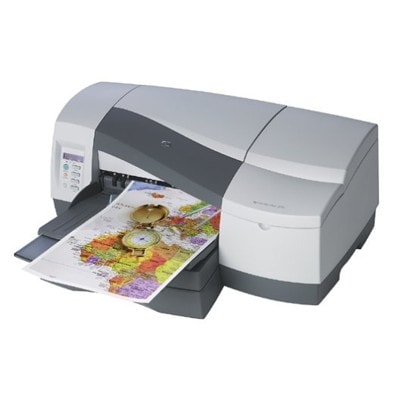
| If you use the HP Business Inkjet 2600 (also known as HP 2600 or HP Business Inkjet 2600 Series), you know it’s a work-focused printer built for efficient office printing—especially where speed, sharp text, and dependable color documents matter. To keep this model running at its best, it’s worth choosing the right ink for HP Business Inkjet 2600 and taking care of the print system with proper maintenance products. In this category we bring together everything you need: ink cartridges, original OEM printheads, and a fluid for cleaning to solve common print quality issues. Ink for HP Business Inkjet 2600: what matters in everyday printing The HP Business Inkjet 2600 uses separate color inks, which is practical: you replace only the color you actually run out of. Whether you print invoices, shipping labels, letters, charts, or color presentations, properly selected ink for HP 2600 helps you keep consistent results—deep blacks, clear small text, and stable colors page after page. In our offer you’ll find solutions for different needs: - Original OEM ink for HP Business Inkjet 2600 — for customers who prefer manufacturer supplies and predictable performance in demanding office workflows.
- Compatible ink cartridges for HP Business Inkjet 2600 — a cost-effective option with very high quality. Our compatible cartridges from DrTusz.pl are designed to perform just as well as originals in daily printing.
- Original OEM printheads — crucial when print quality problems are caused by a worn or damaged head rather than the cartridge itself.
- Cleaning fluid — a smart support product for maintenance, helping restore nozzles and reduce streaking or missing lines.
Compatible and Original OEM cartridges: choose what fits your workflow Many customers ask us which is better: original ink for HP 2600 or a compatible ink cartridge for HP Business Inkjet 2600. The honest answer is: it depends on your printing style and budget. Original OEM supplies are a safe, manufacturer-standard choice. Compatible cartridges, when sourced from a proven store, are a great way to reduce cost per page without sacrificing readability and color stability. What you gain with our compatible options: - very good day-to-day reliability and consistent output,
- excellent value for frequent printing,
- easy replacement and full color set availability.
What you gain with original OEM: - manufacturer-branded supplies matched to the device specification,
- a familiar choice for companies with strict purchasing policies,
- OEM printheads available when maintenance requires more than cartridge replacement.
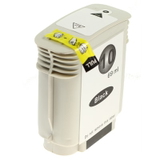
Popular products for HP Business Inkjet 2600 in our range To make shopping easier, here are some of the most frequently chosen items in this category—perfectly matched as ink for printer HP Business Inkjet 2600: - Compatible Ink Cartridge 10 for HP (C4844AE) (Black) — a practical option for sharp office text and everyday monochrome printing.
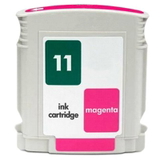
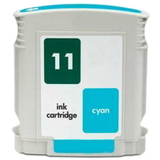
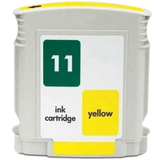
- Compatible Ink Cartridge 11 for HP (C4836AE) (Cyan), (C4837AE) (Magenta), (C4838AE) (Yellow) — a complete color set for charts, graphics, and color documents.
- Original OEM Ink Cartridge HP 10 (C4844AE) (Black) and Original OEM Ink Cartridge HP 11 in Cyan (C4836AE), Magenta (C4837AE), Yellow (C4838AE) — for customers who prefer manufacturer consumables.
- Original OEM Printhead HP 11: C4810AE (Black), C4811AE (Cyan), C4812AE (Magenta), C4813AE (Yellow) — ideal when the printer requires printhead replacement to restore full quality.
- Specialistic Fluid for Cleaning Heads HP 250 ml (Uniwersalny) — helpful for maintenance and for tackling clog-related issues.
All items are clearly marked, so you can quickly match part numbers such as C8109A, C4844AE, or C4836AE/C4837AE/C4838AE to your printer and avoid mistakes. How to pick the right ink and solve common HP 2600 printing issues If you want to choose the best ink for HP Business Inkjet 2600, start with two simple questions: how much do you print, and what do you print most often (mostly black text or lots of color)? For high-volume office use, compatible cartridges can significantly lower running costs while keeping quality at a level comparable to OEM. For occasional, policy-driven, or strictly standardized office purchasing, original OEM may be the preferred route. Common issues reported by HP Business Inkjet 2600 users usually have straightforward causes: - Streaks, faded print, or missing lines — often linked to clogged nozzles. Try maintenance/cleaning and consider fluid for cleaning heads.
- One color not printing correctly — replace the specific color cartridge, and if the problem persists, check whether the printhead HP 11 for that color needs replacement.
- Uneven blacks or weak text — verify the condition of the black ink cartridge C4844AE and run a cleaning cycle; persistent issues can point to a black printhead.
- Frequent printing interruptions — keeping spare cartridges (especially black) is often the simplest way to maintain workflow continuity.
Dear Customer, if you’re not sure whether you need a cartridge, a printhead, or cleaning support, we’re here to help—tell us what you see on the printout and which supplies you’re currently using, and we’ll guide you to the right solution. Order ink for HP Business Inkjet 2600 with confidence We encourage you to explore our full selection of ink cartridges for HP Business Inkjet 2600—both Compatible and Original OEM—as well as printheads and the cleaning fluid that helps keep your device in top condition. Choose the option that fits your budget and printing habits, add the right colors to your basket, and keep your HP 2600 ready for daily work. Need help matching a part number or choosing between compatible and OEM? Contact us—we’ll recommend the best ink for HP Business Inkjet 2600 for your exact needs and help you place the order quickly. |