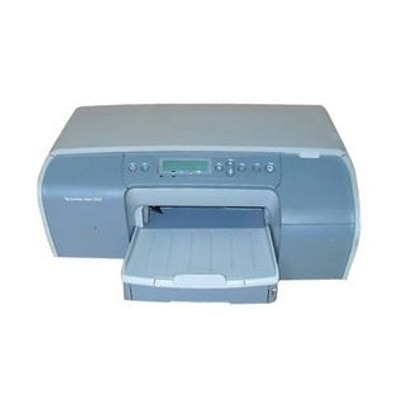
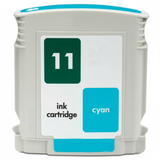
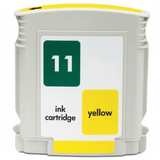
| The HP Business Inkjet 2300 (also searched as HP 2300 or HP Business Inkjet 2300 Series) is a proven workhorse designed for fast, cost-effective color printing in small offices and departments. It’s valued for sharp text, solid color documents, and the ability to handle higher print volumes than typical home inkjets. To keep this printer performing at its best, it’s essential to choose reliable ink for HP Business Inkjet 2300—and that’s exactly what we specialize in. Ink for HP Business Inkjet 2300: what matters most This model uses a classic business-inkjet setup: separate HP 10 and HP 11 cartridges plus dedicated printheads. In practice, this means you can replace colors individually, control costs, and maintain consistent quality. Whether you print invoices, offers, reports, or marketing materials, the right ink for HP 2300 ensures: - clear, readable black text for everyday office documents,
- stable color reproduction for charts, presentations, and graphics,
- smooth operation with fewer interruptions,
- better protection for printheads and ink channels.
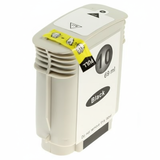
In this category you’ll find everything needed for ongoing operation: ink cartridges, printheads, and fluids for cleaning. This is particularly important for the HP Business Inkjet line, where print quality and reliability depend not only on the cartridge, but also on the condition of the printhead. Compatible and Original OEM cartridges: flexible choices for every budget We offer both Original OEM solutions and carefully selected compatible replacements—so you can decide what fits your priorities best. If you want manufacturer-original supplies, choose OEM. If you want to reduce printing costs without giving up dependable performance, our compatible cartridges are a smart alternative. We select compatible products so they are as good as the originals in daily office use: consistent output, strong page yield, and reliable color. The most commonly used cartridges for this printer are: - HP 10 (C4844AE) Black – for crisp text and strong black density,
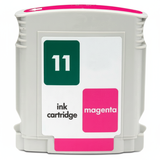
- HP 11 (C4836AE) Cyan, C4837AE Magenta, C4838AE Yellow – for clean, balanced color printing.
You may also encounter the printer designation C8125A in searches; this category is prepared specifically so you can quickly match the right ink for printer HP Business Inkjet 2300 to your device. Popular products in our offer for HP 2300 To help you choose faster, here are several best-selling items from this category—covering compatible, Original OEM, and maintenance options: - Compatible Ink Cartridge 10 for HP (C4844AE) (Black)
- Compatible Ink Cartridge 11 for HP (C4836AE) (Cyan)
- Compatible Ink Cartridge 11 for HP (C4837AE) (Magenta)
- Compatible Ink Cartridge 11 for HP (C4838AE) (Yellow)
- Original OEM Ink Cartridge HP 10 (C4844AE) (Black)
- Original OEM Ink Cartridge HP 11 (C4836AE) (Cyan), HP 11 (C4837AE) (Magenta), HP 11 (C4838AE) (Yellow)
- Original OEM Printhead HP 11 (C4810AE) (Black), C4811AE (Cyan), C4812AE (Magenta), C4813AE (Yellow)
- Specialistic Fluid for Cleaning Heads HP 250 ml (Uniwersalny)
This variety makes it easy to build a complete set: cartridges for day-to-day printing, a replacement printhead when needed, and a cleaning solution for preventive maintenance. How to choose the right ink cartridge and avoid common HP Business Inkjet 2300 issues Dear Customer, if you want your HP Business Inkjet 2300 ink to work flawlessly, start with two simple rules: match the correct symbol and keep the printheads in good condition. In everyday use, HP 2300 users most often report issues that can usually be solved quickly: - Faded prints or missing colors – often caused by a clogged printhead (especially after downtime). A cleaning fluid and routine maintenance can restore proper flow.
- Streaks or banding – may indicate the need for printhead cleaning or replacement (OEM printheads are available in this category).
- Ink warnings despite replacement – can happen after installation; reseating the cartridge and running a maintenance cycle typically helps.
- Smudging or slow drying – ensure you’re using the correct cartridge type and suitable paper for your workload.
Choosing between Original OEM ink for HP Business Inkjet 2300 and compatible options depends on your printing style: - Original OEM is ideal when you want manufacturer-standard consistency and you’re standardizing supplies across an office.
- Compatible is ideal when you want to lower cost per page while keeping quality and reliability high—our compatible cartridges are selected for stable performance comparable to OEM.
- Refill components & maintenance (like cleaning fluid) are perfect if your printer sits unused for longer periods or you want to extend printhead life with proactive care.
If you print a lot of black text, consider keeping a spare HP 10 (C4844AE) on hand. If you print color charts or presentations, a full CMY set of HP 11 cartridges helps avoid downtime mid-job. Order ink for HP 2300 confidently We make it easy to choose the right ink for HP Business Inkjet 2300 Series: clear product names, compatibility by symbol (such as C4844AE, C4836AE, C4837AE, C4838AE), and a complete selection including cartridges, printheads, and cleaning solutions. We encourage you to browse the products in this category, pick the option that matches your needs, and order today. If you’re unsure which cartridge or printhead your printer requires, contact us—we’ll help you match the correct ink for printer HP Business Inkjet 2300 and get you back to smooth, trouble-free printing. We also focus on fast, secure delivery so you can replenish supplies without disrupting your work. CTA: Explore our selection of compatible and Original OEM supplies for the HP Business Inkjet 2300 and choose the best ink, printhead, or cleaning fluid for your daily printing. |