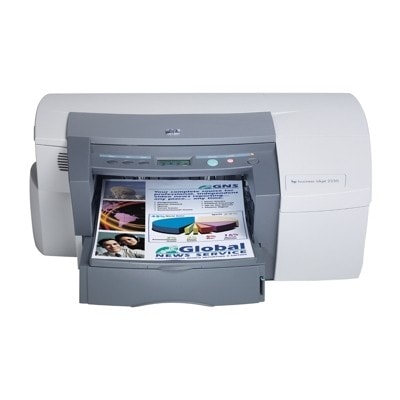
Reliable printing with HP Business Inkjet 2250 The HP Business Inkjet 2250 (also searched as HP 2250 or HP Business Inkjet 2200 Series) is a proven workhorse designed for fast, cost-effective color printing in offices and small businesses. It’s valued for sharp text, vivid graphics, and efficient ink usage—provided you choose the right ink for HP Business Inkjet 2250 and keep the print system in good condition. In this category, we’ve gathered everything you need for everyday printing: ink cartridges, original printheads, and cleaning fluid. Ink for HP Business Inkjet 2250 – what matters in daily use To get consistent results from your printer, it’s important to match the consumables to the correct series: HP 10 and HP 11 (codes such as C2691A, C4844AE, C4836AE, C4837AE, C4838AE). The right ink for HP 2250 ensures stable color, clean lines, and fewer interruptions during printing. Typical applications for ink for printer HP Business Inkjet 2250 include: - invoices, documents, and reports (deep, readable black),
- color charts, offers, and business graphics (balanced CMYK color output),
- everyday office printing where reliability and repeatability matter.
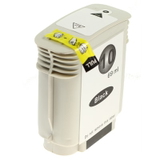
Compatible and Original OEM cartridges – one category, full choice We know that different users have different priorities, which is why we offer both Original OEM products and carefully selected Compatible alternatives. If you want the manufacturer’s solution, choose Original OEM. If you’re looking for a smart way to reduce printing costs without compromising quality, our compatible cartridges are an excellent option—our compatible range from DrTusz.pl is designed to be just as dependable in everyday use as the originals. In this category you’ll find popular colors and codes for ink for HP Business Inkjet 2250: - Compatible Ink Cartridge 10 for HP (C4844AE) (Black)
- Compatible Ink Cartridge 11 for HP (C4836AE) (Cyan)
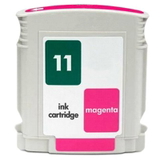
- Compatible Ink Cartridge 11 for HP (C4837AE) (Magenta)
- Compatible Ink Cartridge 11 for HP (C4838AE) (Yellow)
- Original OEM Ink Cartridge HP 10 (C4844AE) (Black)
- Original OEM Ink Cartridge HP 11 (C4836AE) (Cyan)
- Original OEM Ink Cartridge HP 11 (C4837AE) (Magenta)
- Original OEM Ink Cartridge HP 11 (C4838AE) (Yellow)
Printheads for HP 2250 – the key to sharp text and clean color The HP Business Inkjet 2250 uses separate printheads, which means that print quality depends not only on the cartridge, but also on the condition of the head. If you notice missing lines, uneven color blocks, or fading despite having ink, the printhead may need attention or replacement. We offer trusted OEM options, perfectly matched to the device: - Original OEM Printhead HP 11 (C4810AE) (Black)
- Original OEM Printhead HP 11 (C4811AE) (Cyan)
- Original OEM Printhead HP 11 (C4812AE) (Magenta)
- Original OEM Printhead HP 11 (C4813AE) (Yellow)
Choosing the right printhead for HP Business Inkjet 2250 helps restore crisp output and can extend the printer’s useful life—especially in busy office environments. Cleaning fluid and maintenance – a simple fix for common issues Many users of the HP Business Inkjet 2200 Series experience typical inkjet challenges: dried ink after longer downtime, clogged nozzles, streaks, or irregular colors. Before you assume a major problem, proper maintenance can often bring the printer back to full performance. That’s why we include professional support products such as: - Specialistic Fluid for Cleaning Heads HP 250 ml (Uniwersalny)
This type of fluid for cleaning is especially helpful when prints show banding, colors don’t align, or black text loses density. Regular care can reduce wasted pages and keep ink for HP 2250 flowing properly through the print system. How to choose the right ink for printer HP Business Inkjet 2250 If you want to buy confidently, we recommend a quick checklist: - Confirm the code: for black you typically need HP 10 (C4844AE); for color use HP 11 (C4836AE/C4837AE/C4838AE).
- Decide between Original OEM and Compatible: Original OEM is the manufacturer’s option; compatible is the cost-effective choice—our compatible cartridges are built to deliver results comparable to OEM in everyday printing.
- Check print symptoms: streaks, missing lines, or uneven color can indicate a maintenance need or a printhead issue rather than an empty cartridge.
- Plan for your workflow: frequent printing usually keeps nozzles in good shape; occasional printing benefits from preventive cleaning and proper storage.
Still unsure which ink for HP Business Inkjet 2250 is best for your needs? Tell us what you print and what issue you’re seeing—we’ll help you choose the right cartridge, printhead, or cleaning product. Order today – and keep your HP Business Inkjet 2250 ready for work We encourage you to explore our full selection of ink for HP Business Inkjet 2250: Compatible, Original OEM, and refill/maintenance components in one place. We focus on availability, clear product identification, and practical support—so you can print with confidence and minimal downtime. Add the right cartridges and printheads to your cart, and if you have questions, contact us—together we’ll pick the best solution for your HP 2250. |