Haven't found what you were looking for? Click here! ▼
Describe below exactly what you are looking for and we will see how we can help. You will receive a reply to your e-mail address by 09:15 at the latest
Ink cartridges for Epson WorkForce WF-2510WF - compatible and original OEM
Keep your Epson WorkForce WF-2510WF printing sharply with the right inkjet cartridges—available here as both Original OEM and Compatible options. Whether you search for Epson WF-2510WF, WF-2510WF, or C11CC58301, you’ll find cartridges designed to fit and work smoothly with your device.
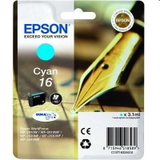
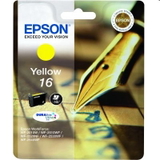
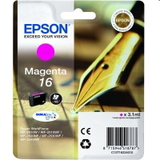
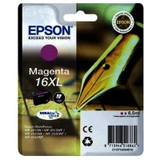
Choose standard Epson T162 (Black, Cyan, Magenta, Yellow) for everyday printing, or step up to higher-yield Epson T163 (16 XL) cartridges when you want more pages per replacement. For convenience and balanced colour output, multi packs are also available in both OEM and compatible versions—ideal for home offices and busy households.
Original Epson cartridges deliver manufacturer-grade consistency, while compatible ink cartridges offer a cost-effective alternative with dependable performance and full compatibility with the Epson WorkForce WF-2510WF. Pick your colour, size, or multipack and restock in minutes—order your Epson WorkForce WF-2510WF ink cartridges today and explore the full range to find the best match for your printing needs.
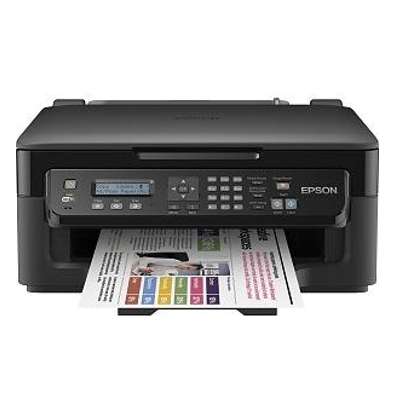
Epson WorkForce WF-2510WF – a compact all‑rounder for home and small office
Dear Customer, the Epson WorkForce WF-2510WF (also found as Epson WF-2510WF, WF-2510wf, WF 2510 WF or C11CC58301) is a practical inkjet multifunction device designed for everyday printing, copying and scanning, often with occasional fax use. It’s valued for its compact footprint and reliable performance in routine tasks: invoices, school materials, shipping labels and simple colour graphics. To keep this printer working smoothly and to maintain crisp text and vivid colours, choosing the right ink for Epson WorkForce WF-2510WF is essential—and that’s exactly what this category is for.
Ink cartridges for WF-2510WF: what to expect and what they’re used for
This subpage includes ink cartridges for Epson WorkForce WF-2510WF in two classes: Original OEM and Compatible. Your printer uses individual colour cartridges, so you replace only the colour you actually run out of—saving money and reducing waste. In everyday use, fresh and well‑matched ink for WF-2510WF means consistent black text, stable colour balance, and fewer interruptions caused by weak prints or warning messages.
For this model, you’ll typically see two families of cartridges:
Epson T1621–T1624 (standard capacity): great for regular home printing and balanced cost per purchase.
Epson T1631–T1634 (16 XL) (high capacity XL): ideal when you print more often and want fewer replacements and better cost per page.
Whether you print mostly documents or also include colour charts and photos, selecting the correct cartridge code is the fastest way to get the best results from your Epson WorkForce WF-2510WF.
Our range: Original OEM and Compatible ink cartridges in one place
We keep this category clear and complete, so you can quickly choose the right ink cartridge for Epson WF-2510WF without guessing. You’ll find both single colours and convenient multipacks:
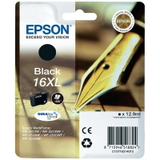
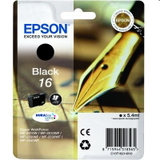
Original OEM Ink Cartridge Epson T1621 (C13T16214010) (Black) and Original OEM Ink Cartridge Epson T1631 (16 XL) (C13T16314010) (Black) – strong, readable text for everyday paperwork.
Original OEM Ink Cartridge Epson T1622 / T1623 / T1624 and Original OEM Ink Cartridge Epson T1632 / T1633 / T1634 (16 XL) – stable colour output for graphics, forms and mixed documents.
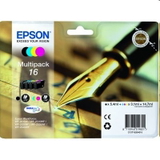
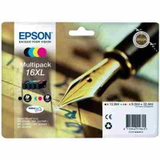
Original OEM Ink Cartridges Epson T1626 (C13T16264010) (multi pack) and Original OEM Ink Cartridges Epson T1636 (16 XL) (C13T16364010) (multi pack) – a complete set to restore full colour printing at once.
Compatible Ink Cartridge T1621 / T1622 / T1623 / T1624 – a cost‑effective way to keep your printer ready for daily use.
Compatible Ink Cartridge T1631 / T1632 / T1633 / T1634 (16 XL) and Compatible Ink Cartridges T1636 (16 XL) (multi pack) – for higher volume printing with fewer cartridge changes.
Thanks to this selection, you can match your purchase to your printing style—standard, XL, single colour or multipack—without leaving the ink for Epson WorkForce WF-2510WF category.
How to choose the right ink for Epson WorkForce WF-2510WF
If you want the simplest selection method, follow these rules:
Check the code on your current cartridge: T1621–T1624 or T1631–T1634 (16 XL). Match it exactly.
Choose standard vs XL based on your workload: if you print often (home office, school, small business), XL such as T1631 (16 XL) and the T1636 multipack typically offer better overall convenience and value.
Pick a multipack when you want full readiness: a set like T1626 or T1636 is a quick way to avoid running out of a colour mid‑task.
Decide between Original OEM and Compatible: Original OEM is the manufacturer’s cartridge; Compatible is a carefully selected alternative.
Original OEM vs Compatible: practical differences (and why our compatible is a smart choice)
Many customers ask whether it’s better to buy original ink for Epson WF-2510WF or a compatible version. Here’s the real‑world perspective:
Original OEM ink cartridges are designed by Epson for predictable behaviour, consistent output and broad compatibility with printer firmware.
Compatible ink cartridges from our DrTusz.pl offer are built to deliver print quality and reliability that are as good as originals in everyday use, while helping you reduce printing costs. They are a great option for documents, school printing and regular colour work.
If you print a lot and want to optimise your budget, compatible cartridges—especially XL equivalents like T1631–T1634 (16 XL)—are often the most economical way to keep your Epson WorkForce WF-2510WF running without compromises in daily printing.
Common WF-2510WF ink-related issues and our tips
This printer model is reliable, but typical inkjet situations can occur. Here’s how we recommend handling the most common ones:
Printer says the cartridge isn’t recognised: remove and reinsert the cartridge firmly; make sure the protective elements are removed; restart the device. Selecting the correct code (T162x vs T163x) is crucial.
Faded prints or missing colours: run the printer’s nozzle check and head cleaning from the maintenance menu. If a colour has been empty for a while, installing fresh ink for Epson WorkForce WF-2510WF and performing one or two cleanings usually restores quality.
Black printing looks grey or uneven: consider switching to an XL black like T1631 (16 XL) if you print a lot of text; also verify print settings (draft mode can reduce density).
Ink runs out quickly: multipacks and XL cartridges help reduce the frequency of replacements—choose T1636 (16 XL) if you prefer a complete high-capacity set.
If you ever feel unsure which cartridge your device needs, tell us how your printer is labelled (for example WF-2510WF / C11CC58301) and which code is currently installed, and we’ll help you choose the right ink cartridge for WF-2510WF.
Choose your cartridges and keep printing
We encourage you to explore our selection of ink cartridges for Epson WorkForce WF-2510WF—both Original OEM and our proven Compatible options. Pick a single colour to top up what’s missing or choose a multipack to fully refresh your printer in one order. Add the right ink for Epson WF-2510WF to your cart now, and if you need support, contact us—we’ll help you match the correct cartridge code and capacity so you can get back to smooth, trouble‑free printing as quickly as possible.