Haven't found what you were looking for? Click here! ▼
Describe below exactly what you are looking for and we will see how we can help. You will receive a reply to your e-mail address by 09:15 on monday (5 October 2026) at the latest
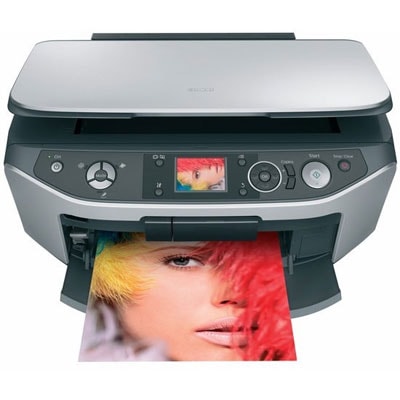
Ink cartridges for Epson Stylus Photo RX560 - compatible and original OEM
Keep your Epson Stylus Photo RX560 running at its best with a complete selection of inkjet supplies designed for the Epson Stylus Photo Series (RX560 / C11C663032). In this category you’ll find both Original OEM and compatible ink cartridges that match the popular T0801–T0807 range, so you can print crisp text and vibrant photos with confidence.
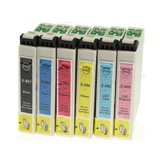
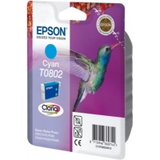
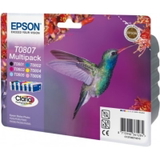
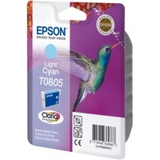
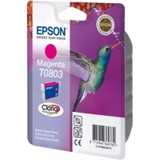
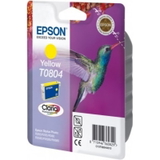
Choose individual colors—Black (T0801), Cyan (T0802), Magenta (T0803), Yellow (T0804), Light Cyan (T0805), Light Magenta (T0806)—or go for convenient multipacks like T0807 for everyday savings and fewer replacements. Original OEM cartridges deliver the manufacturer’s expected output and consistency, while compatible cartridges offer a cost-effective alternative with reliable fit and performance for your Epson RX560.
For maintenance and smoother printing, you can also pick up fluids for cleaning, including a specialist head-cleaning solution to help prevent clogs and keep nozzle performance stable. Stock up on Epson Stylus Photo RX560 ink cartridges today and get back to printing without interruptions—explore the full offering and choose the setup that suits your budget and print needs.
Epson Stylus Photo RX560 – a proven photo all‑in‑one for everyday use
The Epson Stylus Photo RX560 (also searched as Epson RX560, C11C663032 or simply the Epson Stylus Photo Series) is a versatile inkjet device designed for home printing, scanning and copying—especially where photo quality matters. It uses a separate ink system (individual colors), which helps you control costs because you replace only the color that runs out. In this category you’ll find carefully selected ink for Epson Stylus Photo RX560 in several options: Original OEM, Compatible and refill components, plus a practical cleaning fluid for maintenance.
Ink for Epson RX560 – what matters most in daily printing
To get the best out of your printer, it’s worth choosing cartridges that match the RX560’s 6‑color photo system. This model works with the Epson T0801–T0806 set plus the convenient T0807 multipack. The individual colors support smoother gradients and better skin tones—important for photos, but also for business graphics, school projects and crisp everyday documents.
When you buy ink for printer Epson Stylus Photo RX560, pay attention to:
Color set – Black, Cyan, Magenta, Yellow, Light Cyan and Light Magenta are used for accurate photo output.
Head condition – RX560 printers can be sensitive to drying if left unused; regular printing and proper maintenance help avoid nozzle issues.
Cost control – multipacks and compatibles can significantly lower the cost per page while keeping quality high.
Our range: Original OEM, Compatible and smart multipacks
We make it easy to choose the right ink for Epson Stylus Photo RX560 by offering both manufacturer cartridges and high‑quality alternatives. Popular choices in this category include:
Original OEM Ink Cartridges Epson T0807 (C13T08074011) (multi pack) – a complete set for photo printing, perfect if you want Epson’s factory solution.
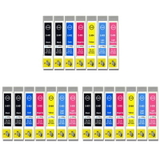
Compatible Ink Cartridges T0807 for Epson (C13T08074011) (multi pack) and 3x Compatible Ink Cartridges T0807 – ideal for frequent printing and a great way to stock up.
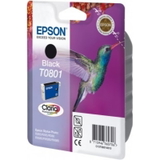
Original OEM Ink Cartridge Epson T0801 (C13T08014011) (Black) and Compatible Ink Cartridge T0801 – the go‑to choice for sharp text and everyday documents.
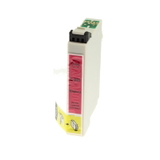
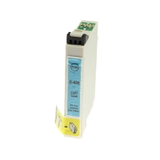
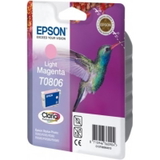
Single colors in OEM and compatible versions: T0802 Cyan, T0803 Magenta, T0804 Yellow, T0805 Light cyan, T0806 Light magenta – replace exactly what you need.
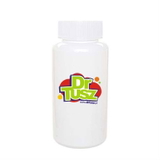
Specialistic Fluid for Cleaning Heads Epson 250 ml (Universal) – helpful when prints show gaps, streaks or fading due to clogged nozzles.
Whether you print occasionally or every day, we’ve built this category so you can quickly find the right cartridge type and color for the RX560.
Original vs compatible ink for Epson Stylus Photo RX560 – how to choose
If you want maximum predictability and the manufacturer’s solution, Original OEM cartridges are a safe pick. If you print a lot and want to reduce costs without sacrificing results, our compatible ink for Epson RX560 is an excellent option. We select compatibles to deliver performance that’s as good as originals—strong color, smooth photo transitions and reliable operation in everyday use.
Practical tips to help you decide:
For photos and color graphics: consider multipacks (T0807) so all colors stay balanced.
For mainly text: keep an extra T0801 Black on hand.
For occasional printing: print a small color page every 1–2 weeks to reduce drying risk.
When quality drops (missing lines, banding, pale colors): run a nozzle check/cleaning cycle and, if needed, use the cleaning fluid as part of maintenance.
Common RX560 issues and how ink & maintenance can help
Many users of the Epson Stylus Photo RX560 report similar challenges over time—especially if the printer sits unused. The most common are clogged nozzles, uneven color, or streaks after long breaks. In these cases, the right ink for Epson Stylus Photo RX560 combined with proper cleaning can make a real difference. If you notice:
Banding or horizontal streaks – check nozzles, clean the head, replace the color that’s running low.
One color missing – replace only that cartridge (thanks to the separate ink system).
Faded photos – ensure Light Cyan/Light Magenta are not depleted and use a complete set if needed.
Ink drying – regular printing and periodic maintenance help keep the system in good condition.
Choose your ink today – we’re here to help
We encourage you to explore our selection of ink for printer Epson Stylus Photo RX560—from Original OEM cartridges to cost‑effective compatible options and practical cleaning fluids. If you’re unsure which cartridge you need (for example T0801 vs T0807 multipack) or you’re troubleshooting print quality, contact us—we’ll help you match the right product to your printer and printing style. Add your chosen cartridges to the cart and enjoy fast, convenient delivery and expert support whenever you need it.