Haven't found what you were looking for? Click here! ▼
Describe below exactly what you are looking for and we will see how we can help. You will receive a reply to your e-mail address by 09:15 on monday (5 October 2026) at the latest
Ink cartridges for Epson Stylus Photo PX650 - compatible and original OEM
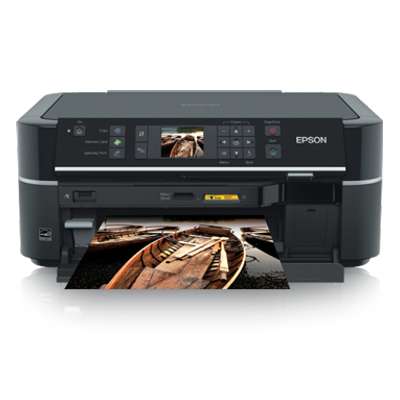
Find the right ink for your Epson Stylus Photo PX650 (Epson PX650 / C11CA51302) with a complete selection of inkjet supplies for the Epson Stylus Photo Series. This category includes both Original OEM ink cartridges and compatible ink cartridges, so you can choose between manufacturer-perfect consistency or a cost-effective alternative without sacrificing everyday reliability.
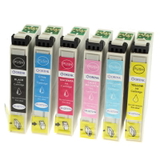
Stock up on the popular Epson cartridge families T0791–T0796 and T0801–T0807, available as single colors (Black, Cyan, Magenta, Yellow, Light Cyan, Light Magenta) or convenient multi packs. Our Epson Stylus Photo PX650 ink cartridges are designed for clean installation and stable performance, helping you produce sharp text and vibrant photo prints with dependable compatibility and consistent output.
Need maintenance support? You’ll also find refill components like cleaning fluid for print heads to keep your printer running smoothly and reduce clogging. Choose your preferred Epson PX650 cartridges today—add the right set to your cart and get back to printing at your best. Explore the full offering and pick the option that fits your printing style and budget.
Epson Stylus Photo PX650 – a photo-oriented all‑in‑one that deserves the right ink
The Epson Stylus Photo PX650 (also searched as Epson PX650, C11CA51302, or part of the Epson Stylus Photo Series) is a versatile inkjet all‑in‑one designed for everyday documents and high‑quality colour printing at home. Thanks to a multi‑colour ink system, it can produce smooth gradients and vivid photos—provided you use reliable ink for Epson Stylus Photo PX650 and keep the printhead in good condition.
What ink cartridges for Epson PX650 do—and why the set matters
The PX650 works with cartridge families T0791–T0796 and T0801–T0807, depending on the configuration. In practice, that means you can tailor your purchase to your printing style: black for crisp text, cyan/magenta/yellow for accurate colour, and light colours for softer photo transitions. Choosing the right ink for Epson PX650 helps you achieve:
Clean text for school, invoices, and everyday paperwork
Consistent colour for graphics, presentations, and photo prints
Stable performance with fewer interruptions and fewer nozzle issues
Cost control by replacing only the colour you’ve actually used up
In our store you’ll find both Original OEM options and high‑quality compatible ink cartridges for Epson Stylus Photo PX650, plus maintenance products like cleaning fluids—so you can print more and troubleshoot less.
Compatible, Original OEM, and refill components—choose what fits your printing
We offer three clear paths for customers looking for ink cartridges for Epson Stylus Photo PX650:
Original OEM ink – manufacturer cartridges for those who want the classic OEM solution, excellent repeatability and a straightforward replacement process.
Compatible ink cartridges – a smart alternative for frequent printing. Our compatible options from DrTusz.pl are designed to be as good as the originals in everyday use: dependable, efficient, and budget‑friendly.
Refill components & maintenance – ideal if you want to extend the life of your device and reduce issues such as drying nozzles or colour shifts over time.
Popular picks in this category (PX650 inks and multipacks)
If you want the easiest way to restore full colour capability, multipacks are a great start. In this category you’ll find, among others:
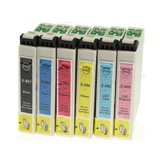
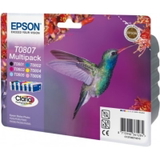
Compatible Ink Cartridges T0807 for Epson (C13T08074011) (multi pack) – convenient set for balanced colour/photo printing.
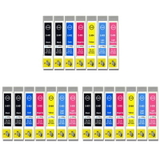
Compatible Ink Cartridges T0791–T0796 for Epson (DT-AE-T0791/K) (multi pack) – a full compatible set for users who print often.
Original OEM Ink Cartridges Epson T0807 (C13T08074011) (multi pack) – OEM multipack for those who prefer manufacturer supplies.
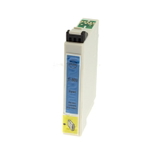
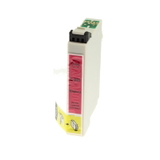
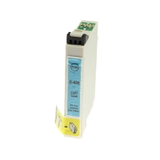
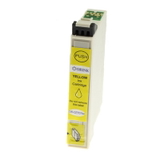
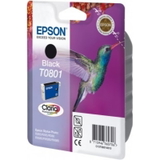
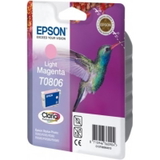
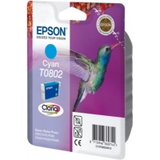
Prefer to replace only what’s empty? We also stock single colours, for example Original OEM Ink Cartridge Epson T0801 (C13T08014011) (Black), Original OEM Ink Cartridge Epson T0802 (C13T08024011) (Cyan), Original OEM Ink Cartridge Epson T0803 (C13T08034011) (Magenta), Original OEM Ink Cartridge Epson T0804 (C13T08044011) (Yellow), as well as photo‑oriented shades like T0805 Light cyan and T0806 Light magenta. For compatible equivalents, you can choose matching items such as Compatible Ink Cartridge T0801 (Black), T0802 (Cyan), T0803 (Magenta), T0804 (Yellow), T0805 (Light cyan), T0806 (Light magenta), and more—including sets like 3x Compatible Ink Cartridges T0807 (multi pack).
How to choose ink for printer Epson Stylus Photo PX650
To select the correct ink for printer Epson Stylus Photo PX650, we recommend a quick checklist:
Match the cartridge code: look for T079x or T080x symbols and the OEM numbers like C13T08014011 or C13T07914010.
Decide between multipack vs single: multipacks are ideal for mixed printing; singles are best when one colour runs out faster.
Think about your output: frequent text printing usually means higher black usage; photo printing consumes multiple colours more evenly.
Choose OEM or compatible: OEM for a classic approach, compatible for strong value—without compromising everyday quality.
If you’re unsure which ink cartridge for Epson PX650 to pick, tell us what you print most (documents vs photos) and which code is currently installed—we’ll help you choose quickly.
Common PX650 printing issues—and how cleaning fluid can help
Like many photo inkjet models, the PX650 can occasionally face issues such as missing colours, faint prints, banding, or clogged nozzles—especially if the printer sits unused for a while. Before you assume the cartridge is the only problem, consider proper maintenance.
In this category you’ll also find a helpful support product: Specialistic Fluid for Cleaning Heads Epson 250 ml (Universal). Cleaning fluid can be useful when:
one colour stops printing even with a new cartridge installed
prints show streaks or gaps after a long break from printing
nozzle check patterns look incomplete despite normal ink levels
Regular printing (even a small colour test page) and timely cartridge replacement are simple habits that help keep ink for Epson Stylus Photo PX650 flowing smoothly.
Order Epson PX650 ink with confidence
We’ve built this category to make buying ink cartridges for Epson Stylus Photo PX650 straightforward—whether you want Original OEM, a dependable compatible ink cartridge for Epson Stylus Photo PX650, or practical maintenance solutions. Browse the products listed above, choose the codes that match your printer, and enjoy reliable printing again.
CTA: We encourage you to add your selected cartridges to the cart and complete your order today. If you need help identifying the right T079x/T080x cartridge or want to troubleshoot print quality, contact us—our team will guide you and we’ll arrange fast delivery so you can get back to printing without delay.