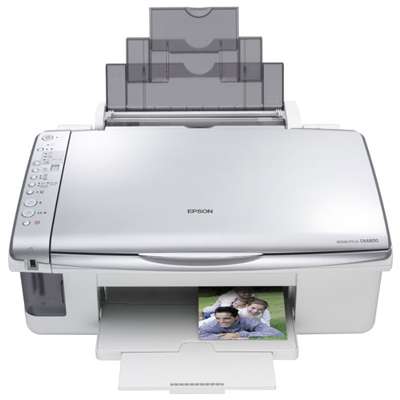
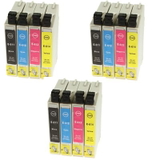
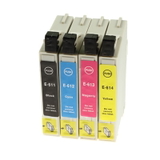
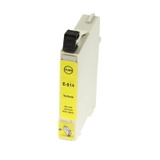
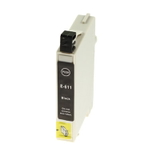
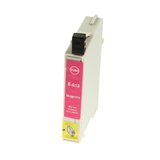
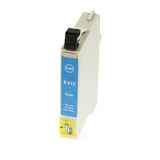
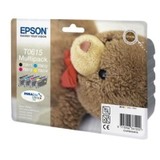
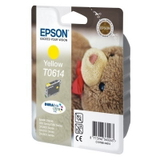
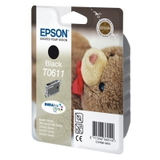
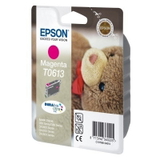
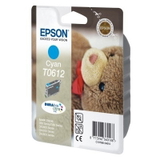
Epson Stylus DX4800 – a reliable all‑in‑one that still deserves great ink The Epson Stylus DX4800 (also searched as Epson DX4800, Epson Stylus DX Series, or by code C11C610011) is a classic home all‑in‑one built for everyday printing, scanning, and copying. It’s valued for sharp text, vivid colour photos, and simple operation. To keep it performing at its best, you need the right ink for Epson Stylus DX4800—fresh, correctly matched, and dependable in both black and colour. What ink cartridges the Epson DX4800 uses and why it matters This model works with the popular Epson T061 series cartridges: T0611 Black, T0612 Cyan, T0613 Magenta, T0614 Yellow, plus the convenient T0615 multipack. Choosing the correct ink cartridge for Epson DX4800 ensures accurate colours, clean lines, and fewer interruptions during printing. Whether you print school materials, documents for work, or photos, a well‑matched cartridge helps maintain consistent results page after page. In our category you’ll find both Original OEM cartridges and high‑quality compatible ink for Epson Stylus DX4800, as well as refill components and a fluid for cleaning—everything needed to keep your printer running smoothly. Print quality, everyday applications, and smooth operation Good ink for DX4800 is not just about colour intensity—it also impacts nozzle performance and printhead condition. The right cartridge supports: - Clear black text for documents and invoices (T0611 Black),
- Vivid colour graphics for presentations and school projects (T0612/T0613/T0614),
- Balanced photo colour when using the full CMYK set,
- Reliable cartridge recognition and stable printing without unnecessary errors.
If you’re printing only occasionally, colour cartridges can dry out faster. That’s why we also offer maintenance support such as a dedicated cleaning fluid, helping you restore normal ink flow and reduce streaks or missing lines. Our selection: compatible, Original OEM, multipacks and maintenance We build our range to match how people really print—sometimes you need one colour urgently, and sometimes it’s best to stock up. Popular choices in this category include: - Compatible Ink Cartridges T0615 for Epson (C13T06154010) (multi pack) – a practical full set for regular colour and document printing,
- Original OEM Ink Cartridges Epson T0615 (C13T06154010) (multi pack) – for customers who prefer manufacturer solutions,
- Compatible Ink Cartridge T0611 for Epson (C13T06114010) (Black) – ideal when you print lots of text,
- Original OEM Ink Cartridge Epson T0611 (C13T06114010) (Black) – OEM black for consistent office output,
- Compatible Ink Cartridge T0612 for Epson (C13T06124010) (Cyan) and Original OEM Ink Cartridge Epson T0612 – replace only what you need,
- Compatible Ink Cartridge T0613 (Magenta) and Original OEM Ink Cartridge Epson T0613 – for balanced reds and purples in graphics and photos,
- Compatible Ink Cartridge T0614 (Yellow) and Original OEM Ink Cartridge Epson T0614 – great for warm tones and natural colour mixes,
- 3x Compatible Ink Cartridges T0615 multipack – a smart option for frequent printing and better cost control,
- Specialistic Fluid for Cleaning Heads Epson 250 ml (Universal) – for maintenance when prints show gaps or streaking.
Thanks to this mix, you can choose exactly the right ink cartridge for Epson Stylus DX4800—single colour, multipack, Original OEM or compatible—without overpaying or waiting for “just the right set” to appear. How to choose: Original OEM vs compatible ink for Epson Stylus DX4800 Many customers ask what’s best: Original OEM ink for Epson DX4800 or a compatible cartridge. Here’s the practical answer: - Original OEM cartridges are produced by Epson and are a great choice if you prefer the manufacturer’s solution for your Epson Stylus DX4800.
- Compatible cartridges are designed as a fully matching alternative. The compatible cartridges we offer at DrTusz.pl are made to deliver print quality and reliability that are as good as the originals, while typically offering a more budget‑friendly way to print.
When selecting, always check the cartridge symbol and code: T0611 / T0612 / T0613 / T0614 / T0615 and corresponding numbers such as C13T06114010 or C13T06154010. This is the simplest way to ensure the correct ink for printer Epson Stylus DX4800 ends up in your basket. Common Epson DX4800 printing issues and how we help you fix them The Epson Stylus DX Series is robust, but like any inkjet it can face typical issues—especially with irregular printing. If you notice: - White lines, missing colours, or faded areas – it often indicates partially clogged nozzles or drying ink,
- Printer not used for a while – cartridges may dry and prints become uneven,
- Colour imbalance – one colour may be low or blocked while others print normally.
In these situations, a fresh set of ink cartridges for Epson DX4800 can restore print quality, and the Specialistic Fluid for Cleaning Heads Epson 250 ml can be an excellent support tool for maintenance. If you’re unsure which step is best, we encourage you to contact us—we’ll help you choose the right cartridge or cleaning solution based on your symptoms. Order your ink today and keep your Epson Stylus DX4800 ready to print We encourage you to explore our full range of ink for Epson Stylus DX4800: compatible cartridges, Original OEM options, practical multipacks, and cleaning fluids. Add the cartridges you need to your cart, stock up with a T0615 multipack, or choose a single colour replacement—whatever fits your printing style. CTA: Choose your ink cartridge for Epson Stylus DX4800 now, and if you have any doubts about compatibility (DX4800, C11C610011, T0611–T0615), contact us—we’ll guide you quickly so you can get back to smooth, clean printing with fast delivery options. |